Agriculture and food
Crop rotation plan template
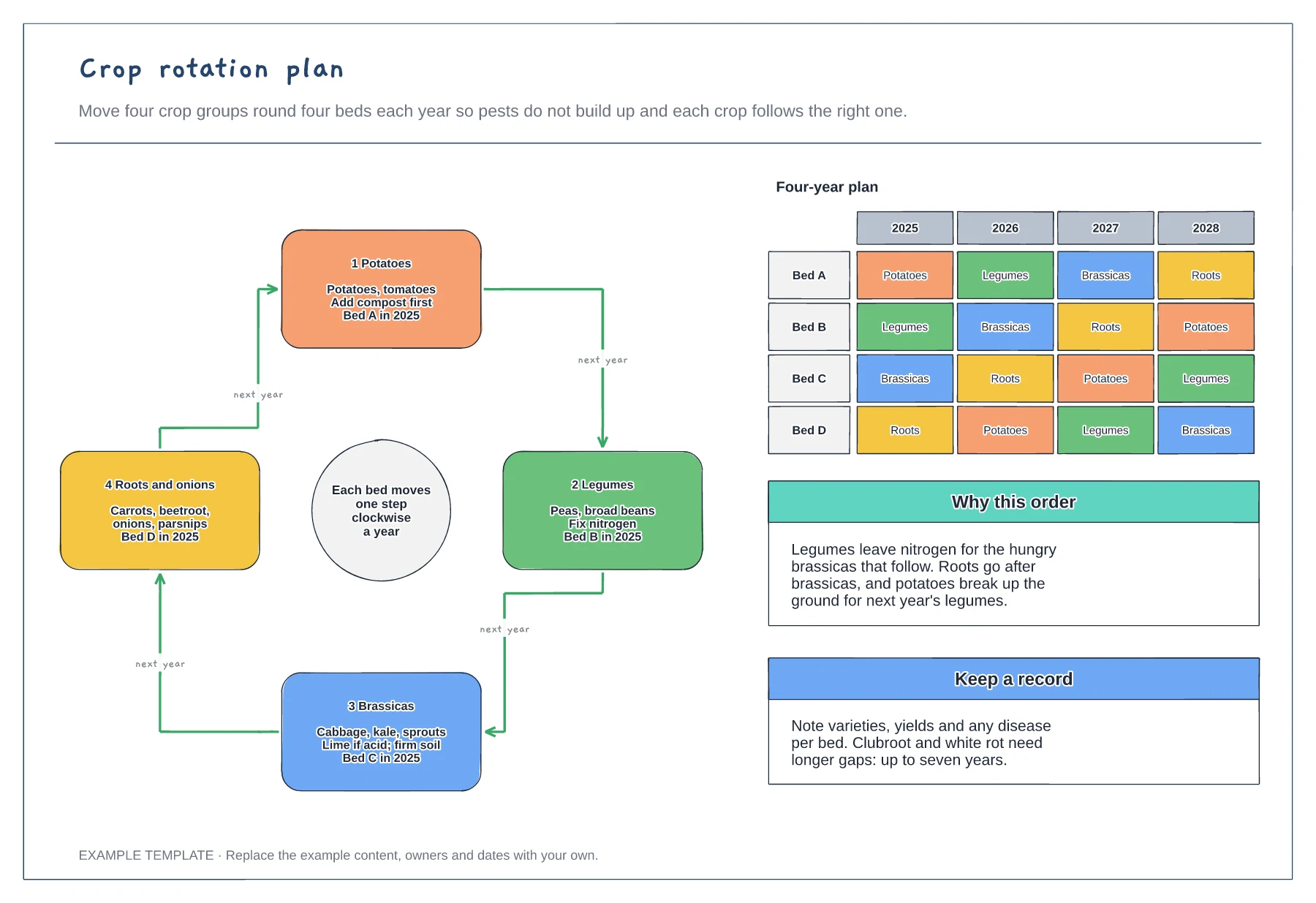
A rotation wheel with the four crop groups · A bed-by-year grid for four seasons · Notes on why each group follows the last
Preview and use template →Permaculture zoning places each part of a holding by how often you need to visit it, so daily jobs are close to the door and wild land is furthest away. This example draws zones 0 to 5 as rings around the house, with herbs and salads in zone 1, hens, vegetables and bees in zone 2, orchard and grain in zone 3, sheep and coppice in zone 4 and wild land beyond, plus notes on sun, wind and frost.
No account needed · Opens as your own editable page
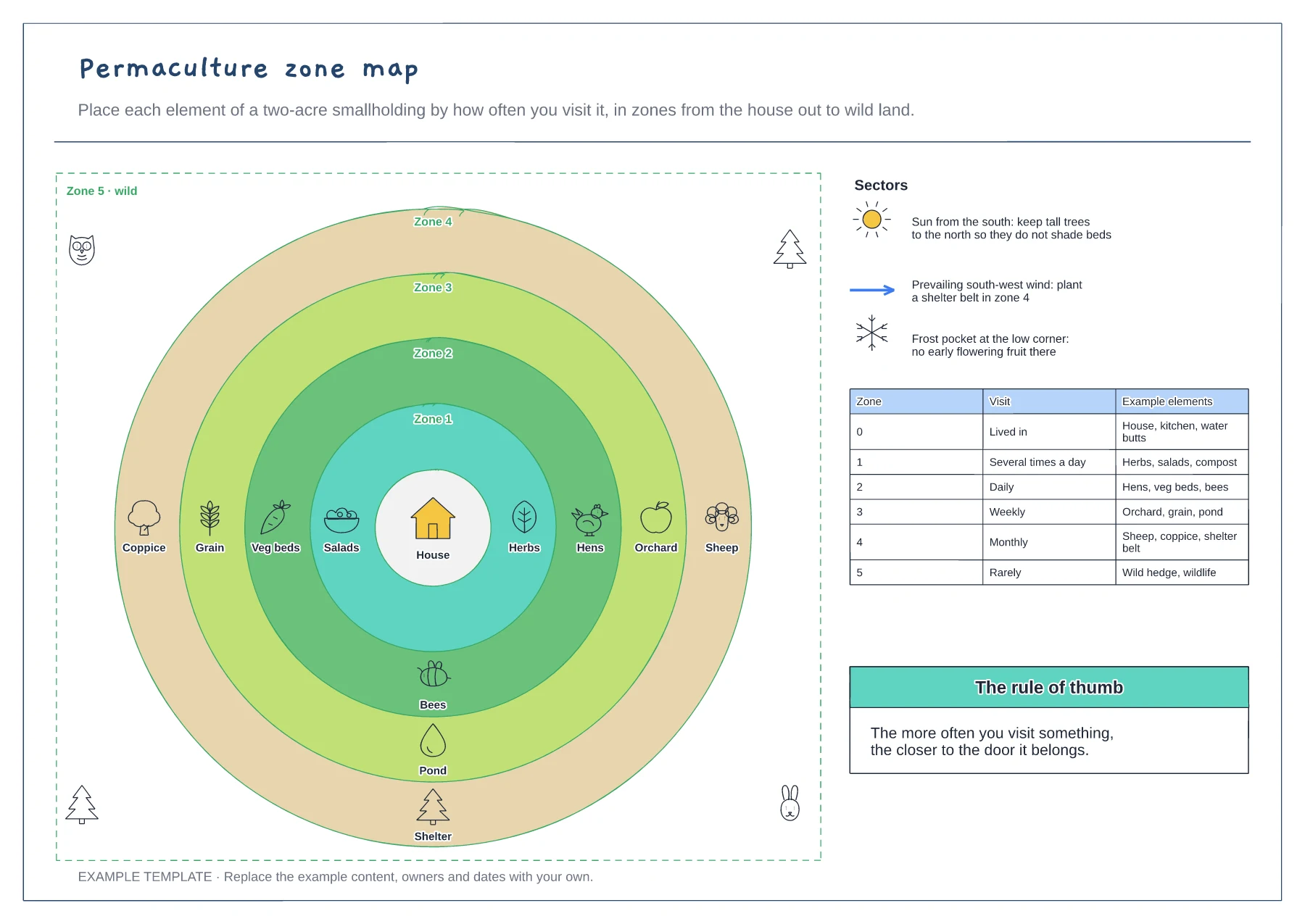
Put the house at the centre and draw the zones outwards as rings. Real zones bend around paths and slopes, so adjust them.
List everything on the holding with how often you visit it, then put each one in the matching zone.
Mark where the sun, prevailing wind, frost and views come from, and use them to fine-tune positions.
Yes. Reshape the zone rings to follow your boundary and move each element into the zone that matches how often you visit it, then update the sectors notes.
No. Open the template and edit it in your browser. Your work saves on this device. An account is optional if you want to sync your workspace.
Yes. Use Export in the editor to save a PNG, SVG or PDF, or download an editable .epicdraw backup.
A rotation wheel with the four crop groups · A bed-by-year grid for four seasons · Notes on why each group follows the last
Preview and use template →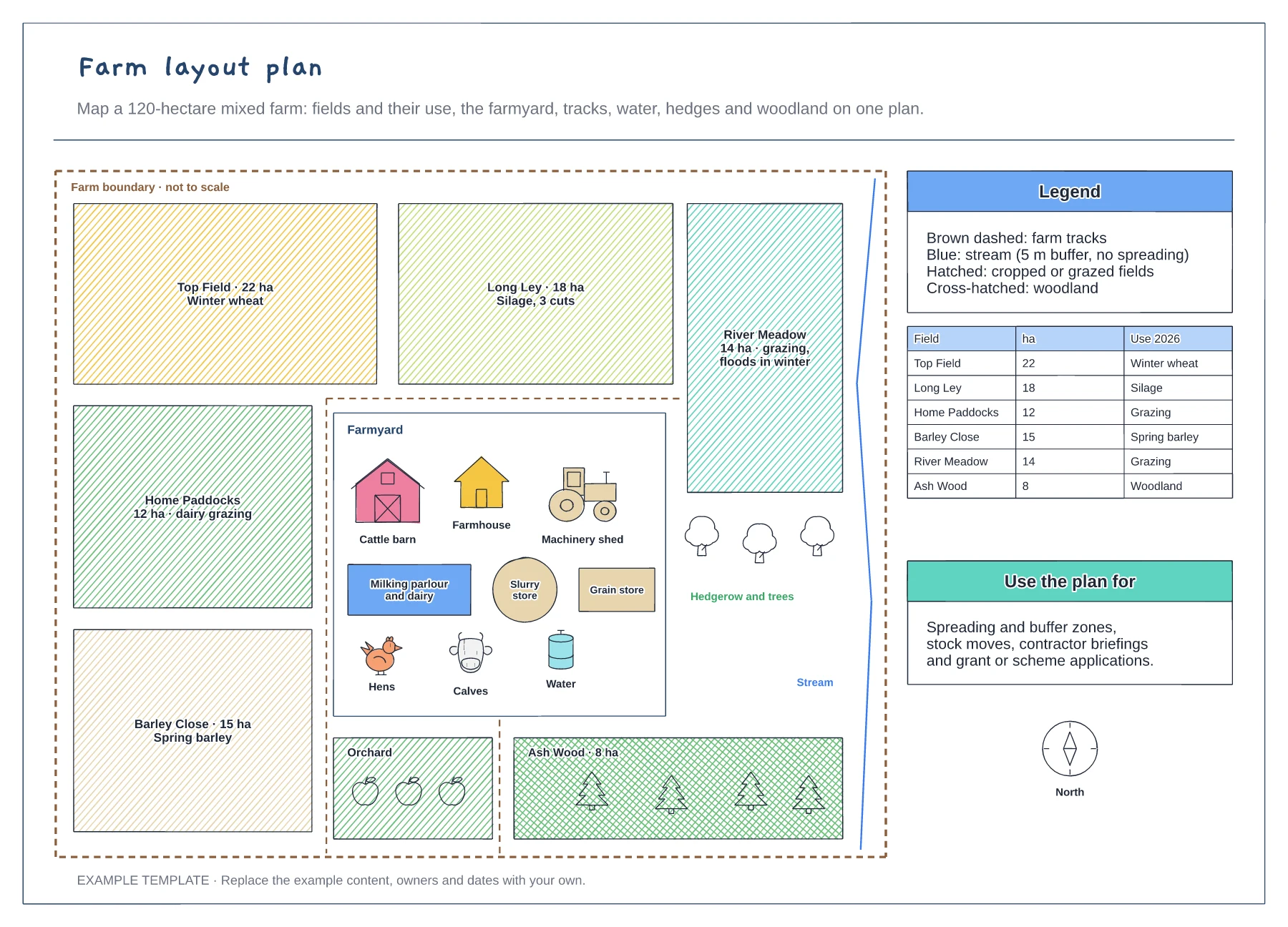
Named fields with area and use · Farmyard with barn, parlour and stores · Tracks, stream buffer, hedges and woodland
Preview and use template →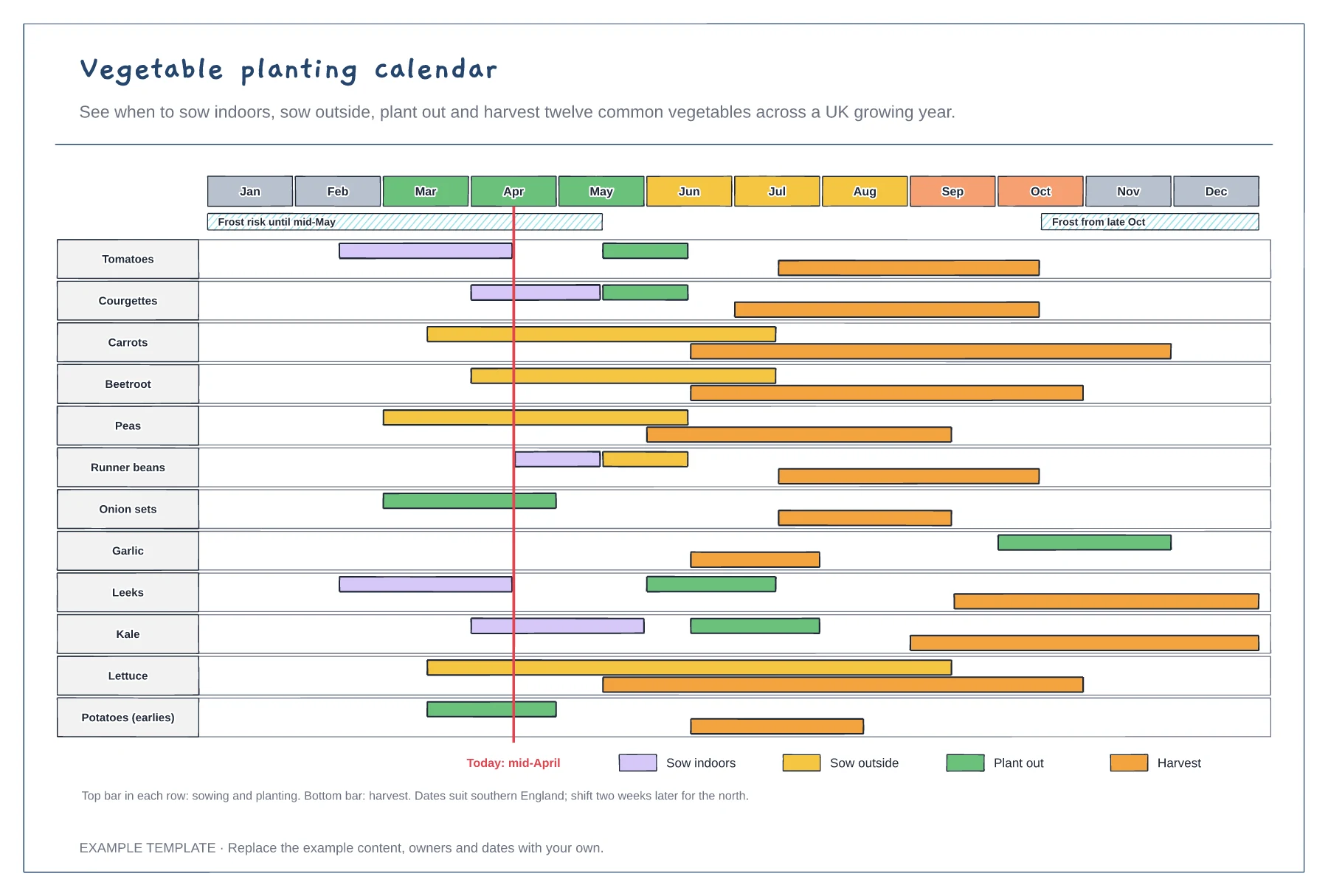
Twelve vegetables across twelve months · Sow, plant-out and harvest windows · Frost bands and a today line
Preview and use template →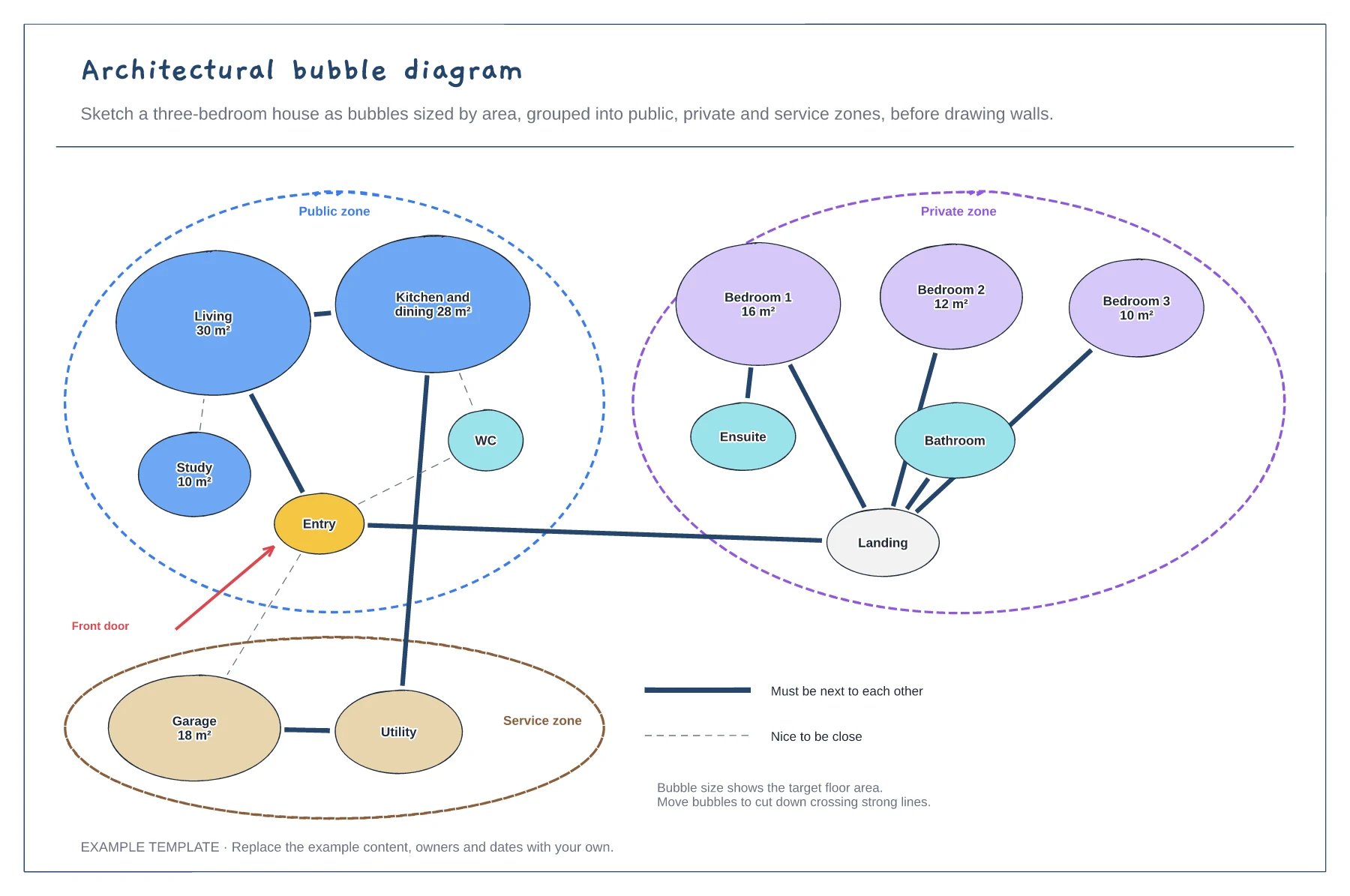
Rooms sized by target area · Public, private and service zones · Strong and weak adjacency lines
Preview and use template →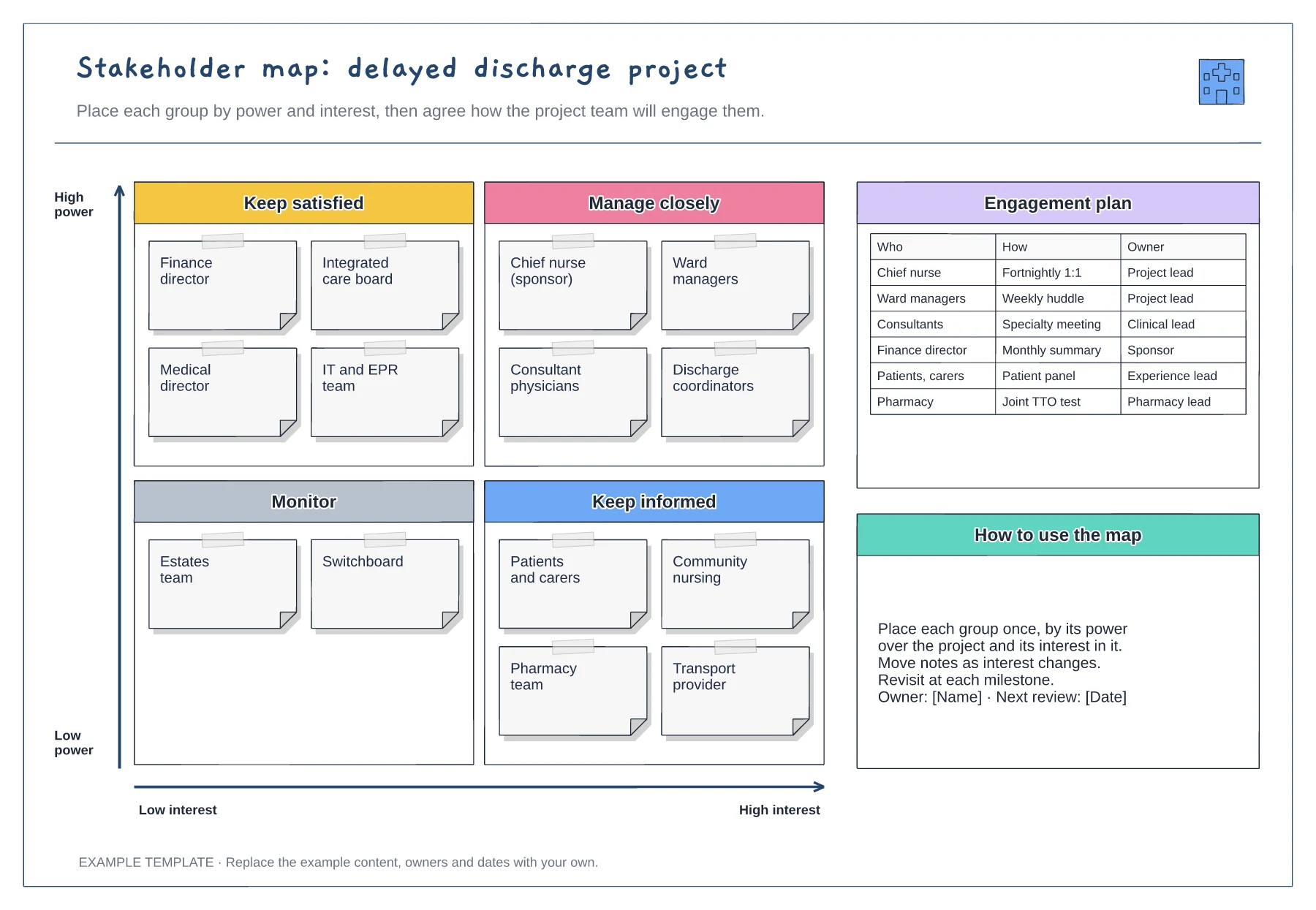
Power and interest grid · Stakeholder notes in four quadrants · Engagement plan with owners
Preview and use template →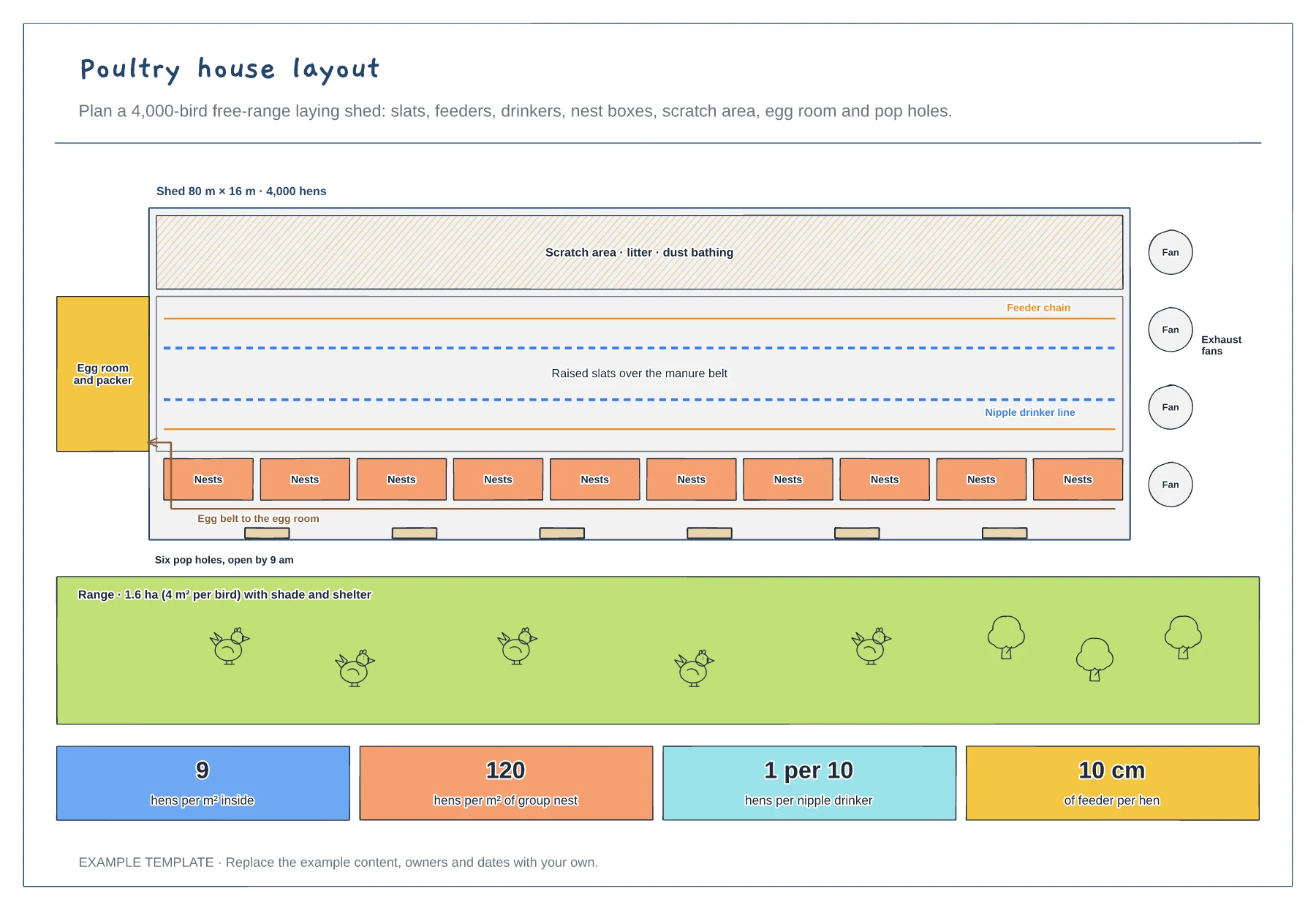
Scratch area, slats, feeders and drinkers · Nest row, egg belt and egg room · Pop holes, range and stocking figures
Preview and use template →