Agriculture and food
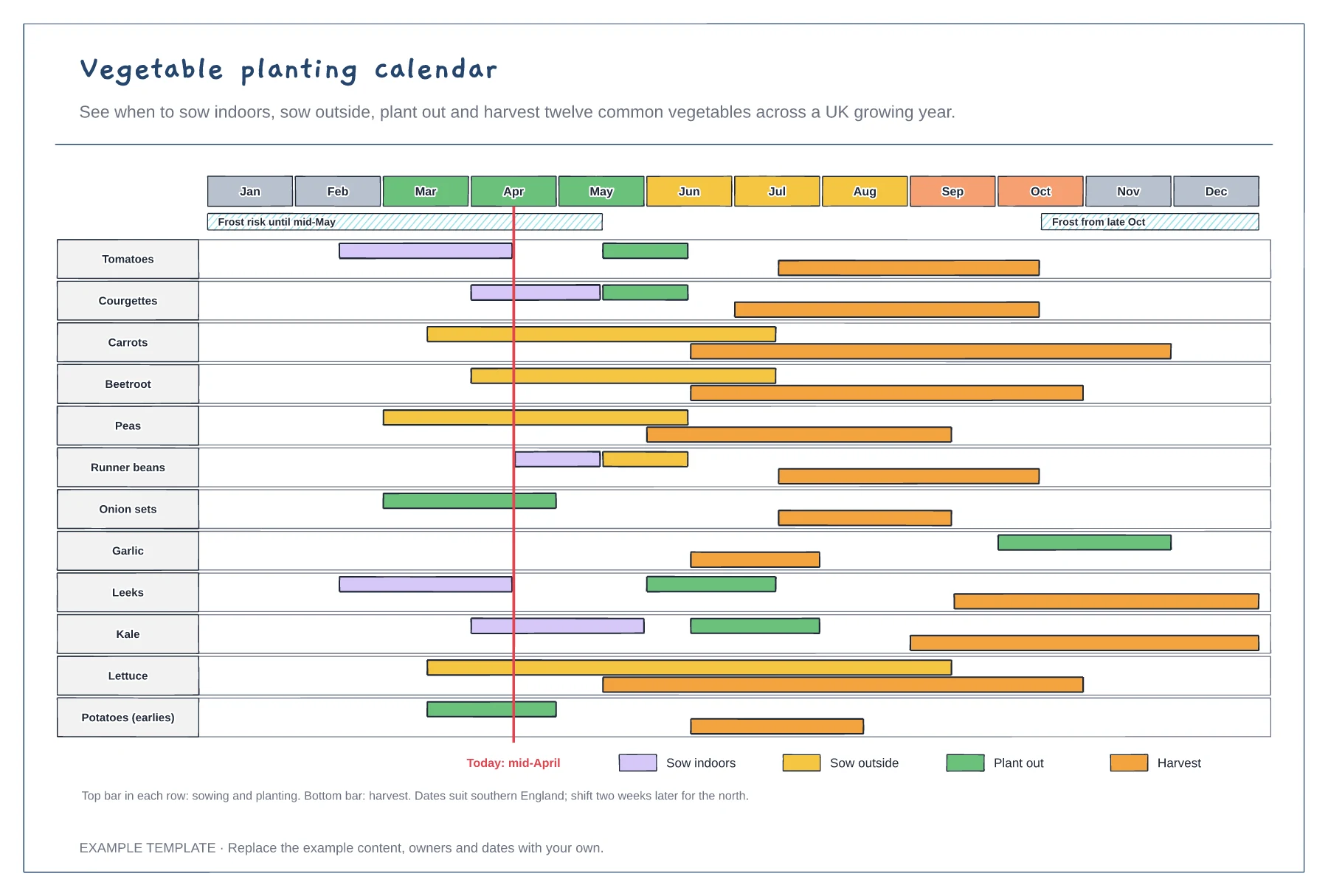
Vegetable planting calendar template
Twelve vegetables across twelve months · Sow, plant-out and harvest windows · Frost bands and a today line
Preview and use template →A crop rotation plan moves each crop group to a new bed every year so soil pests and diseases do not build up and each crop follows one that suits it. This example draws a four-course wheel of potatoes, legumes, brassicas and roots, then a four-year grid that shows exactly what goes into beds A to D each season.
No account needed · Opens as your own editable page
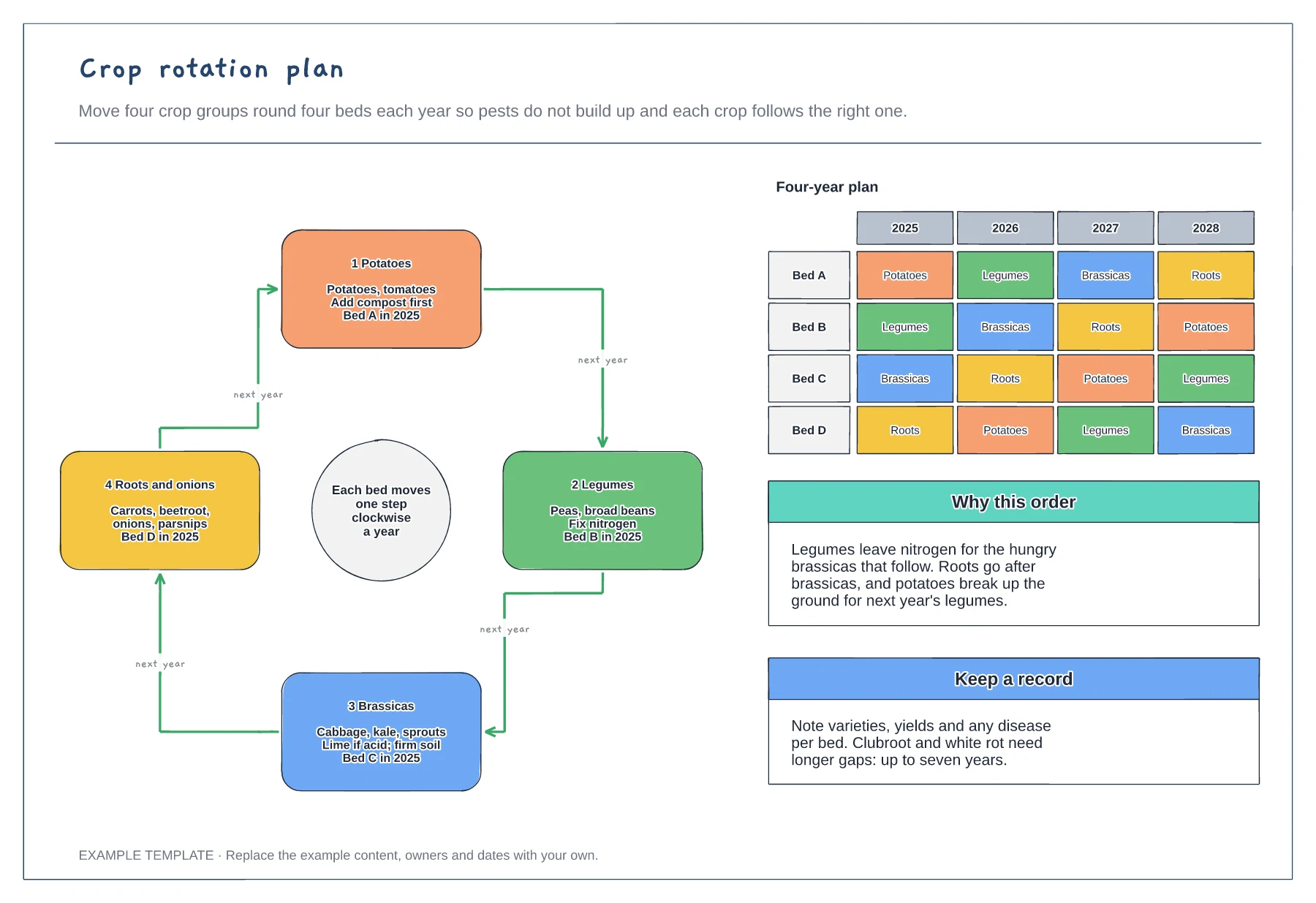
Sort what you grow into families: potatoes and tomatoes, peas and beans, cabbages and kale, and roots and onions.
Arrange the groups so each one benefits from the last, such as brassicas after nitrogen-fixing legumes.
Write the starting crop in each bed, then move each bed one step round the wheel per year and keep notes on yields and problems.
Yes. Delete one bed and merge its crop group into another, such as potatoes with roots, then update the four-year table so each bed moves on one step a year.
No. Open the template and edit it in your browser. Your work saves on this device. An account is optional if you want to sync your workspace.
Yes. Use Export in the editor to save a PNG, SVG or PDF, or download an editable .epicdraw backup.
Twelve vegetables across twelve months · Sow, plant-out and harvest windows · Frost bands and a today line
Preview and use template →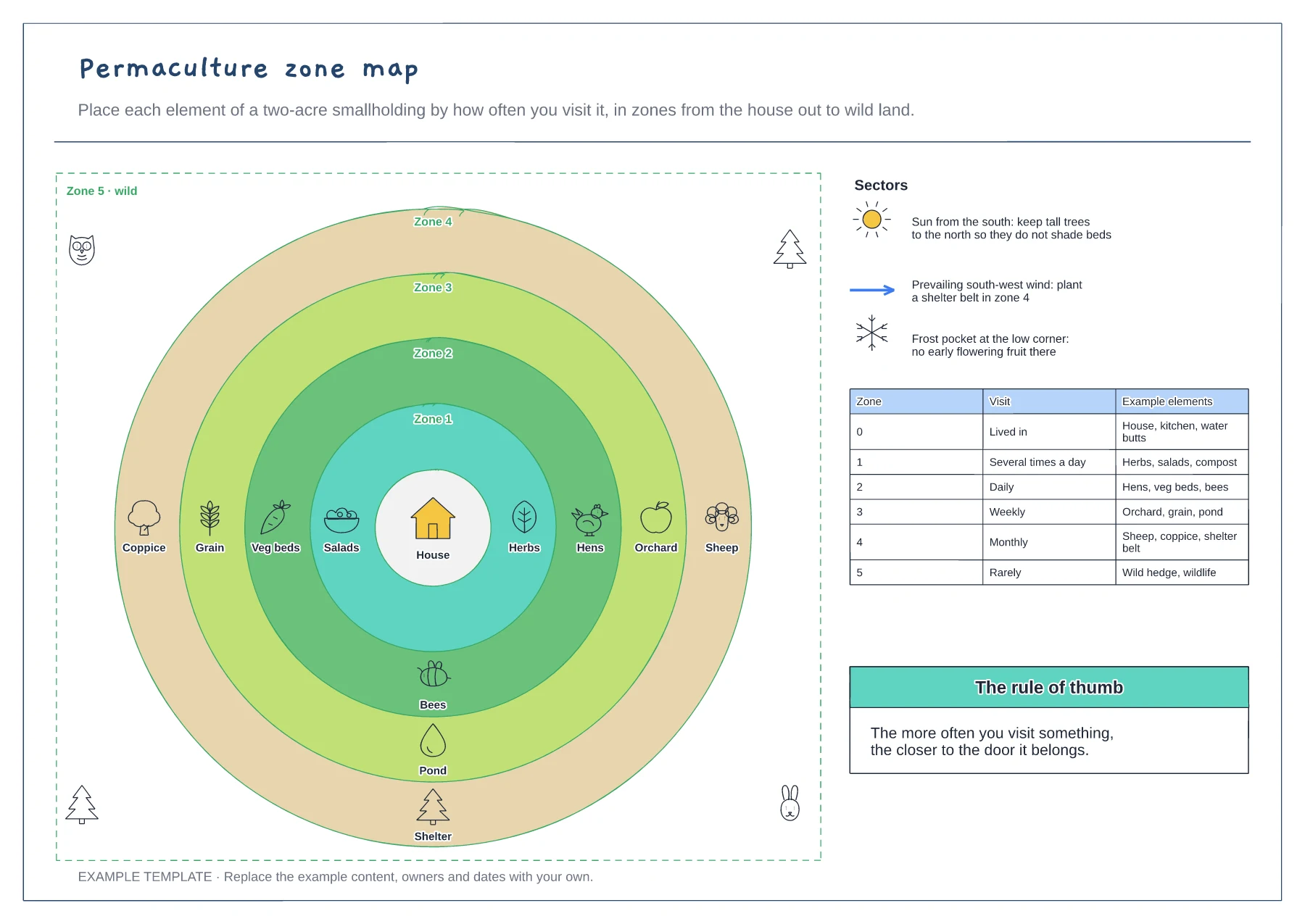
Zones 0 to 5 as rings around the house · Elements placed by how often you visit · Sun, wind and frost sectors
Preview and use template →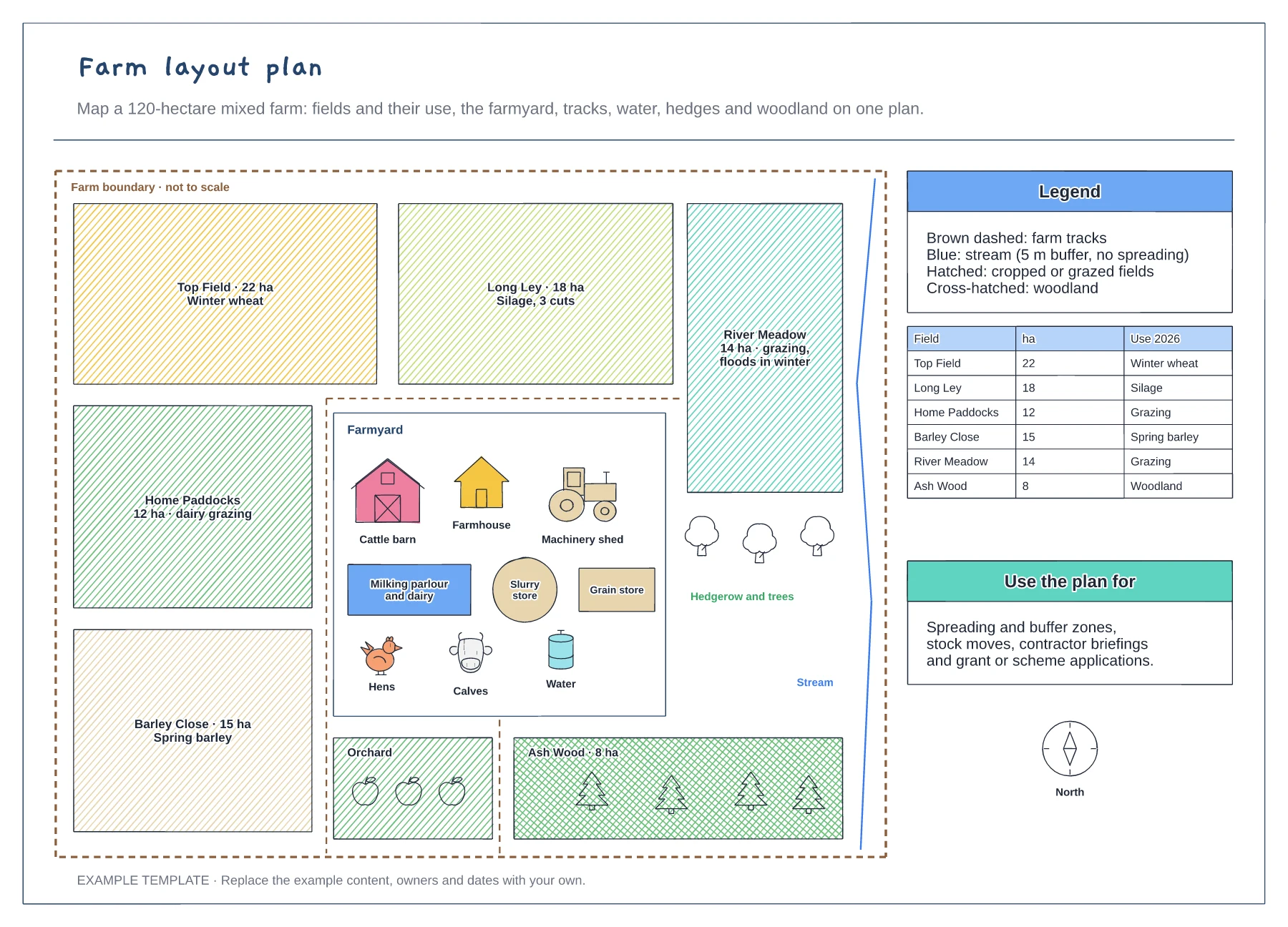
Named fields with area and use · Farmyard with barn, parlour and stores · Tracks, stream buffer, hedges and woodland
Preview and use template →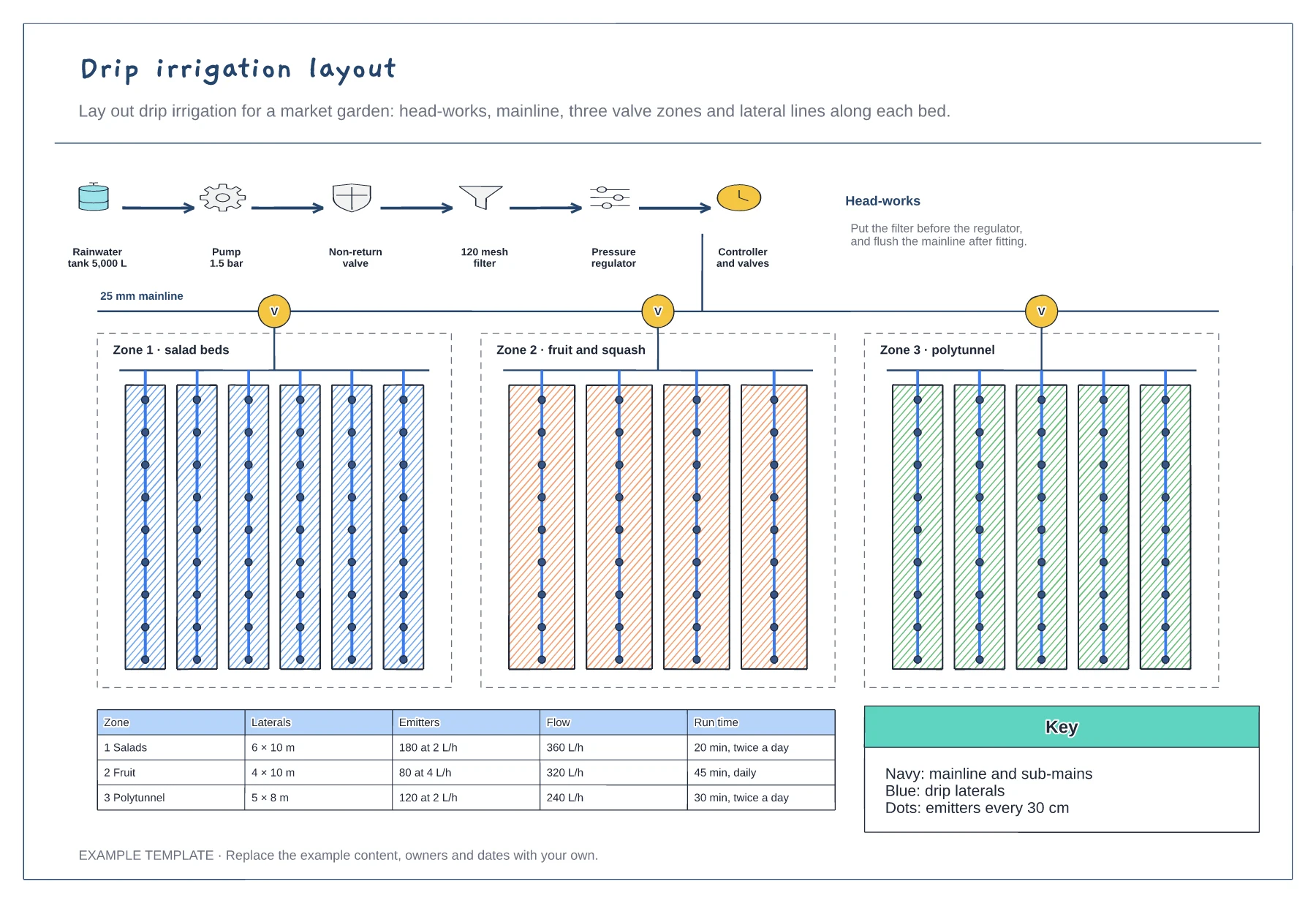
Head-works in the right order · Mainline, valves and zone sub-mains · Laterals, emitters, flow and run times
Preview and use template →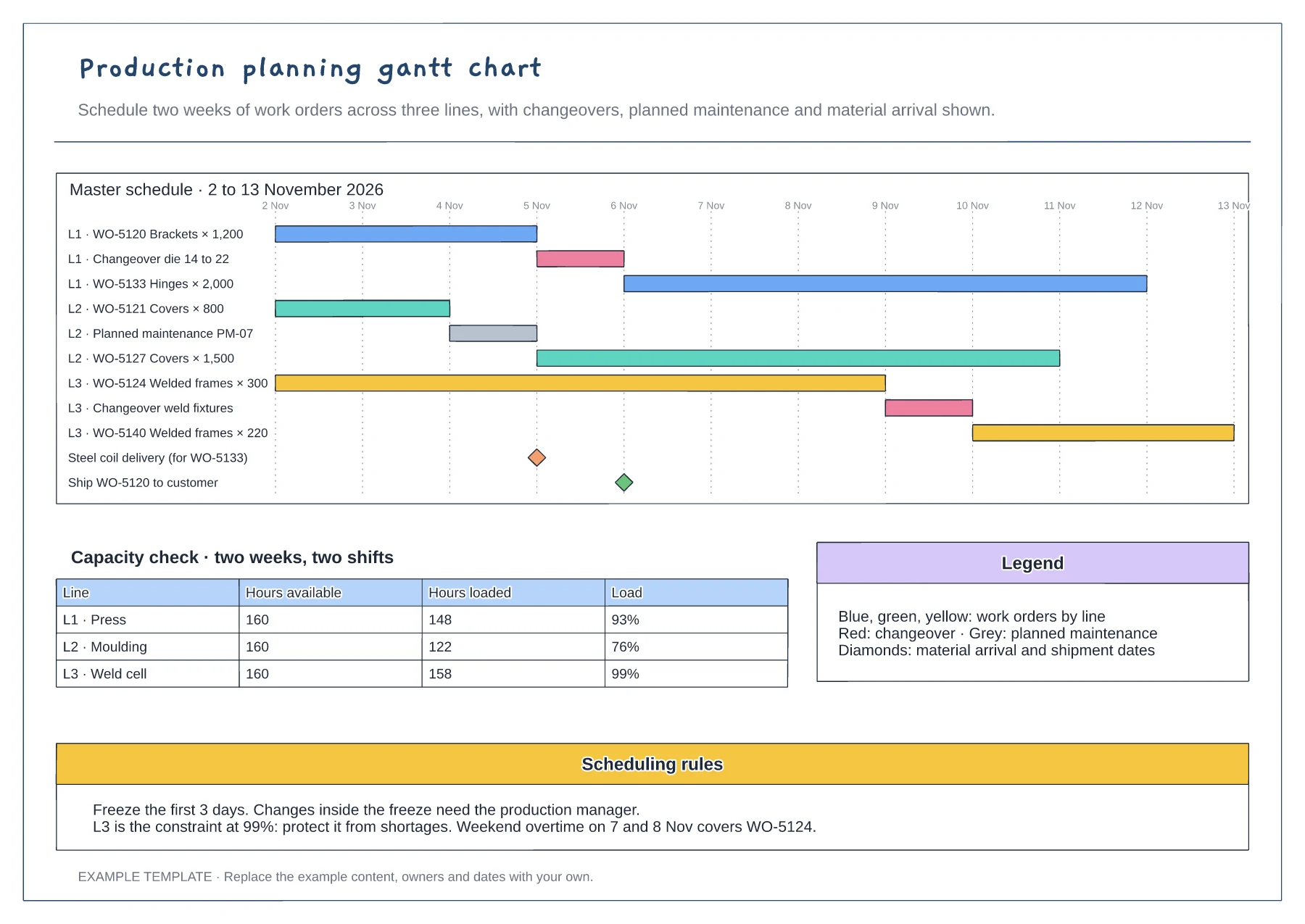
Gantt of work orders by line and day · Changeover, maintenance and milestone rows · Capacity table and scheduling rules
Preview and use template →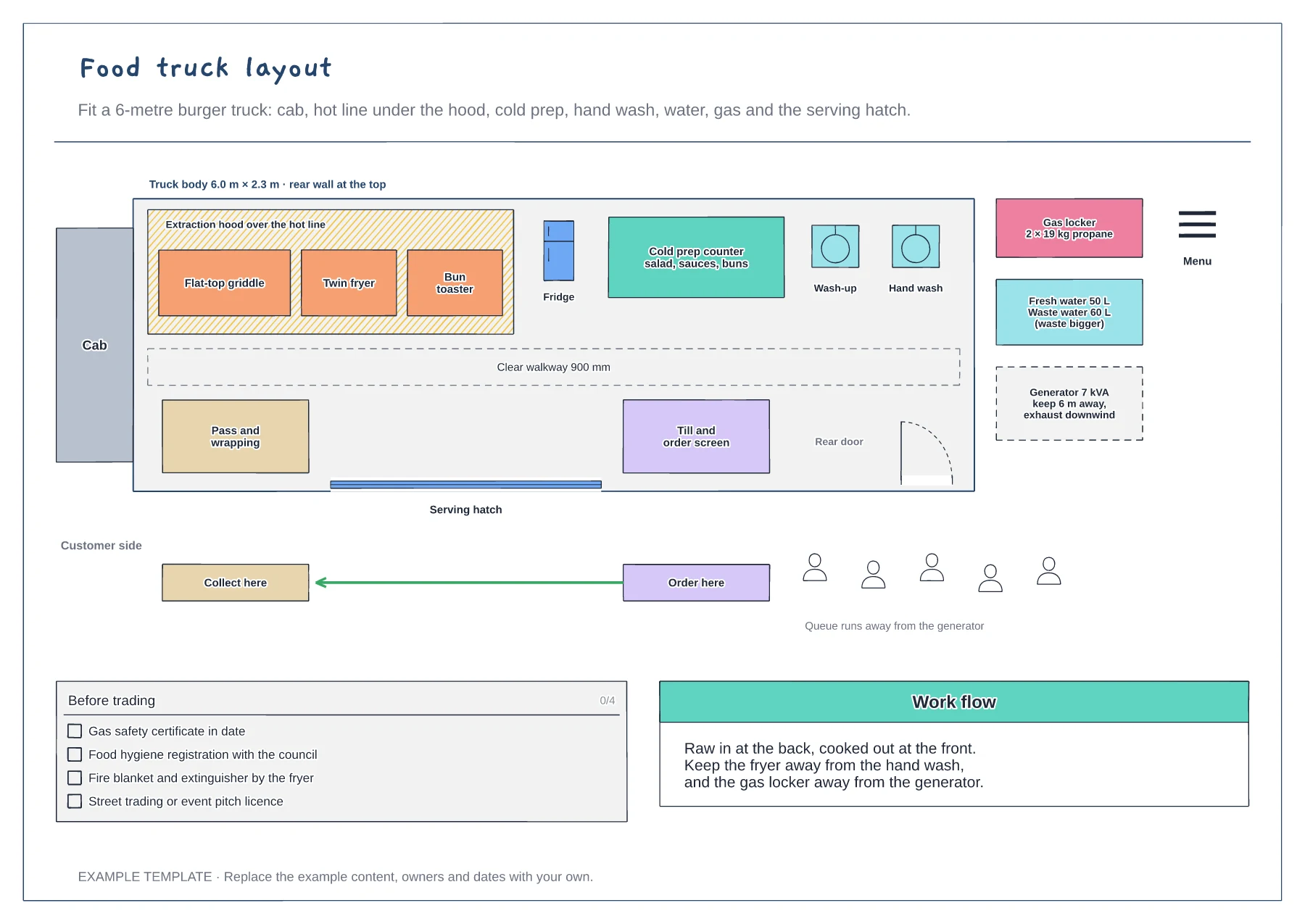
Top-down plan of a 6-metre truck · Hot line, cold prep, sinks and walkway · Gas, water, generator and the customer side
Preview and use template →