Design
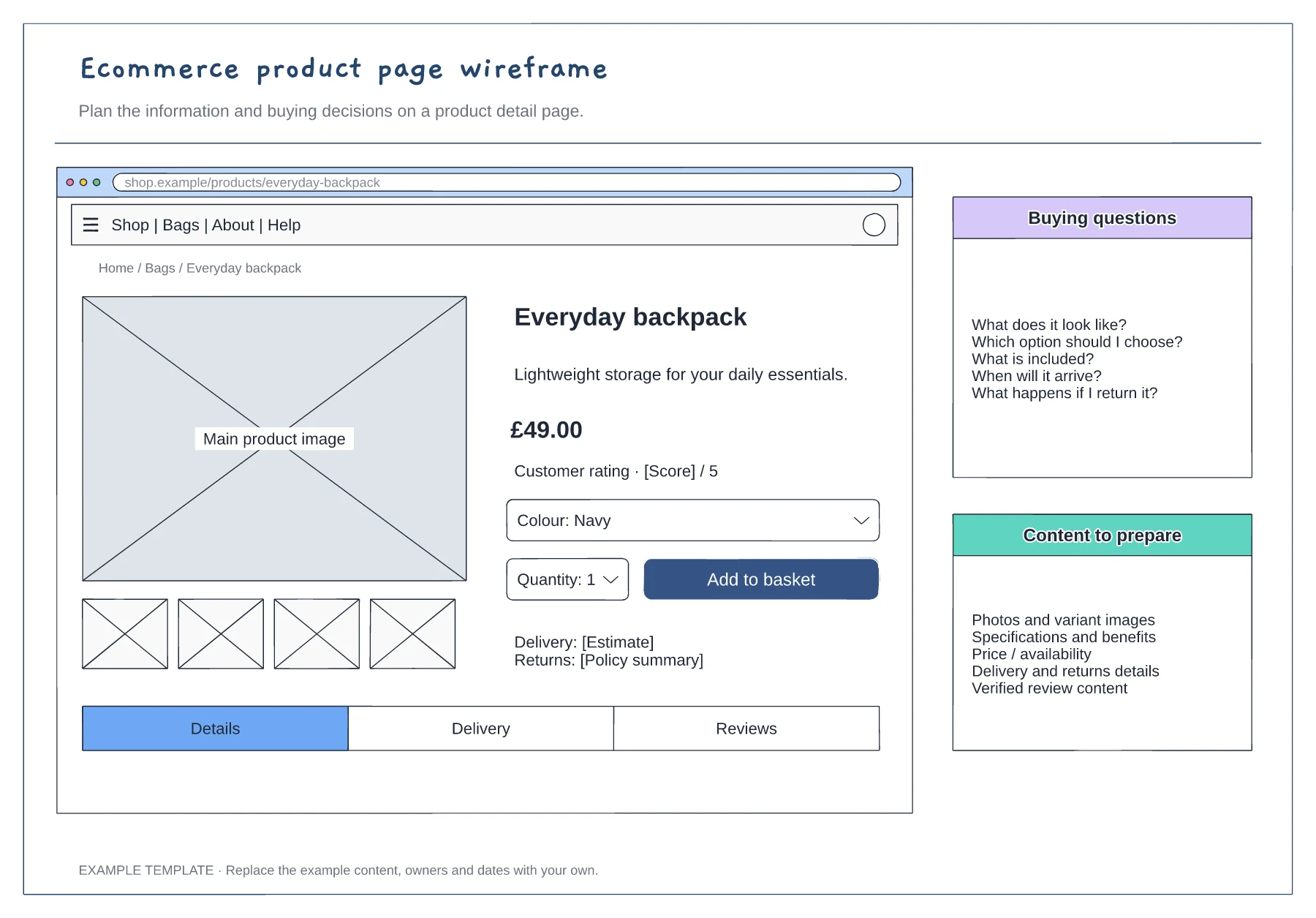
Ecommerce product page wireframe template
Product gallery and buying panel · Delivery, returns and trust information · Details and supporting content
Preview and use template →Keep the visitor’s task and the information needed to act. Choose a reading order, stack the related content and keep requirements beside the action. Review what moves or needs another route.
No account needed · Opens as your own editable page
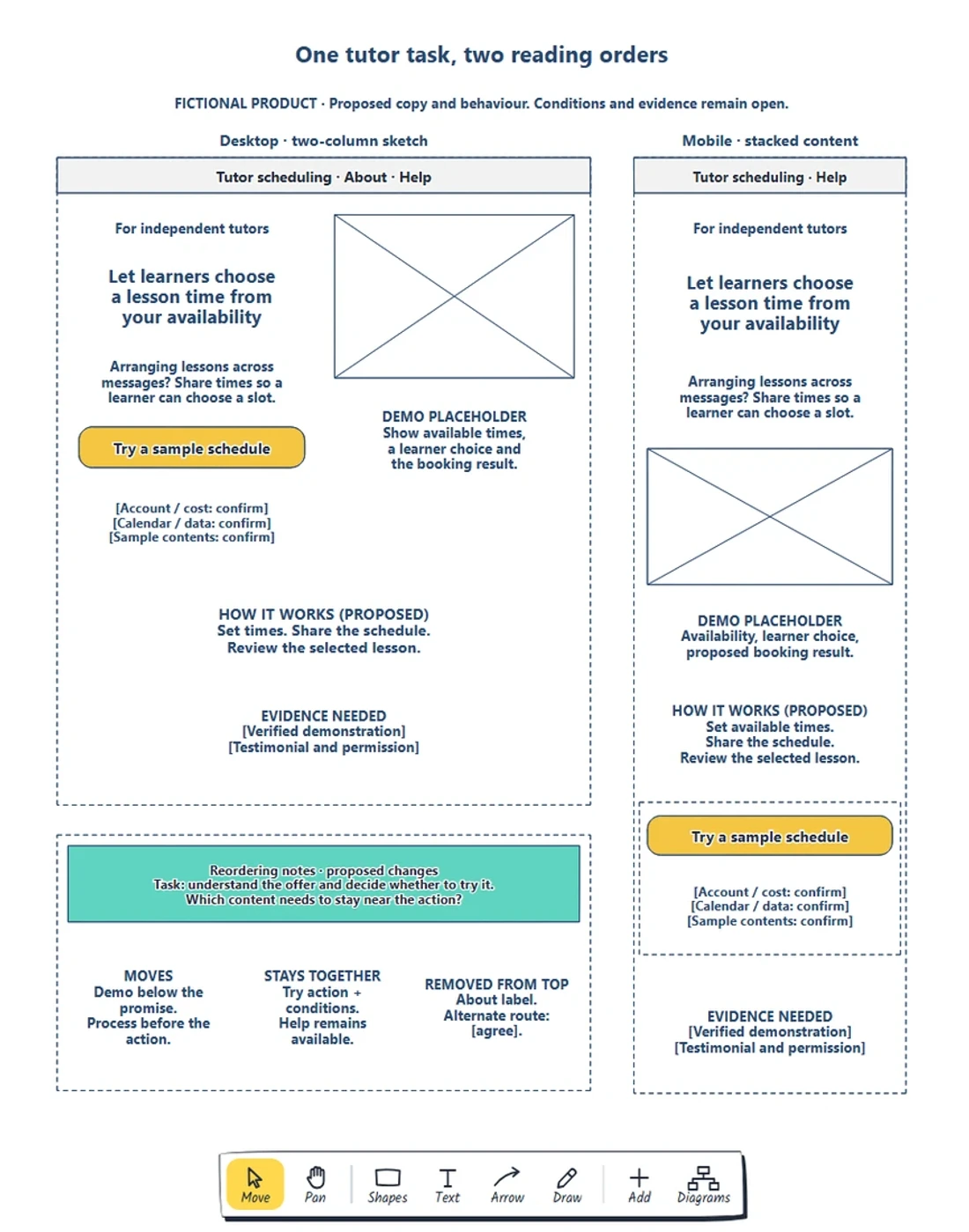
A desktop layout becomes a squeezed mobile screen.
Adapt a desktop wireframe for a narrow screen.
Use the same visitor task to judge both layouts. Reorder content while preserving its meaning. Keep requirements beside the action they affect. Test the implemented page for reflow, input and accessibility.
No. Open and edit your own copy. An account is optional for cloud saving.
No. Open the template and edit it in your browser. Your work saves on this device. An account is optional if you want to sync your workspace.
Yes. Use Export in the editor to save a PNG, SVG or PDF, or download an editable .epicdraw backup.
Product gallery and buying panel · Delivery, returns and trust information · Details and supporting content
Preview and use template →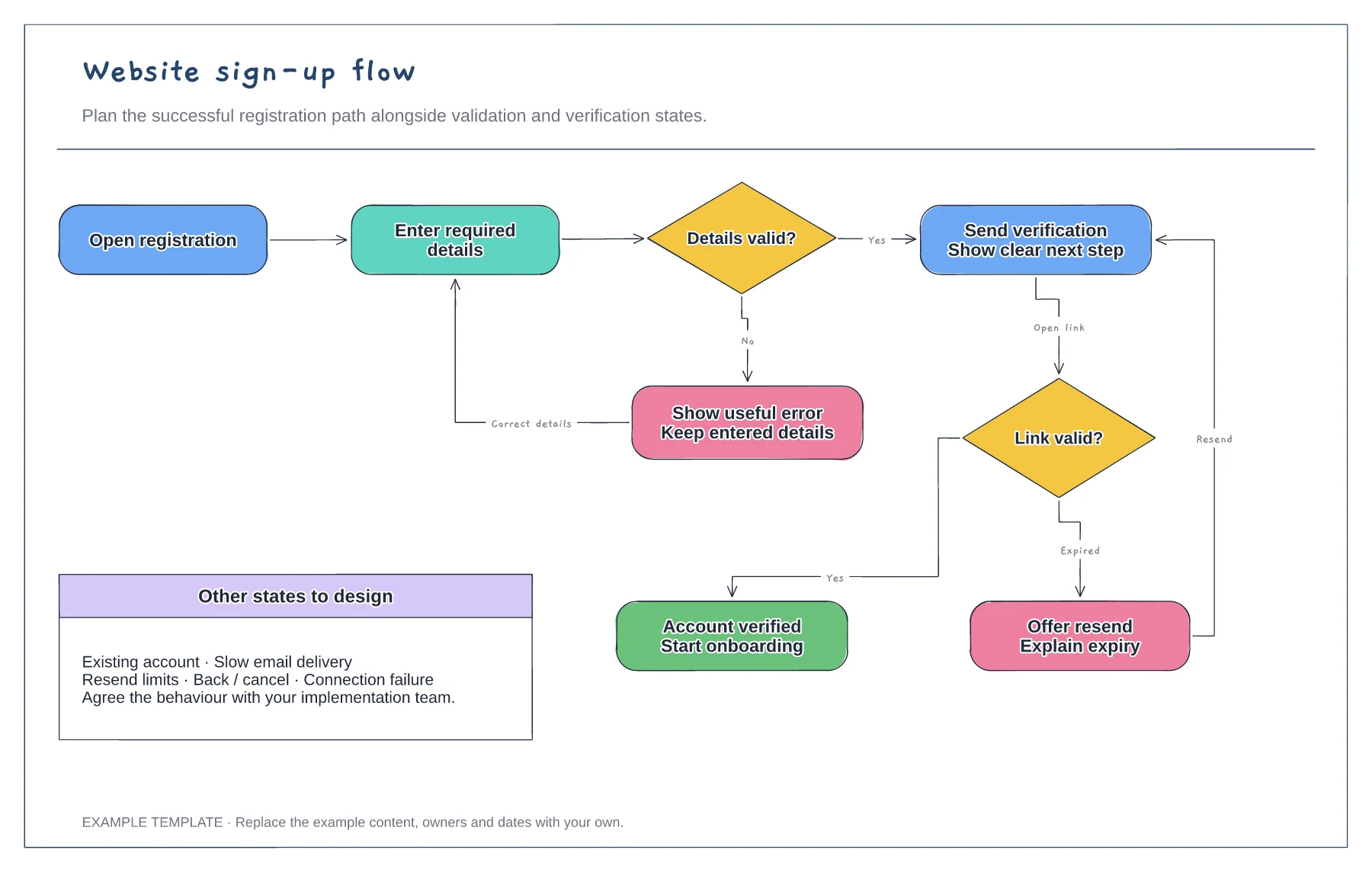
Registration form and validation · Verification and resend path · Successful access and error recovery
Preview and use template →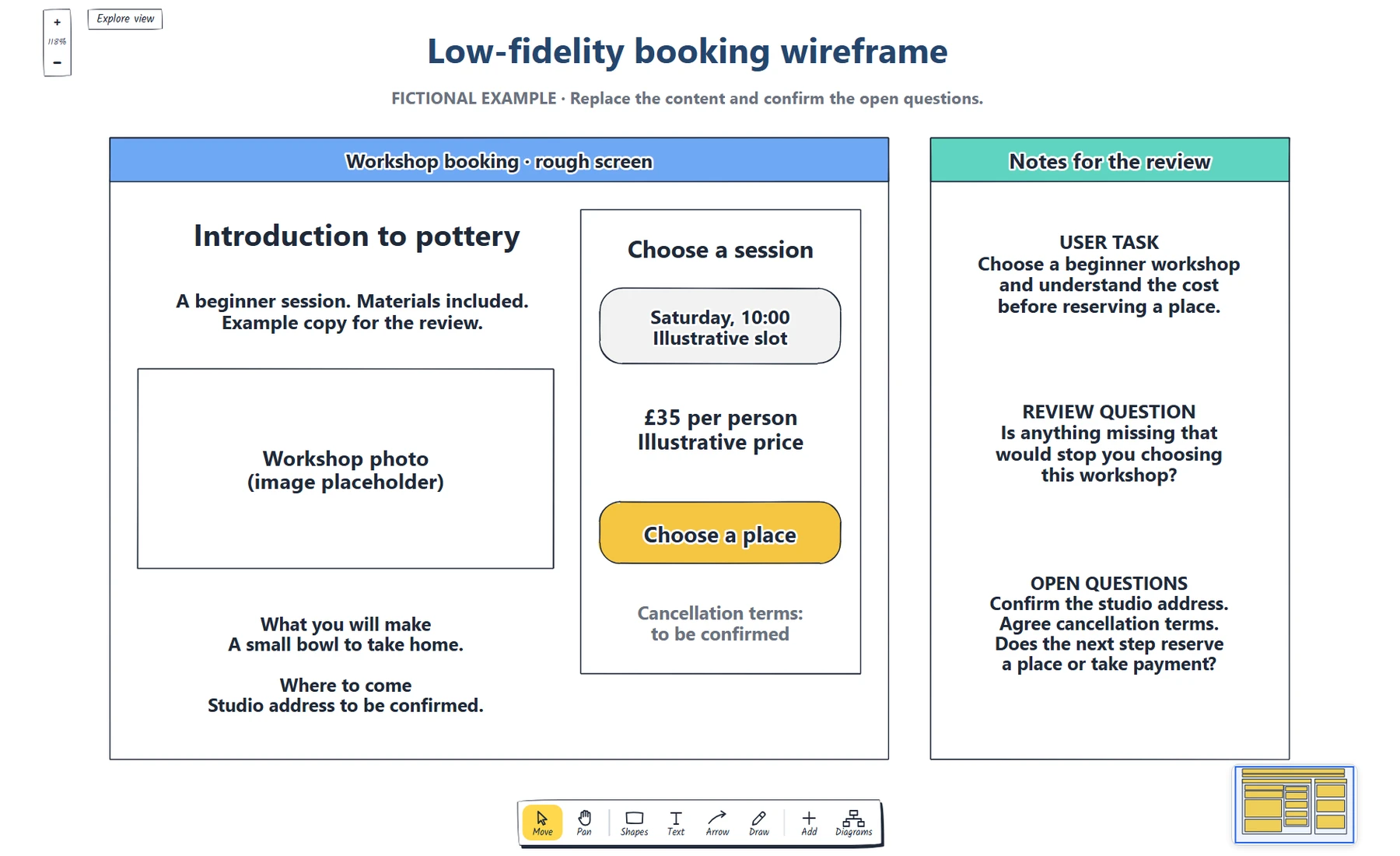
Define the booking task. · Place real content and a next step. · Which information does someone need before choosing a workshop?
Preview and use template →