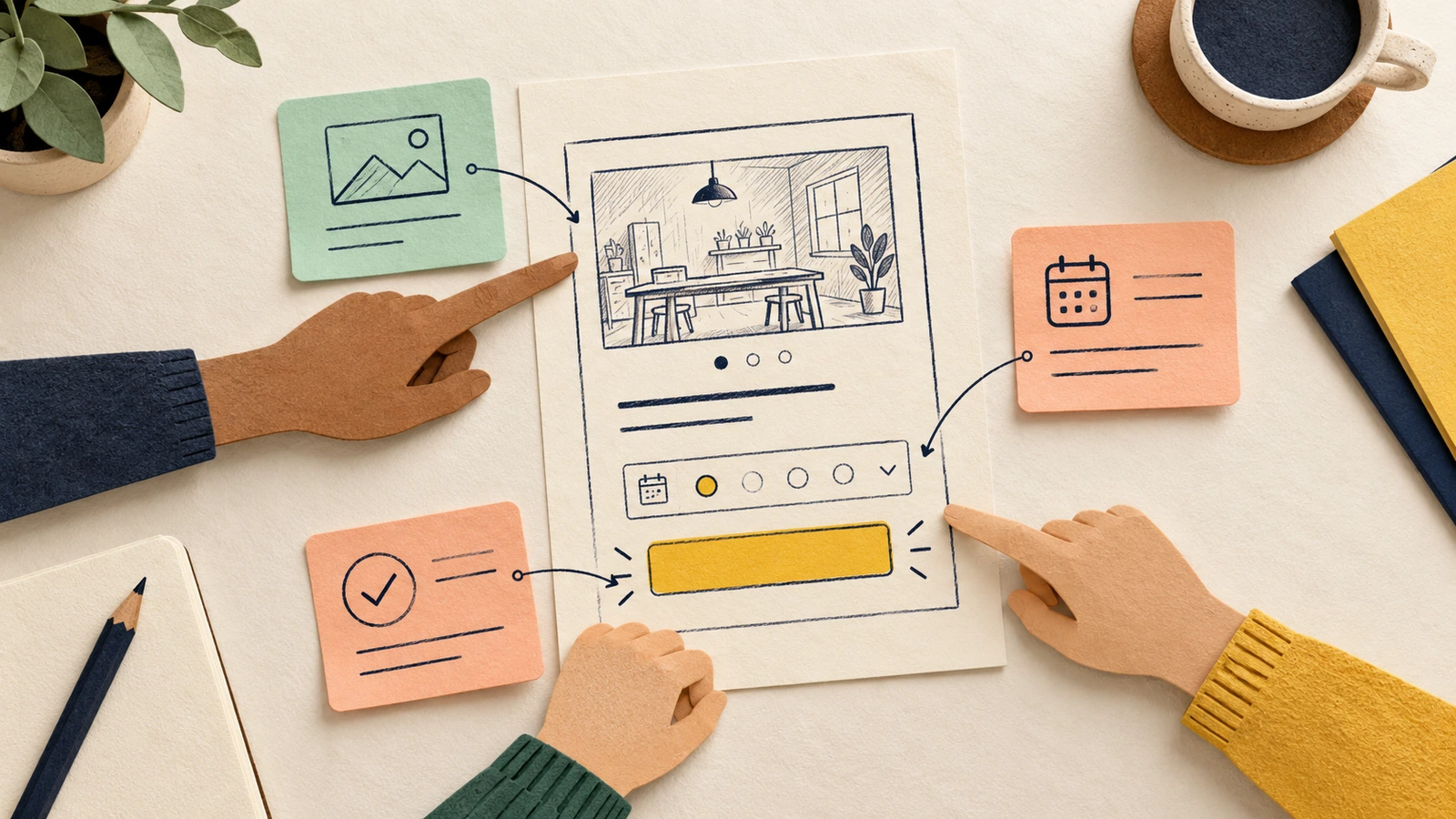
A useful design critique starts with a question the team needs to answer. Share the user task and the relevant design, ask people to point to what they see, then record the changes and questions worth following up. Give each next action an agreed owner and a review point.
For a design lead, the job is to help colleagues explain their reasoning and leave with a clear next step. This guide uses a workshop booking wireframe to show how to prepare the discussion, ask useful feedback questions and turn the notes into follow-up work. You can adapt the editable critique agenda and feedback board to your own design.
Decide what this critique should answer
A design critique examines a design against its objectives. Nielsen Norman Group's guide to design critiques recommends making the scope and design goals clear before the conversation begins.
Choose one question that fits the maturity of the work. A rough booking page can help the team discuss missing information and the main action. It has little to say about final typography or an implemented payment flow.
Write the question where everyone can see it, alongside what is outside the discussion. If the team disagrees about the user or the problem itself, pause to establish that context before asking for layout feedback.
If the problem or boundaries are still unclear, use the one-page design brief to record the evidence and questions the team needs to settle first.
Prepare the booking example and its boundaries
Our example is a fictional beginner pottery workshop. The visitor wants to choose a suitable session and understand the cost before reserving a place. The team's review question is: "Are the date, cost and next action clear?"
The sketch includes an illustrative Saturday 10:00 slot, £35 per person and a "Choose a place" action. The address and cancellation terms are unconfirmed. Whether that action reserves a place or continues to payment is also open. These are details to discuss, with no customer findings or completed critique behind them.
Open the editable starter near the top of the guide. It adds a new page while keeping your existing drawings. You can also download the worked example and open it with Import in EpicDraw. Double-click a label to replace the task, question or screen content.
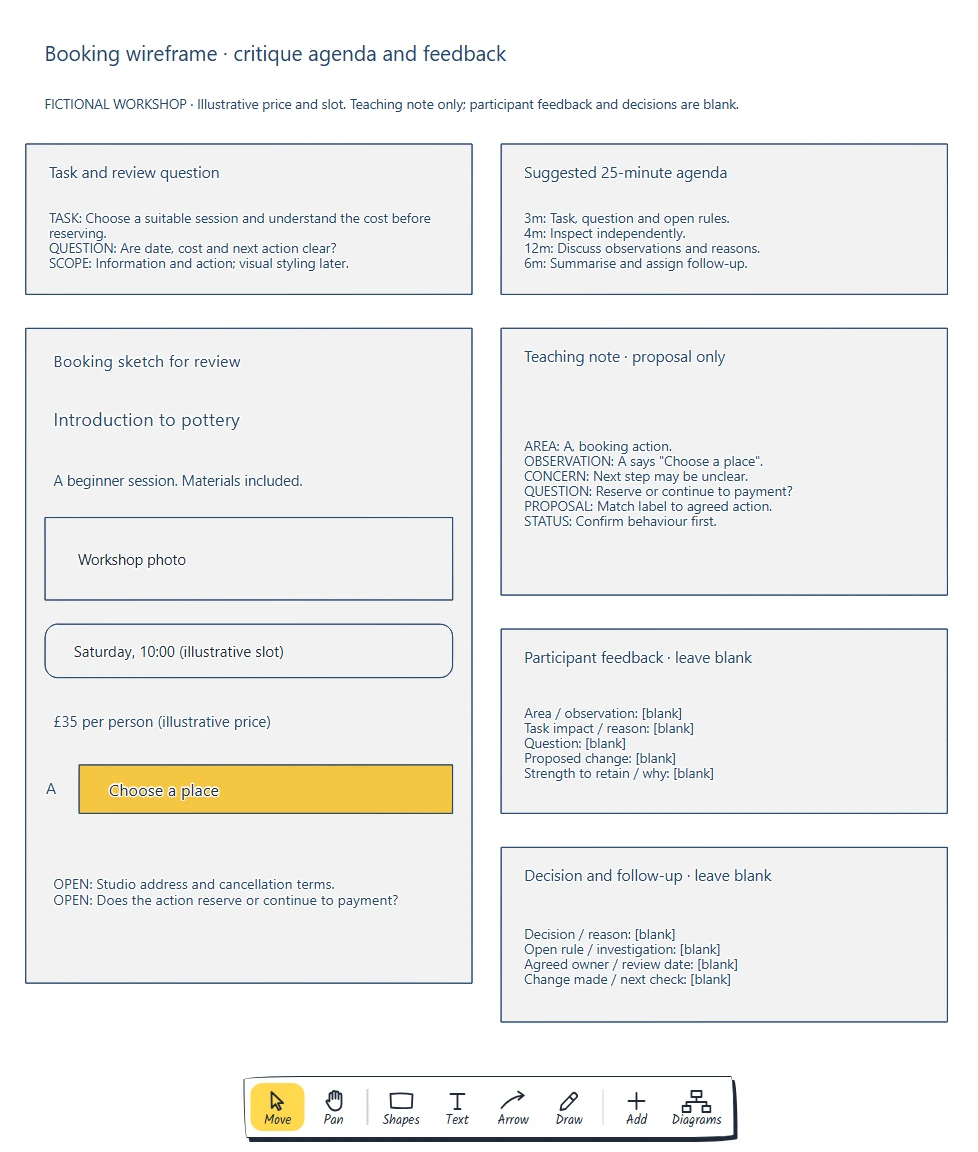
The task and review question stay visible beside the screen. The teaching note demonstrates how to reason about the action label; participant feedback and decisions remain blank.
The board labels the booking action "A" so a note can name the exact area being discussed. For a larger design, use a screen name and version.
Share the design and question in advance. Invite people who can help answer it, agree who will facilitate, present and record, and establish who can make the design or product decision.
To build the screen before inviting feedback, follow the low-fidelity wireframe guide to choose the information and arrange it around the booking task.
Give people time to inspect the design
This suggested 25-minute agenda protects time for inspection, discussion and follow-up. Adjust it to the work:
| Time | Activity | What it produces |
|---|---|---|
| 3 minutes | State the task, question and open rules | A shared boundary |
| 4 minutes | Read the sketch and make private notes | Independent observations |
| 12 minutes | Discuss the notes against the question | Concerns, strengths and proposals with reasons |
| 6 minutes | Summarise and assign follow-up | A decision or investigation record |
Present enough context for people to understand the screen. Then let them inspect it before explaining every placement. Otherwise, the group may be reacting to your explanation instead of the information visible in the sketch.
Ask people to note what supports the task as well as what is unclear. In the booking example, keeping the date and price near the action is something to examine and potentially retain. Capture the reason for keeping a choice, so a later revision does not remove it accidentally.
Ask for observations before prescribing changes
When someone says "I don't like that button", ask which part concerns them and how it affects the visitor's task. Keep the original meaning of their comment while asking them to explain it.
The board's teaching example starts with a visible fact: the action labelled A says "Choose a place". From there, the note separates a concern, a question and a possible response:
| Part of the note | Teaching example |
|---|---|
| Observation | A says "Choose a place" |
| Concern | The label may leave the next step unclear |
| Question | Does it reserve a place or continue to payment? |
| Proposed change | Use a label that matches the agreed action |
| Status | Proposal only; confirm the behaviour first |
This gives the team a specific product question. It does not establish that a real visitor misunderstood the label. A colleague's concern can suggest something to investigate, while a usability session with intended users can provide evidence about their experience.
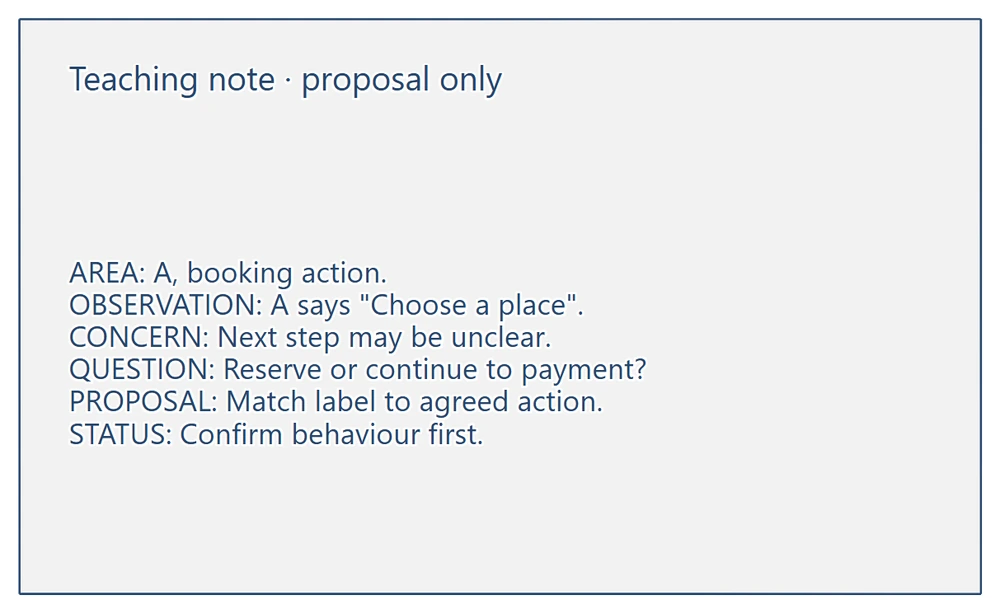
The observation is visible in the screen. The concern is an interpretation, and the proposed label change depends on a rule that still needs an answer.
Use questions that help people explain the relationship:
- "Which information would the visitor use to choose a session?"
- "What on this screen supports your interpretation of the next action?"
- "Which part already helps with the task, and why?"
- "What would we need to confirm before changing that label?"
- "What evidence would help us check this concern?"
If someone suggests "Reserve a place", ask whether the service actually reserves at that point. If it continues to a review step, a different label may be appropriate. Record the unresolved behaviour before treating either label as agreed.
Keep the conversation on the review question
Some feedback will concern work outside the current question. Record it separately with enough context to revisit it. If a concern blocks the booking task, discuss whether it needs attention now; if it concerns decorative styling, save it for the relevant design stage.
For example, a comment about the workshop photograph might be about taste, or it might identify missing information about what the visitor will make. Ask what decision the image needs to support before setting the comment aside.
Let participants explain their observations before the presenter responds. Invite a different perspective when the same voices dominate. When comments conflict, write down the disagreement and the evidence or rule needed to resolve it. A vote on the preferred button label cannot establish what the booking system does.
Use the blank feedback area to capture the screen reference, observation, task impact and proposed response. Fill it with the group's contributions.
Close with a record people can act on
Read the notes back against the original question: "Which feedback answers the question we asked?" Then identify what the responsible person can decide and what still needs investigation.
For the action-label concern, the first follow-up might be to confirm the booking behaviour with its product owner. Only after that answer should the designer choose a label and review it again. Confirm the actual assignee and review date in your session; the example leaves them empty.
Record the outcome in this format:
Screen / version / area:
Observation and reason:
Decision or question still open:
Next action and expected output:
Agreed owner:
Review date:
Change made / reason for keeping the design:
Evidence or user check still needed:
After the work changes, show reviewers what changed and why, including suggestions you did not take forward. Nielsen Norman Group's follow-up guidance explains how a recap and a later update connect the discussion to the resulting design.
Review checklist
Before the critique:
- Put the task, review question and scope beside the current design.
- Name the facilitator, presenter and recorder, and clarify decision responsibility.
- Leave room for independent notes and a closing summary.
Before finishing:
- Tie feedback to a screen area and the task it affects.
- Distinguish observations, concerns, proposals and agreed decisions.
- Give unresolved rules an investigation, with an agreed owner and review point.
- Record useful choices to retain as well as changes to explore.
- Plan how to show what happened to the feedback.
Optional: create the board with an AI assistant
MCP connects a compatible AI assistant to EpicDraw's diagram tools. You need a free EpicDraw account, cloud sync and a remote MCP assistant with OAuth sign-in.
Open More in EpicDraw, choose Connect AI assistant and add https://epicdraw.app/mcp in your assistant. Approve permission to create and edit diagrams. The MCP connection guide explains the setup.
Paste this prompt into the connected assistant:
Using the connected EpicDraw MCP server, create a new editable page named "Critique agenda and feedback board". Leave existing pages unchanged.

Create a critique board for a fictional beginner pottery booking screen. Include the task "Choose a suitable session and understand the cost before reserving" and review question "Are date, cost and next action clear?". Sketch "Introduction to pottery", a beginner session with materials included, a photo placeholder, Saturday 10:00 marked illustrative, £35 per person marked illustrative, and "Choose a place" labelled area A. Keep the studio address, cancellation terms and whether the action reserves or continues to payment open. Add a suggested 25-minute agenda: 3 minutes for context, 4 for independent inspection, 12 for discussion and 6 for follow-up. Include a labelled teaching note: A says "Choose a place"; the next step may be unclear; ask whether it reserves or continues to payment; propose matching the label to the agreed action; mark this a proposal pending confirmation. Keep separate participant feedback and decision records blank, including area, observation, task impact, question, proposed change, strength to retain, decision/reason, investigation, agreed owner and review date.

Use editable shapes and text. Label the example as fictional. This is a visual planning draft. Check for overlapping objects and overflowing labels, then return a PNG preview and the private editor link. Leave the result as a draft for me to review.
Inspect the preview and open the private editor link while signed in. Layouts vary, so check that the teaching example is labelled and the actual feedback and decision fields remain empty. The assistant creates a planning board; it does not collect participant feedback, make team decisions or implement a booking service.
Takeaways
- Give the critique a task, a specific question and a visible boundary.
- Ask people to explain what they see before agreeing a change.
- Keep observations separate from interpretations and proposals.
- Resolve product-rule questions before choosing labels that depend on them.
- Confirm who will act, then show reviewers what changed and why.
Keep your next draft close
Create a free account to save your pages in the cloud and use them across devices.
Create a free accountYou can keep drawing without an account.