Kids and family
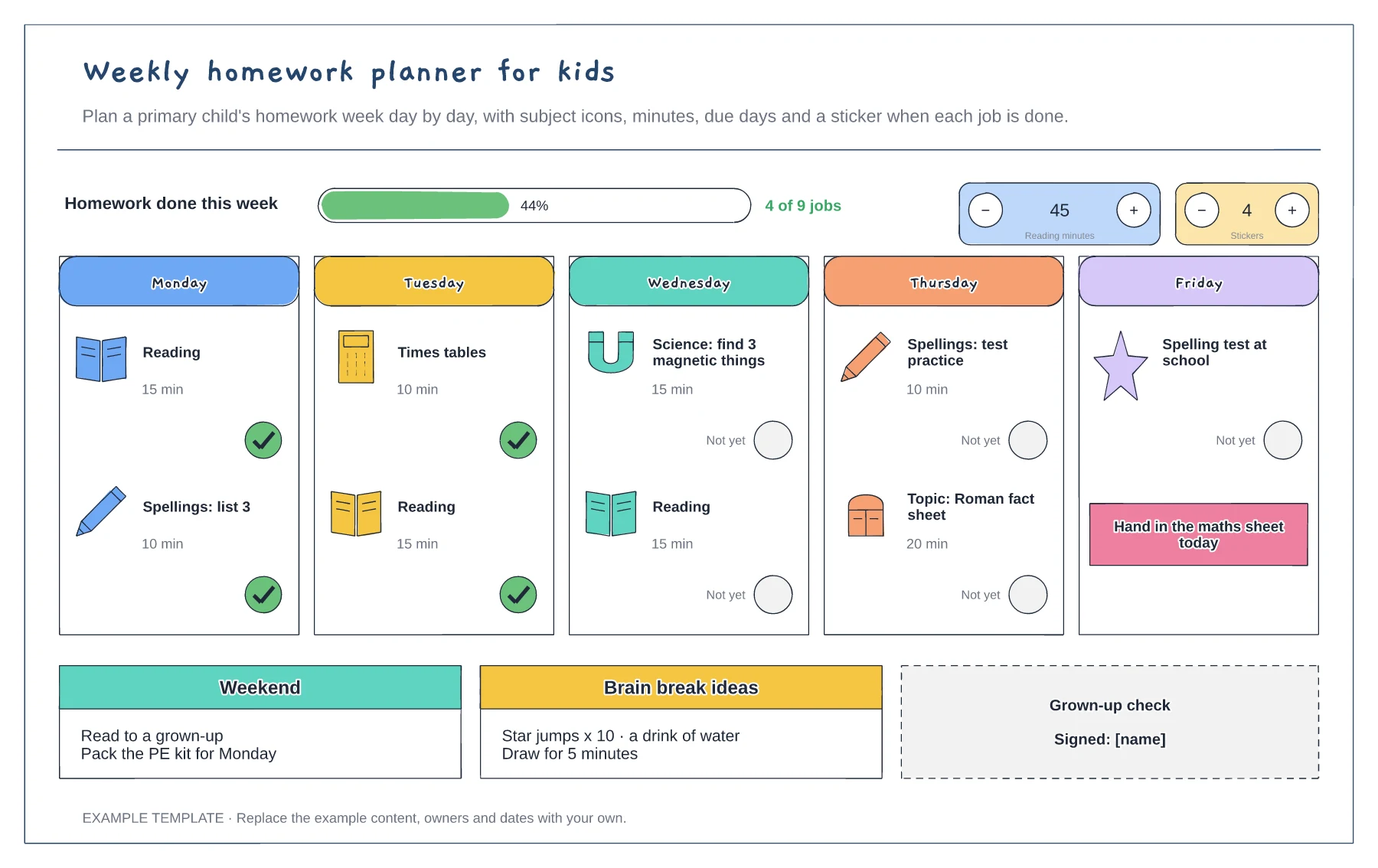
Homework planner for kids template
A card for each school day with timed jobs · Done stickers and a weekly progress bar · Reading minutes and a grown-up check
Preview and use template →A times tables grid shows every multiplication fact up to 12 x 12 in one place. This example colours in the patterns, with square numbers on the diagonal, answers ending in 0 and 5, and the tricky facts most children get stuck on, then adds the patterns to spot, sticky notes for facts to practise, a row to tick off the tables your child knows and a note about the Year 4 check.
No account needed · Opens as your own editable page
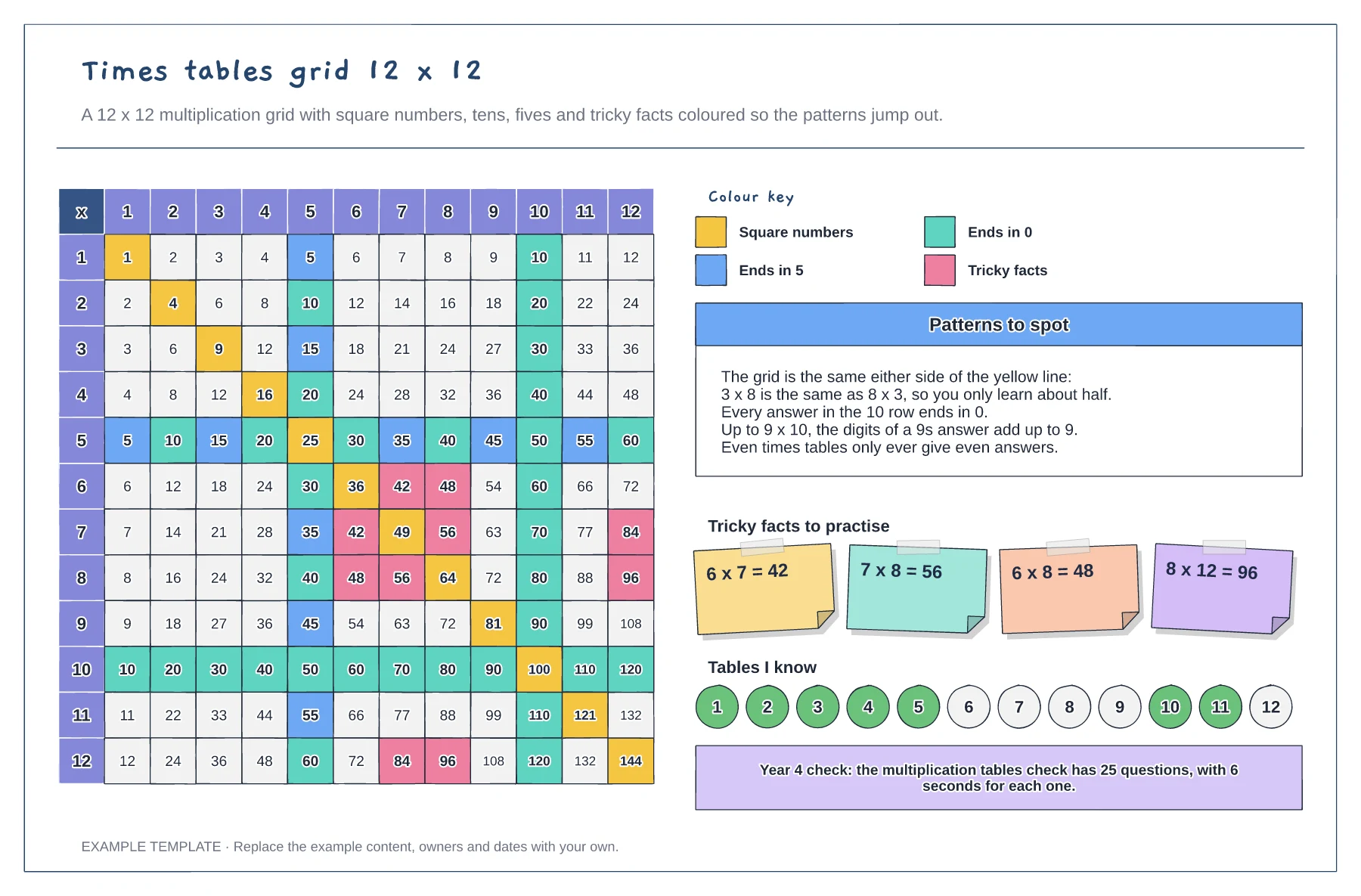
Colour square numbers, answers ending in 0 and 5, and the facts your child finds hardest.
Show that the grid mirrors along the diagonal, so 3 x 8 is the same as 8 x 3 and there is only half as much to learn.
Tick off each table once your child can answer any fact in it within a few seconds.
Square numbers, answers ending in 0, answers ending in 5 and tricky facts each have their own colour, as the colour key shows. Recolour any cell to highlight the facts your child is learning.
No. Open the template and edit it in your browser. Your work saves on this device. An account is optional if you want to sync your workspace.
Yes. Use Export in the editor to save a PNG, SVG or PDF, or download an editable .epicdraw backup.
A card for each school day with timed jobs · Done stickers and a weekly progress bar · Reading minutes and a grown-up check
Preview and use template →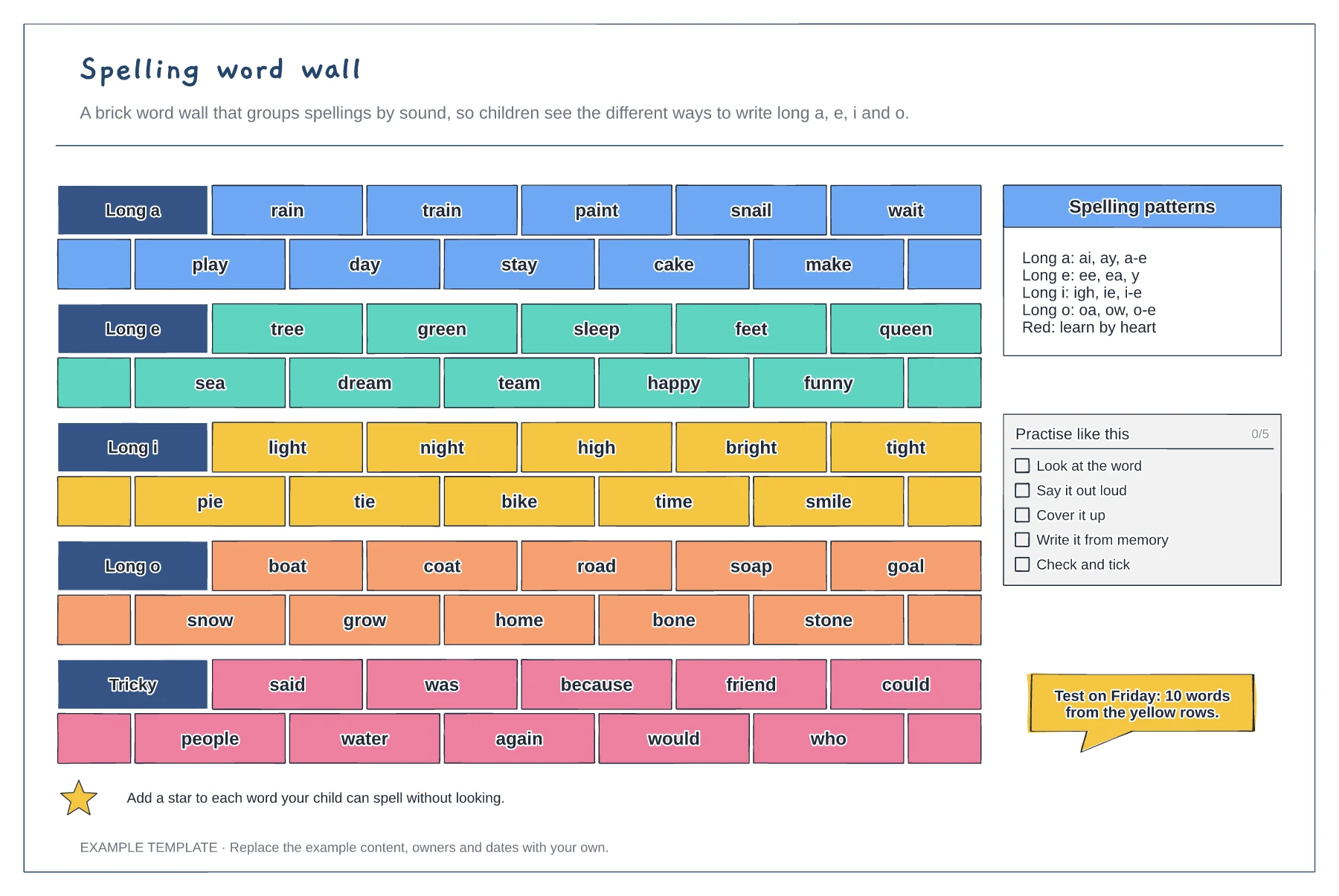
A brick wall with one colour for each sound · Spelling patterns and a red row of tricky words · A look, say, cover, write, check routine
Preview and use template →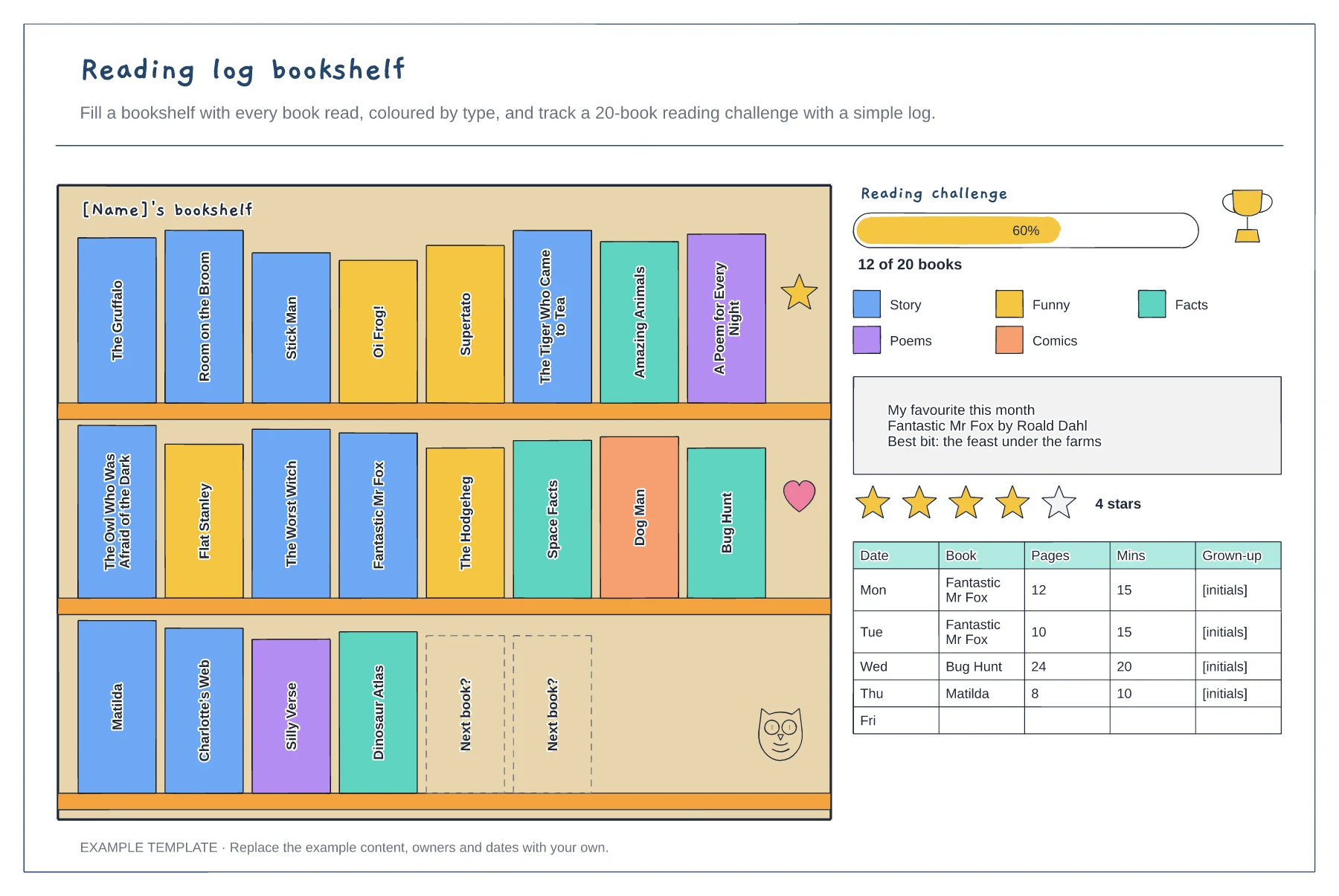
A bookshelf with a spine for every book read · A reading challenge bar and favourite book card · A daily log of pages, minutes and initials
Preview and use template →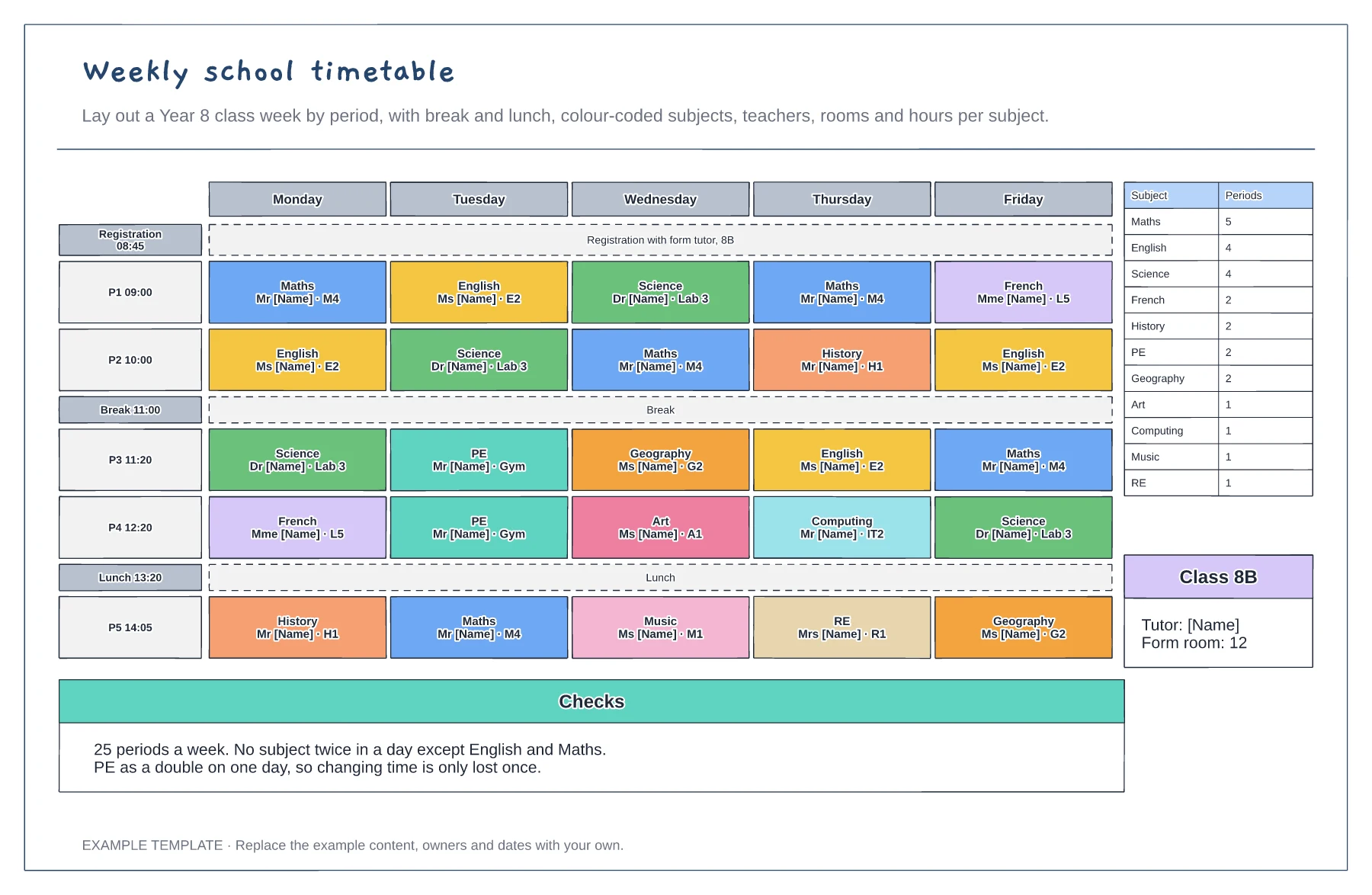
Five days by five periods with break and lunch · Subjects with teacher and room · Periods per subject and balance checks
Preview and use template →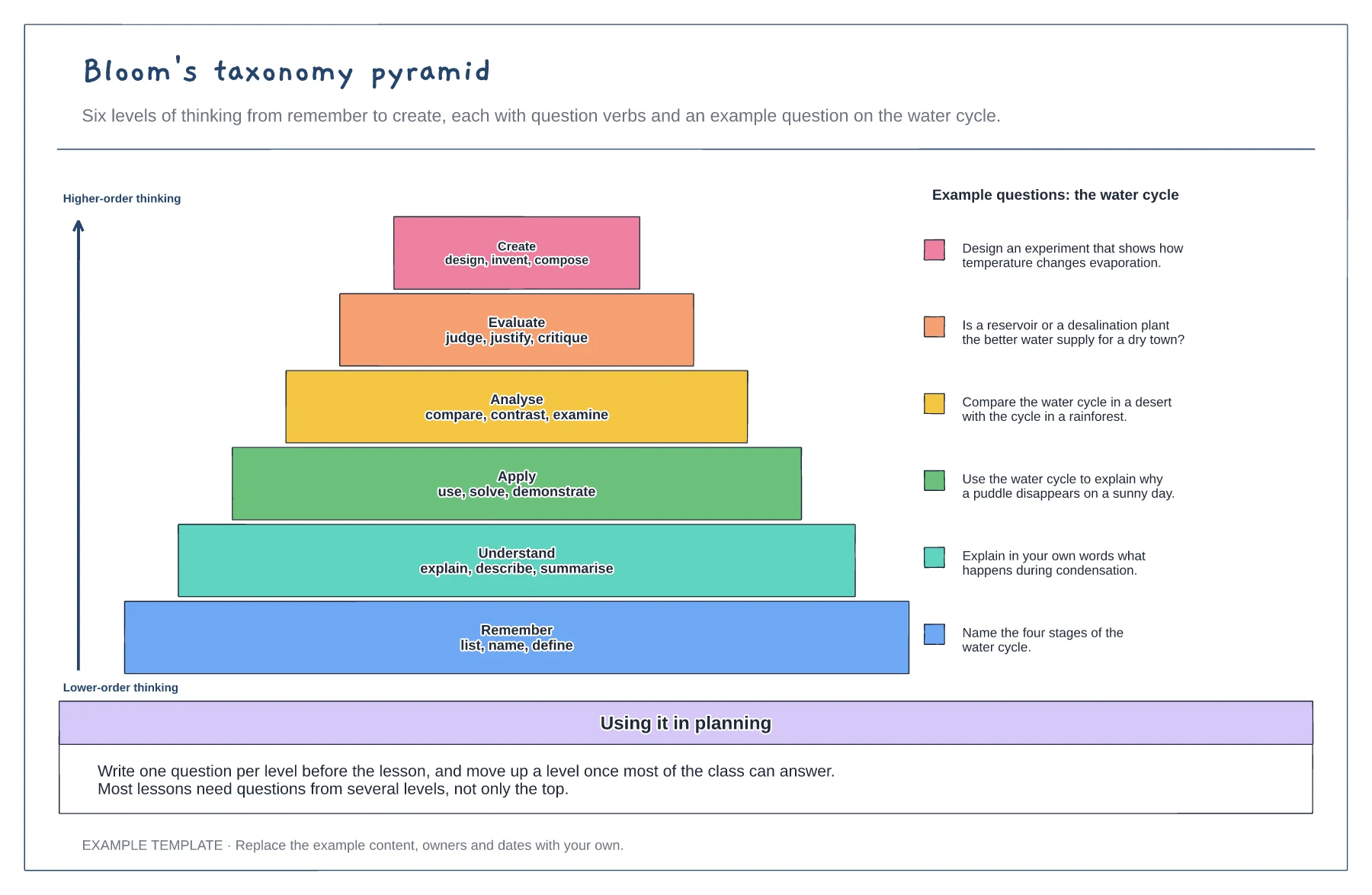
Six levels from remember to create · Question verbs for each level · A worked example question per level
Preview and use template →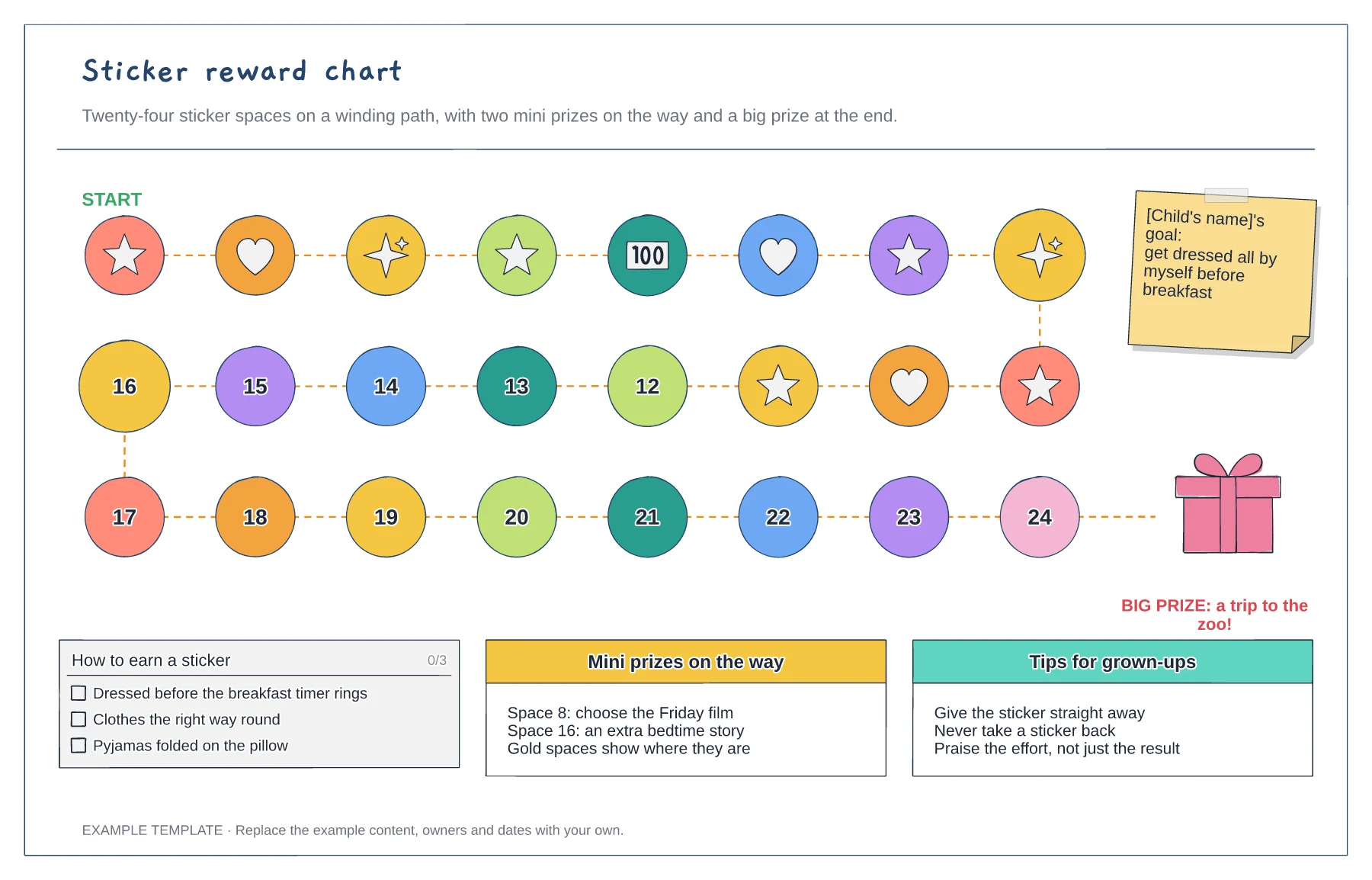
A winding path of 24 sticker spaces · Mini prizes on gold spaces · The goal, the rules and the big prize
Preview and use template →