Kids and family
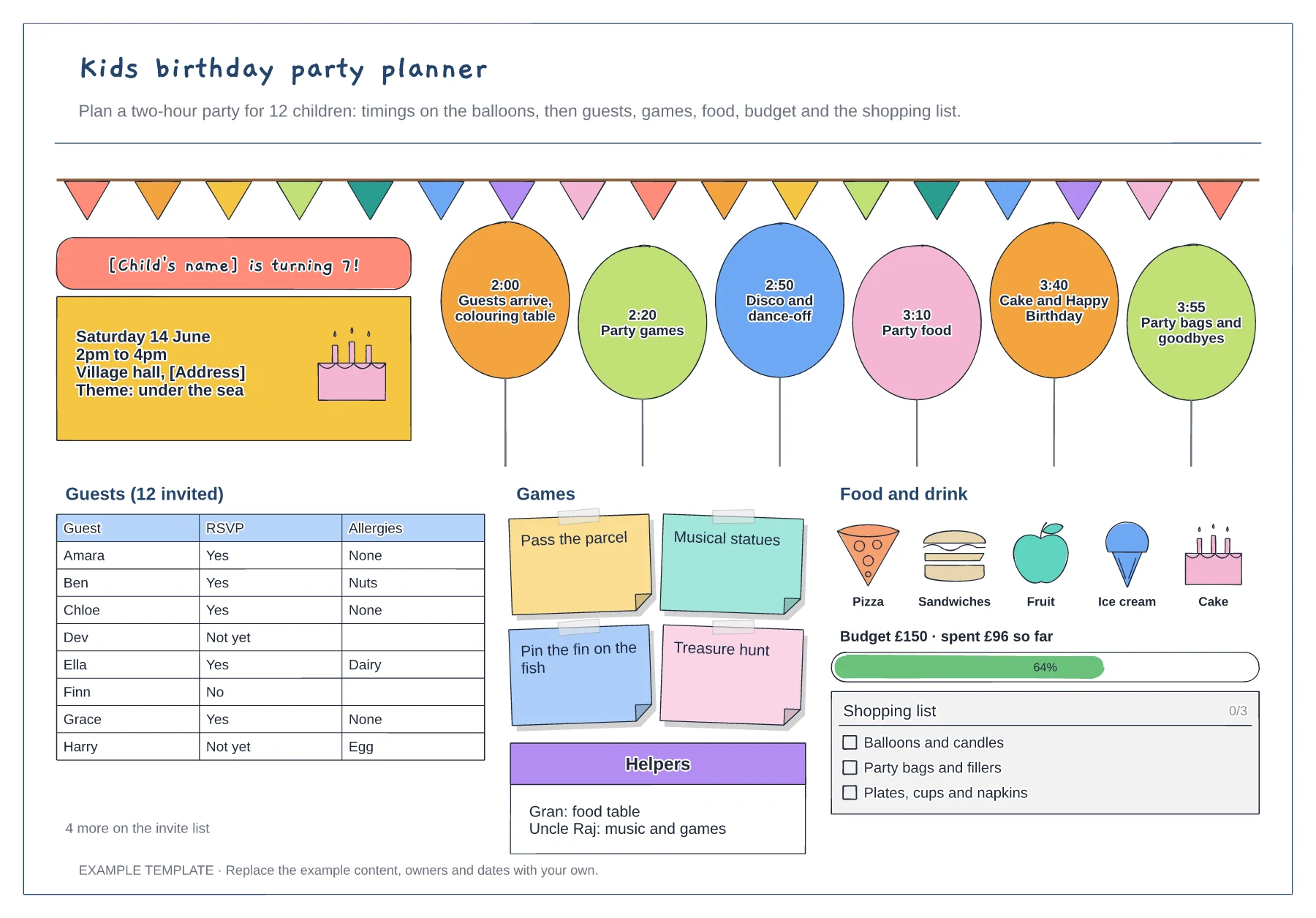
Kids birthday party planner template
A balloon timetable for the party · Guest list with RSVPs and allergies · Games, food, budget and shopping list
Preview and use template →A family tree for kids helps children see how everyone in their family fits together. This example draws a big tree with round frames for a photo or a drawn face, three generations from grandparents at the top to the child and a brother at the bottom, hearts joining each couple, and a list of questions to ask grandparents.
No account needed · Opens as your own editable page
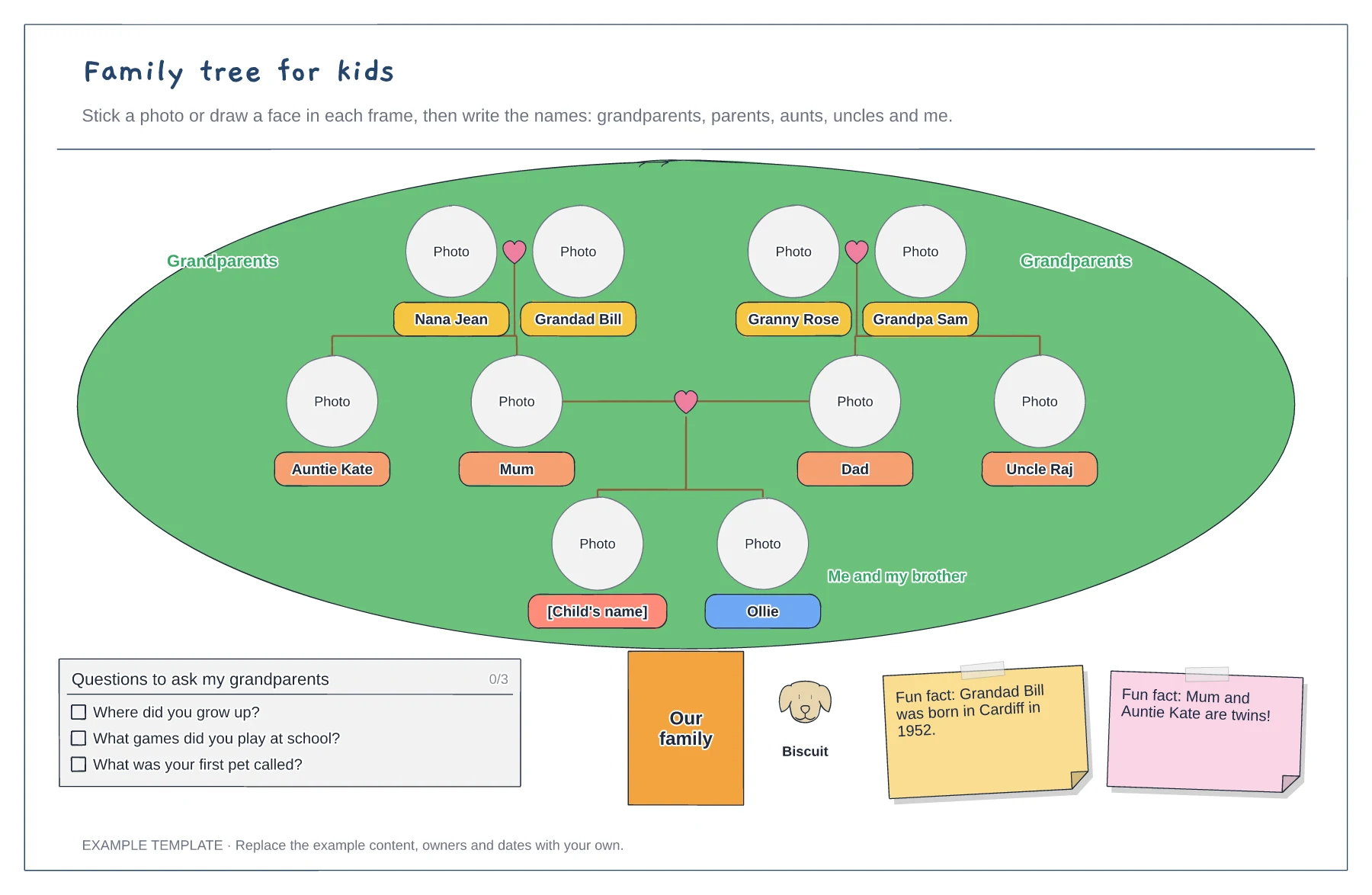
Put your child and any brothers or sisters at the bottom of the tree, then add their parents above.
Put each set of grandparents above the parent they belong to, with aunts and uncles alongside.
Stick in photos or draw faces, then ask relatives a few questions and add the fun facts you find.
Yes. Add a photo to each frame in the editor, or leave the frames empty for your child to draw faces after printing.
No. Open the template and edit it in your browser. Your work saves on this device. An account is optional if you want to sync your workspace.
Yes. Use Export in the editor to save a PNG, SVG or PDF, or download an editable .epicdraw backup.
A balloon timetable for the party · Guest list with RSVPs and allergies · Games, food, budget and shopping list
Preview and use template →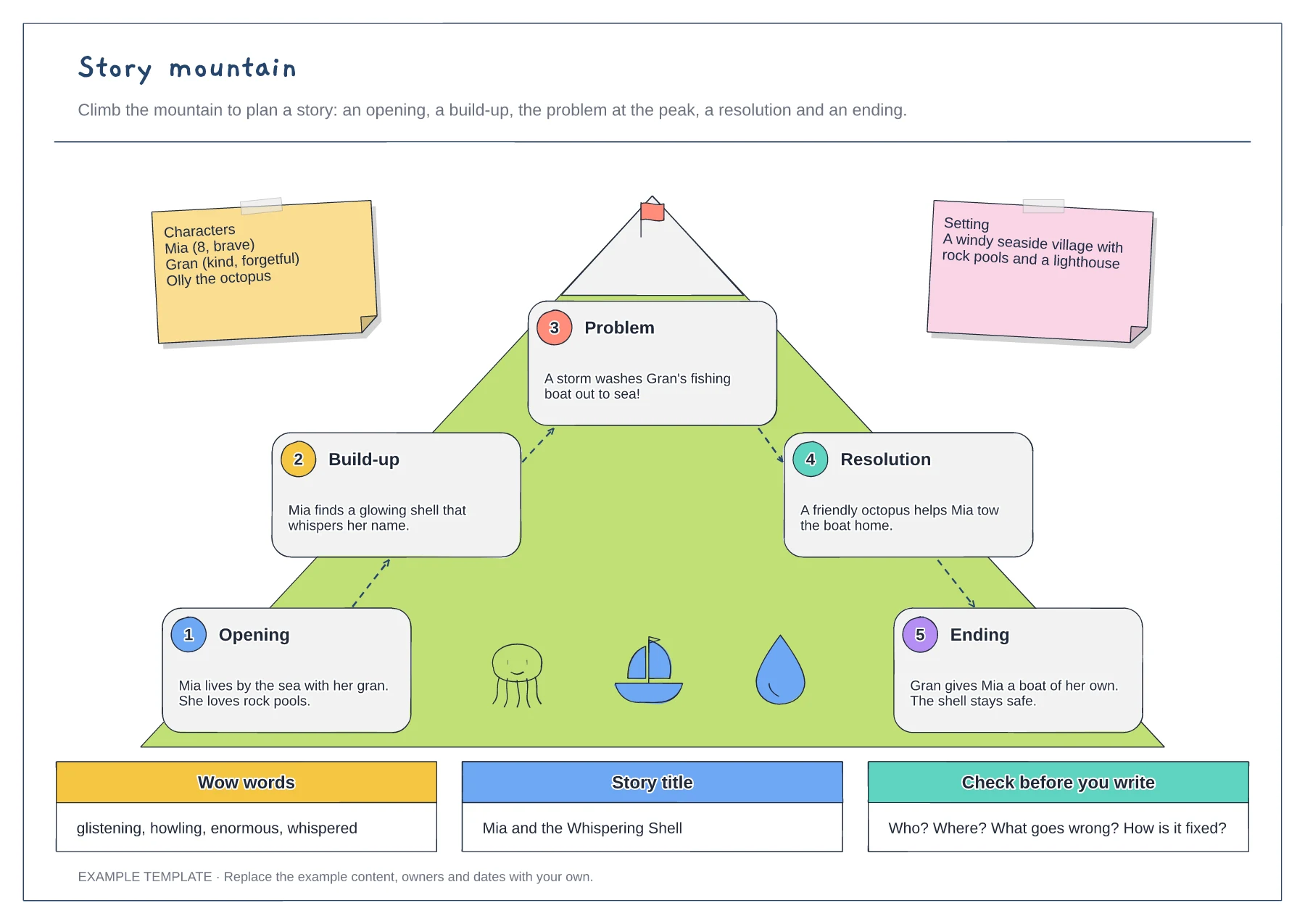
Five numbered story stages · Characters and setting notes · Wow words, title and a final check
Preview and use template →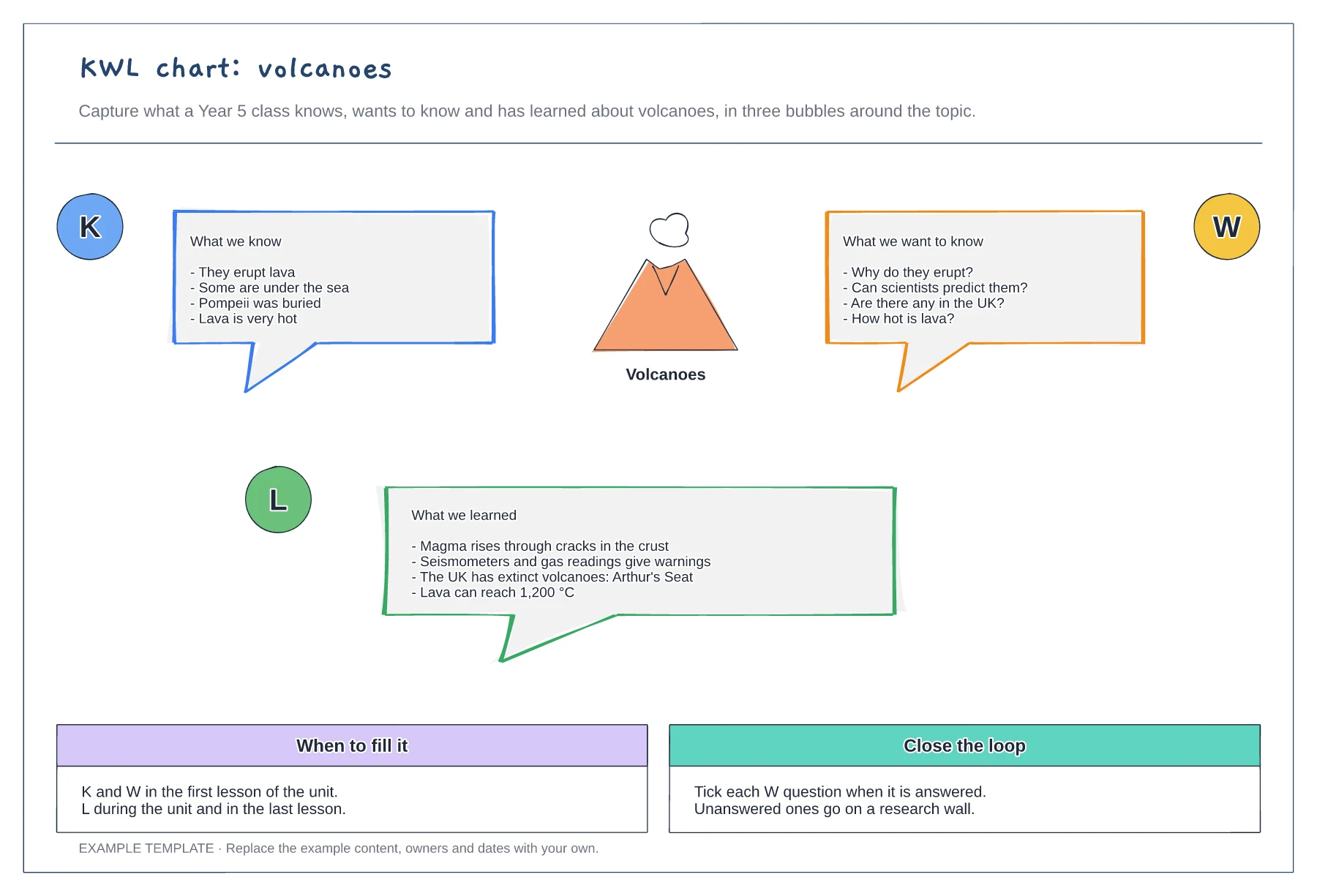
Know, want to know and learned bubbles · A worked example on volcanoes · When to fill it and how to close the loop
Preview and use template →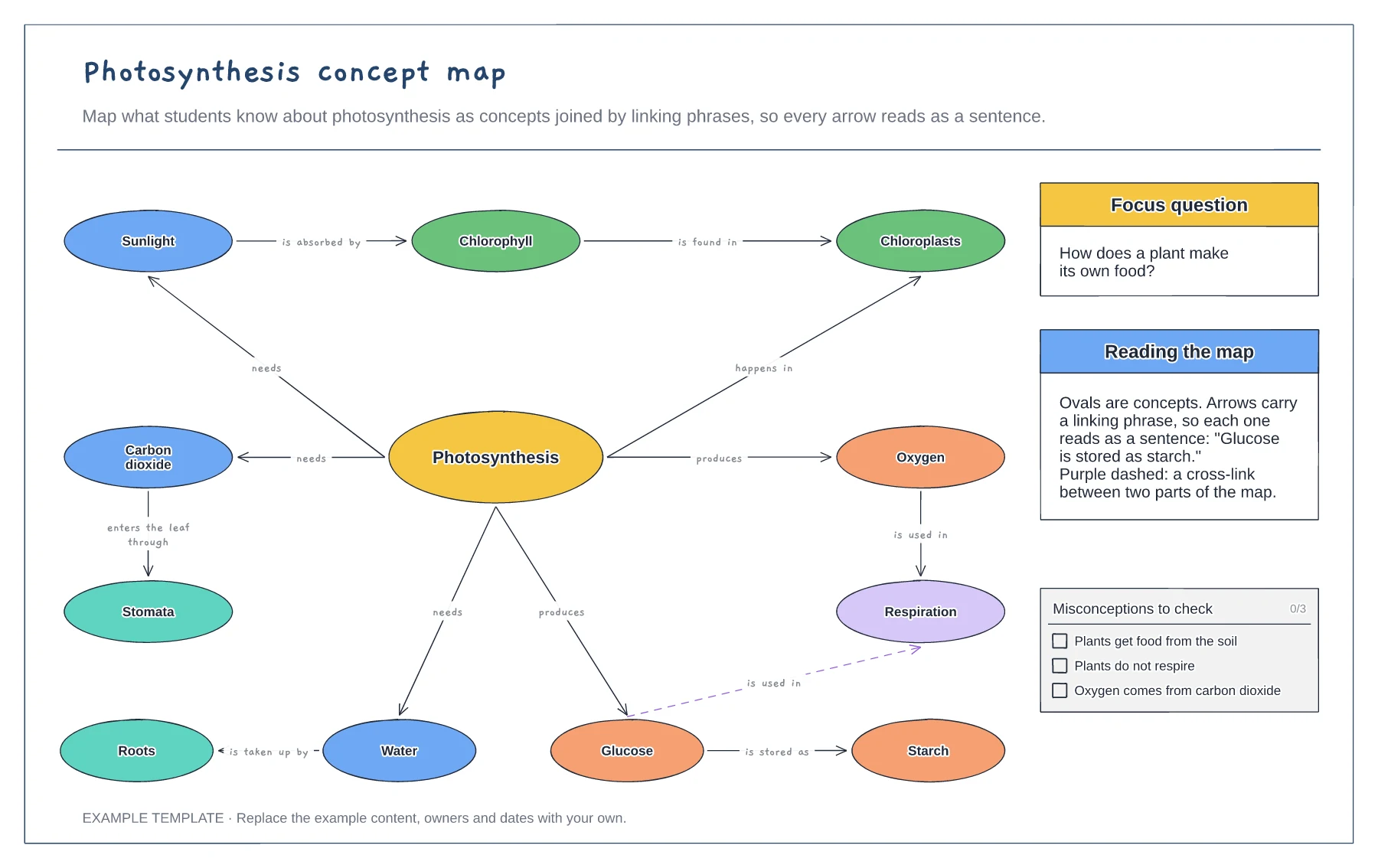
Concepts joined by linking phrases · A focus question and a cross-link · Common misconceptions to check
Preview and use template →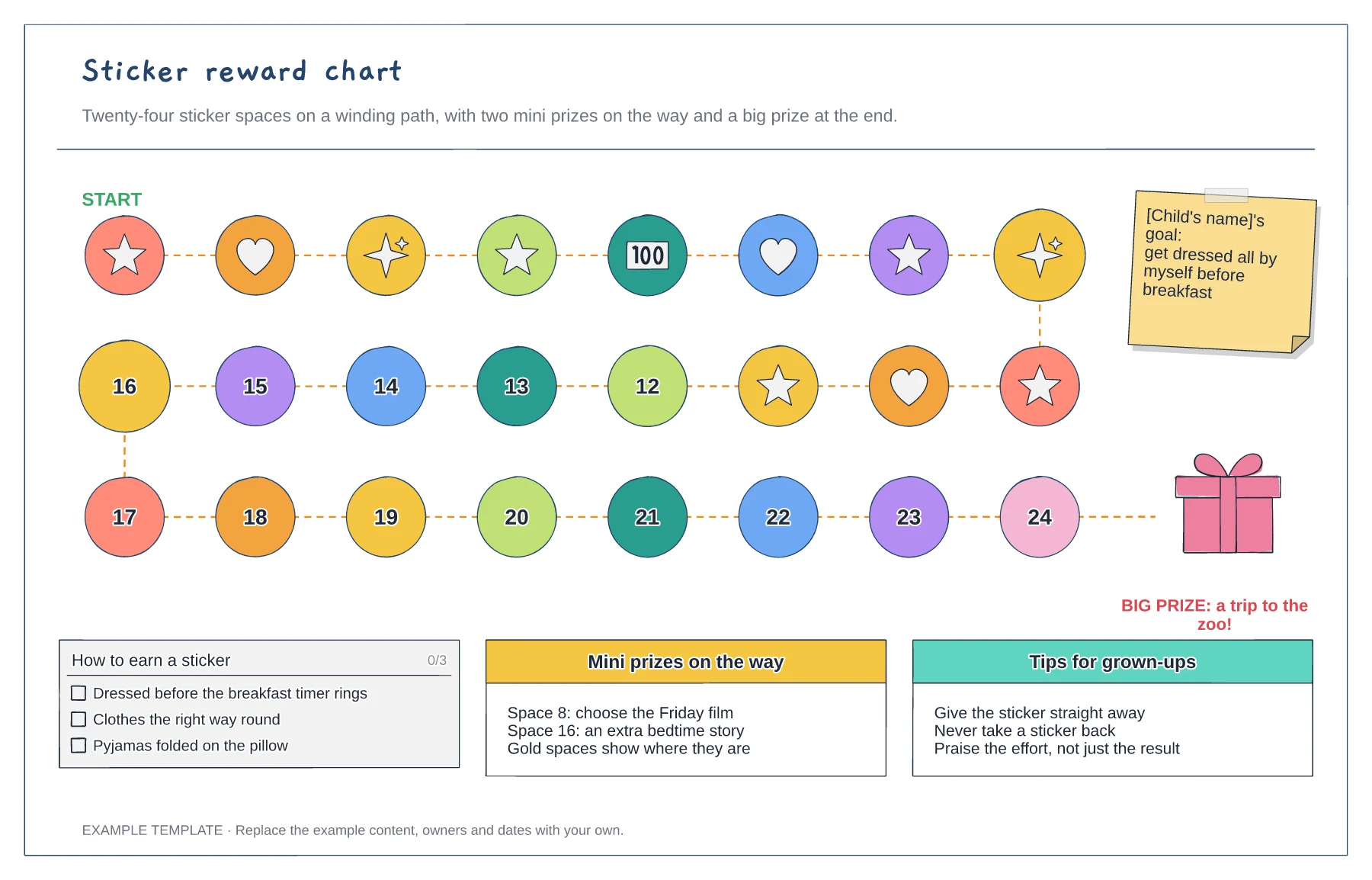
A winding path of 24 sticker spaces · Mini prizes on gold spaces · The goal, the rules and the big prize
Preview and use template →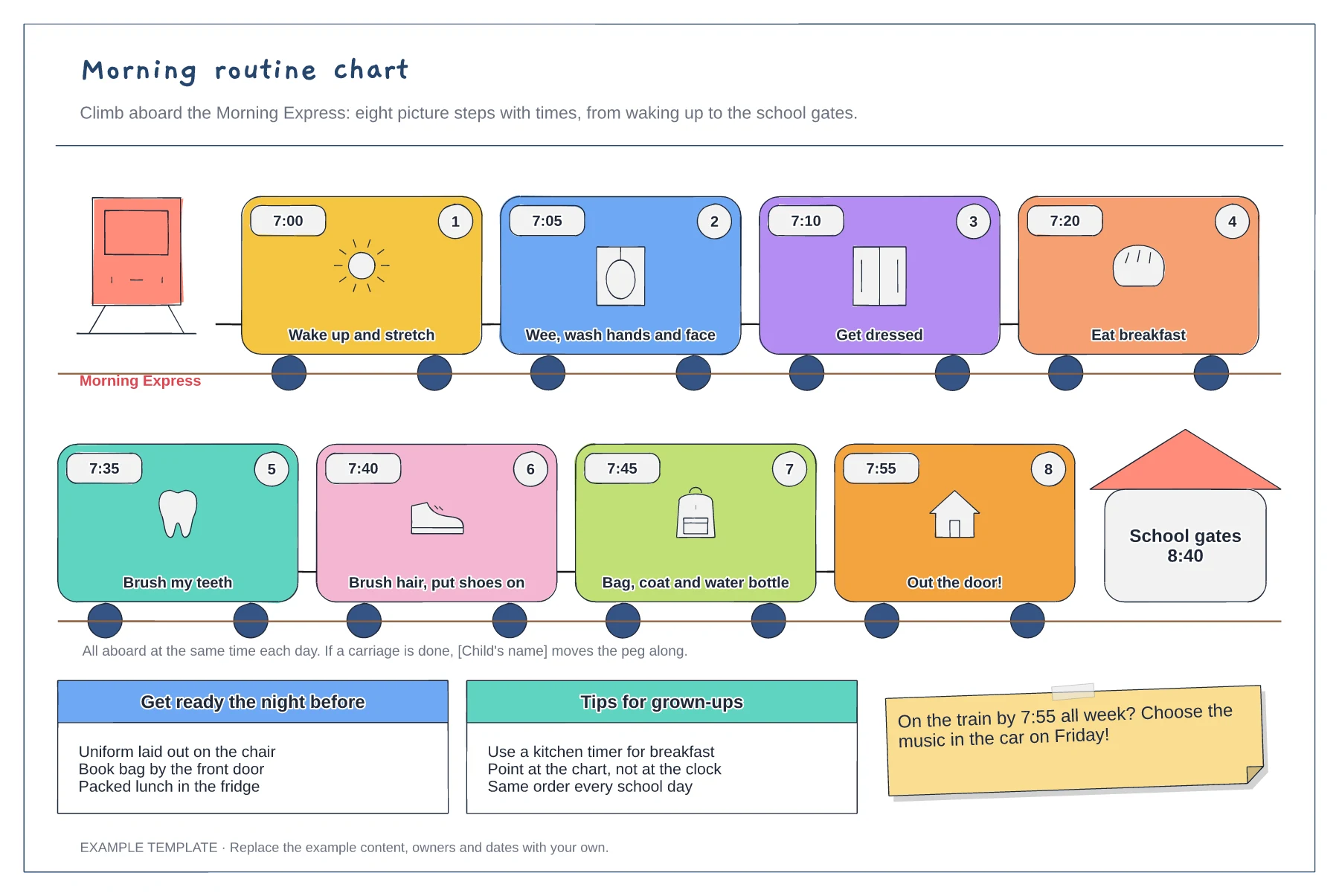
Eight picture steps with times · A numbered order from bed to the school gates · Night-before checklist and tips
Preview and use template →