Improvement
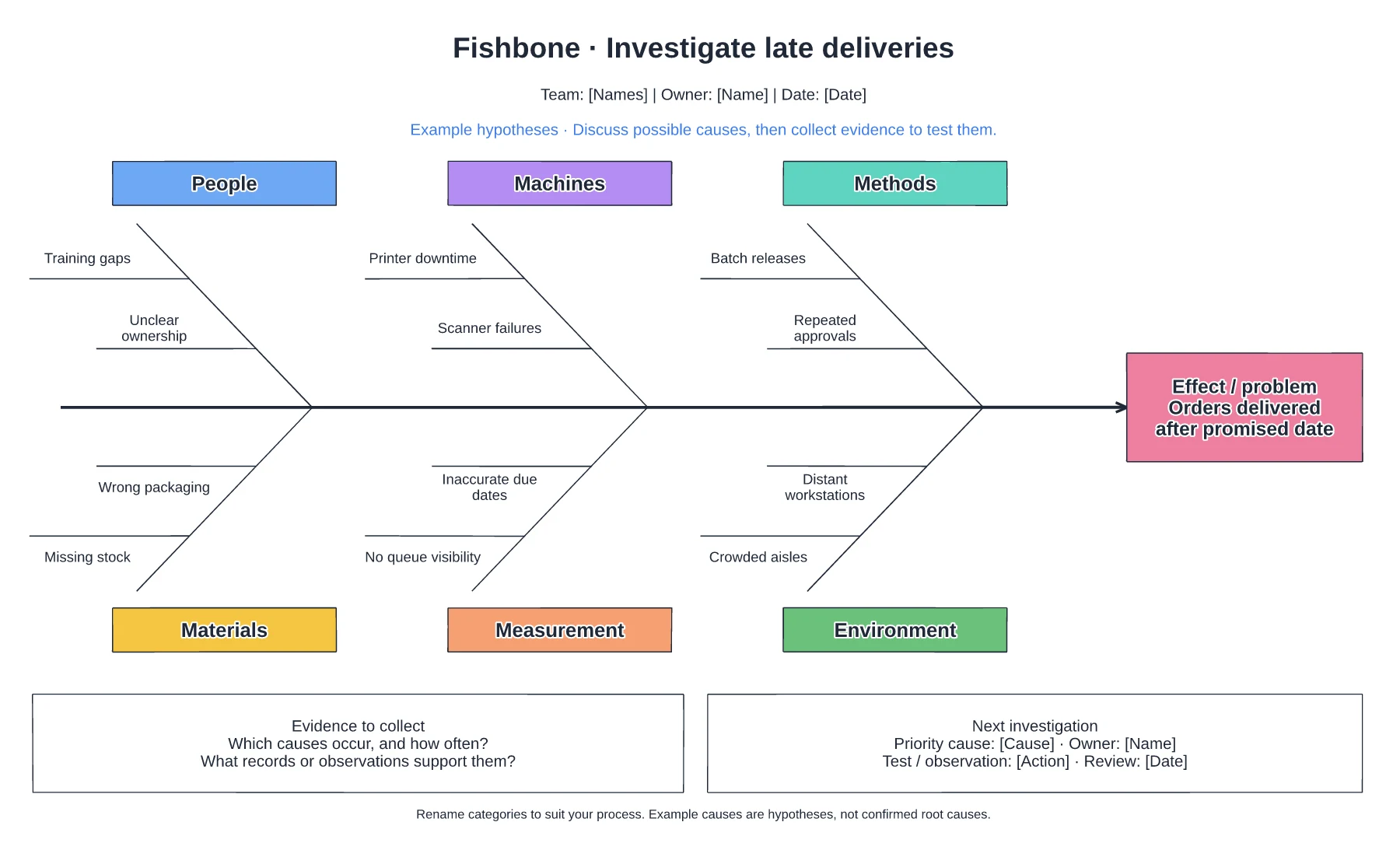
Late delivery fishbone diagram template
A defined late-delivery problem · Editable cause categories and branches · Prompts for investigation
Preview and use template →Trace the movement in a warehouse picking journey. This example connects numbered stops across storage, checking and packing areas, making backtracking easier to discuss before changing a layout or pick sequence.
No account needed · Opens as your own editable page
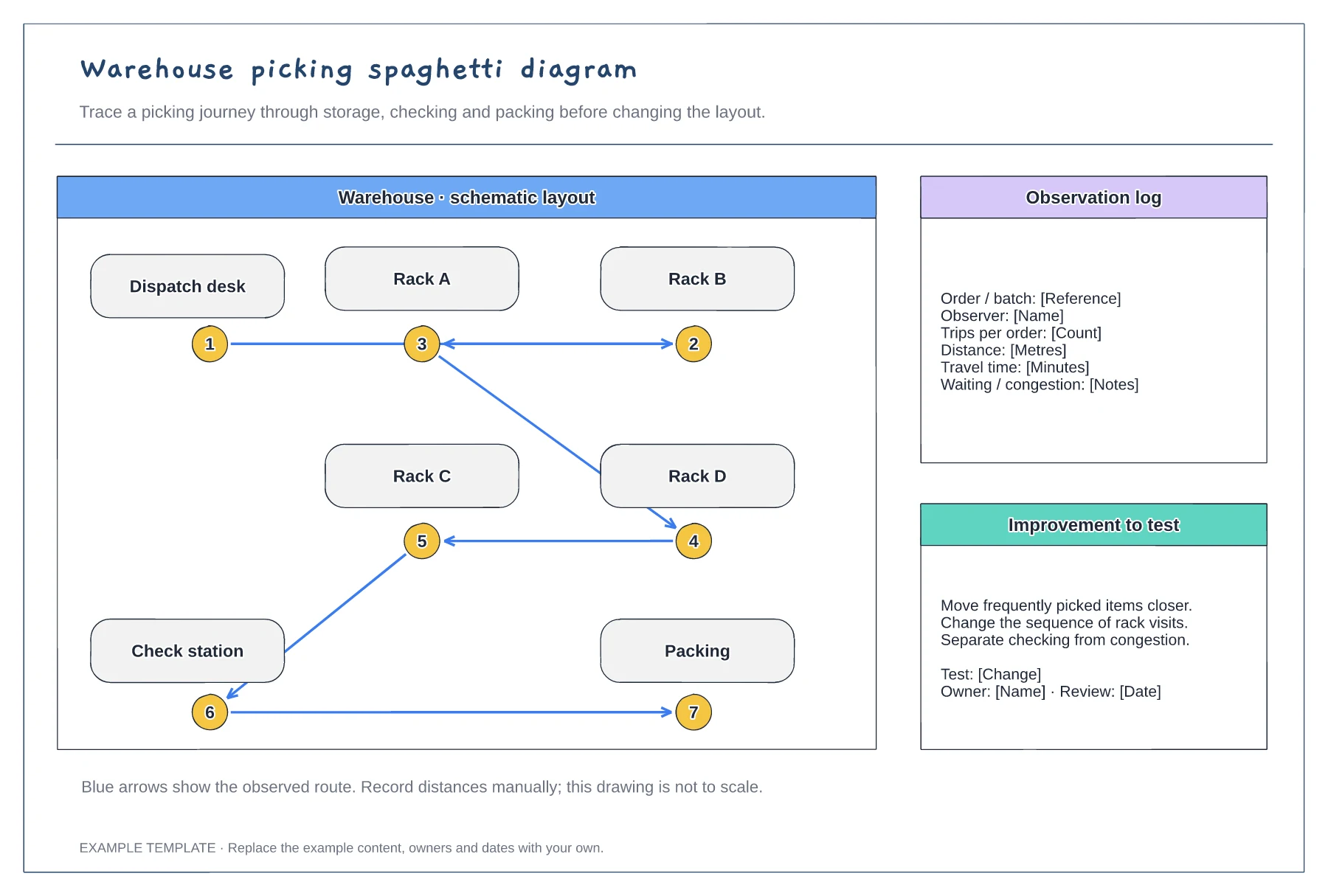
Rename and reposition the storage, checking and packing areas to reflect the space you are observing. Mark the route start and finish.
Follow a representative pick and record the order of stops. Move the numbered markers and connect them in the sequence observed.
Duplicate the page and draw an alternative route or layout. Compare the observations with the proposed change before trying it in the workplace.
No. It shows the route visually. Add measurements from your own observation as labels if you want to compare distance or travel time.
No. Open the template and edit it in your browser. Your work saves on this device. An account is optional if you want to sync your workspace.
Yes. Use Export in the editor to save a PNG, SVG or PDF, or download an editable .epicdraw backup.
A defined late-delivery problem · Editable cause categories and branches · Prompts for investigation
Preview and use template →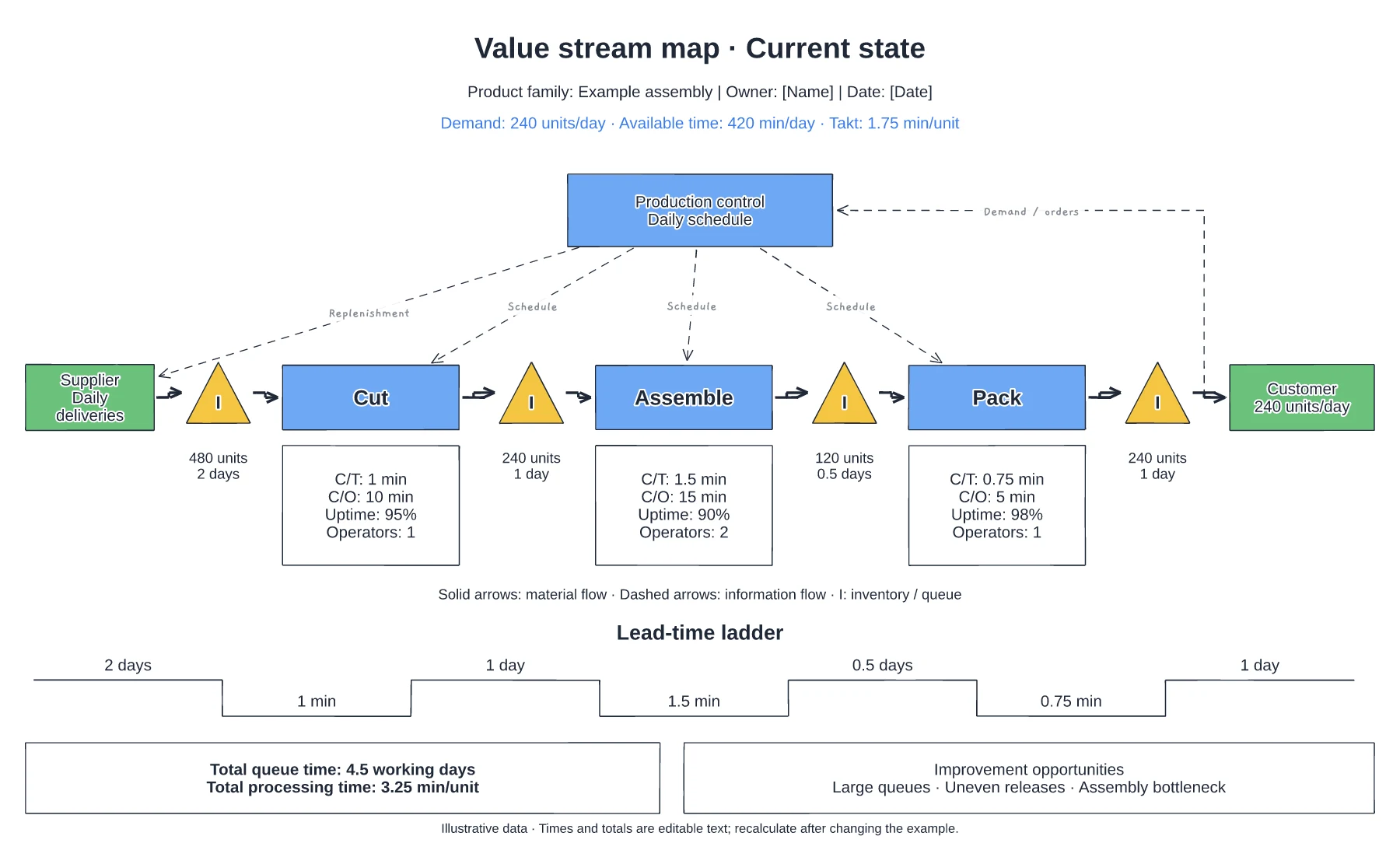
Supplier, process and customer flow · Inventory queues and process data · Information flow and timing line
Preview and use template →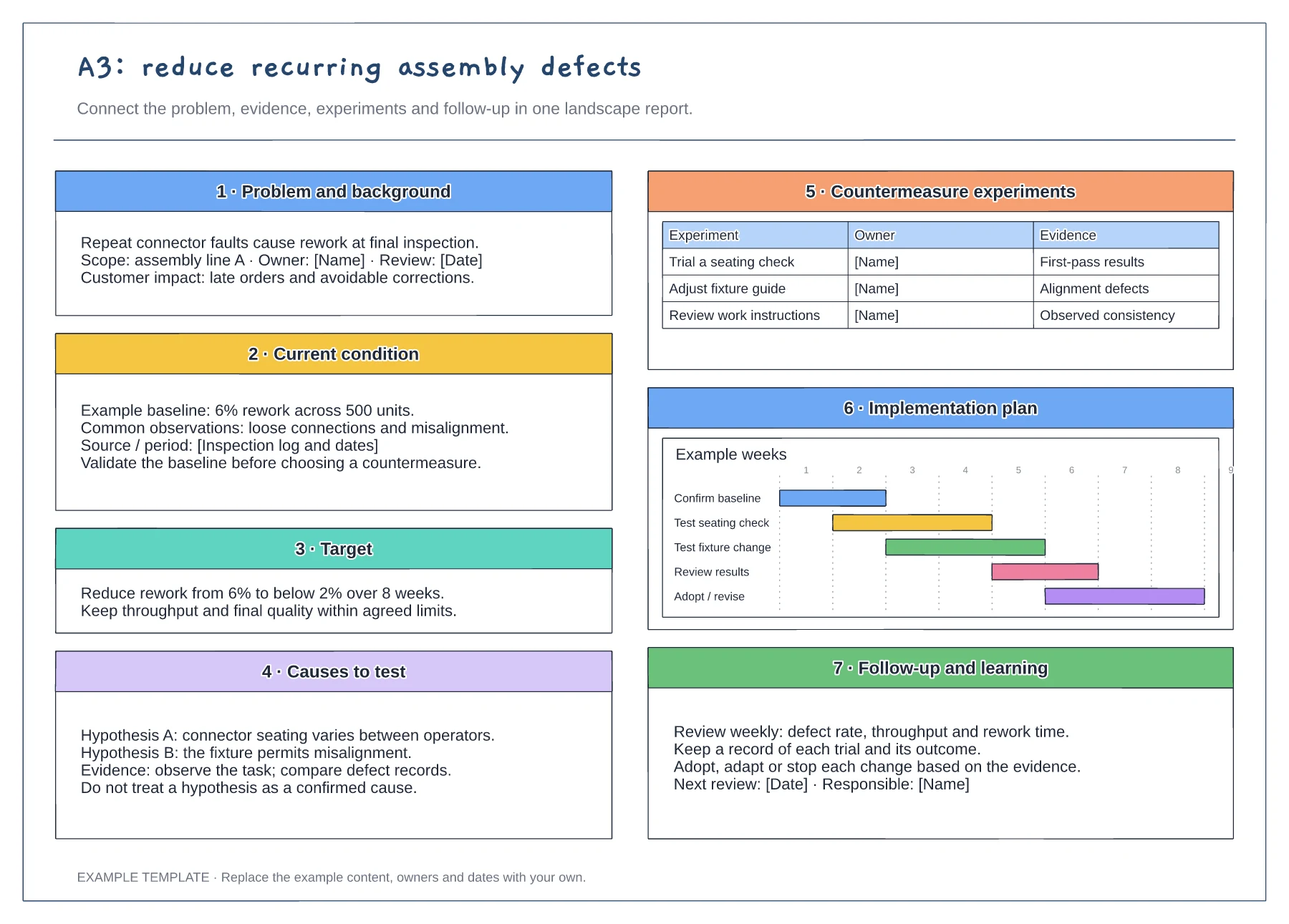
Problem statement and current condition · Cause analysis and countermeasure plan · Owners, checks and follow-up
Preview and use template →