
Design
Prioritisation and decision board template
Agree a shared outcome and comparable scope. · Apply the same criteria and explain any scores. · Keep evidence, delivery work and dependencies visible.
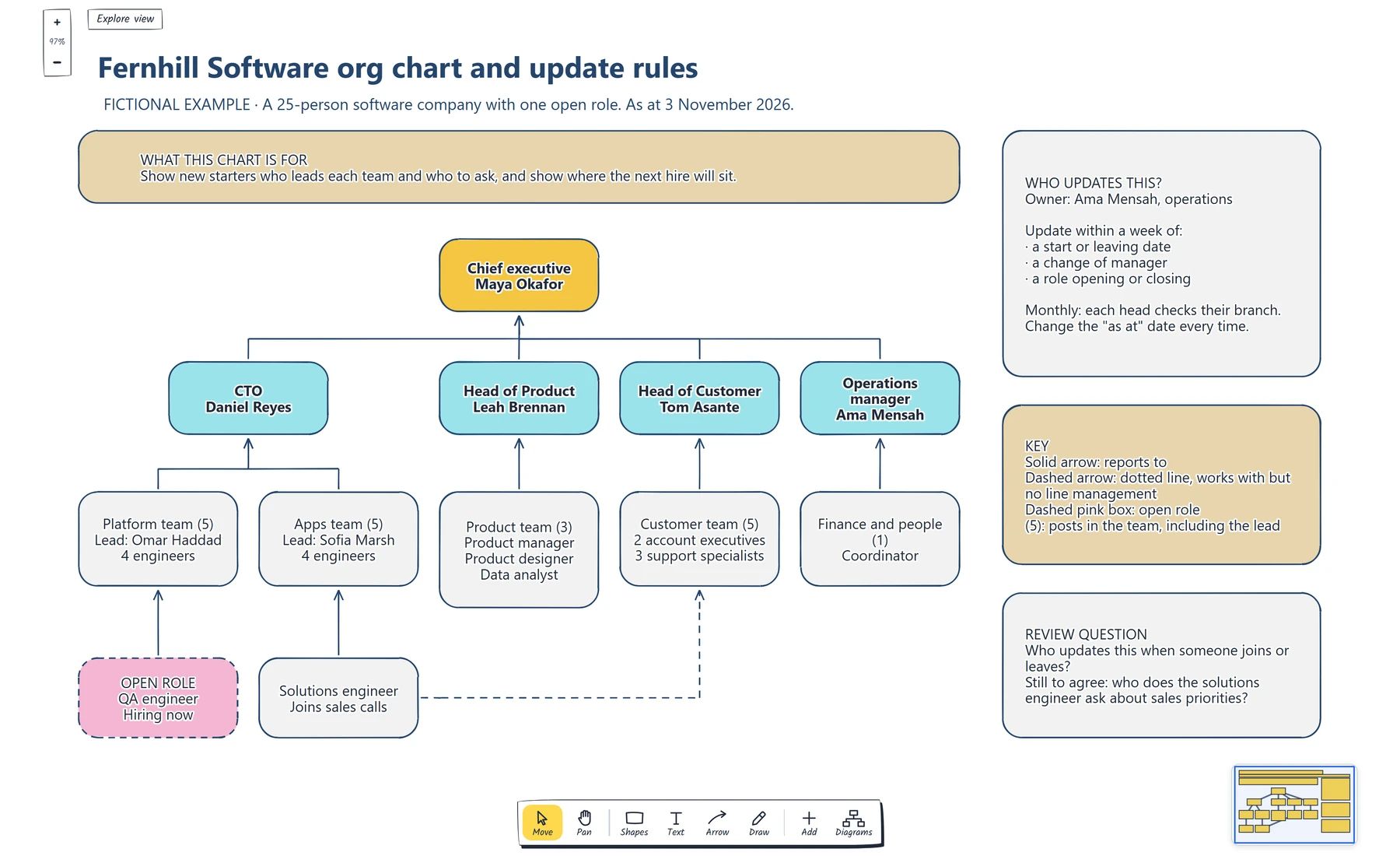
Preview and use template →Write down who reads the chart and what they need to find, then list each post and the one post it reports to. Draw it with solid arrows to each manager, show open roles as posts with no name and shared roles with a labelled dotted line, and add an "as at" date and a named owner who updates it.
No account needed · Opens as your own editable page
Org charts go stale and hide who actually decides what.
Create an org chart that shows reporting lines and open roles clearly.
The chart's readers decide which names appear. Build the chart from posts, each reporting to one other post. Open roles and dotted lines belong on the chart, with a key. An "as at" date and a named owner keep the chart current.
Yes. Every label, box and line is editable, so replace the fictional example with your own screens and notes.
No. Open the template and edit it in your browser. Your work saves on this device. An account is optional if you want to sync your workspace.
Yes. Use Export in the editor to save a PNG, SVG or PDF, or download an editable .epicdraw backup.
Agree a shared outcome and comparable scope. · Apply the same criteria and explain any scores. · Keep evidence, delivery work and dependencies visible.
Preview and use template →
Describe an observable change for a defined group. · Define candidate measures and leave unsupported baselines and targets blank. · Connect possible work to evidence and dependencies.
Preview and use template →
Define the start and finish boundaries. · Write entry and exit conditions. · Confirm current and receiving owners.
Preview and use template →
Separate observations from explanations. · Choose a controllable trial and check capacity. · Agree an owner, scope and dates.
Preview and use template →
Connect evidence and uncertainty to a specific hypothesis. · Define the comparison, eligible population and outcome. · Agree guardrails, data checks and a feasible analysis plan.
Preview and use template →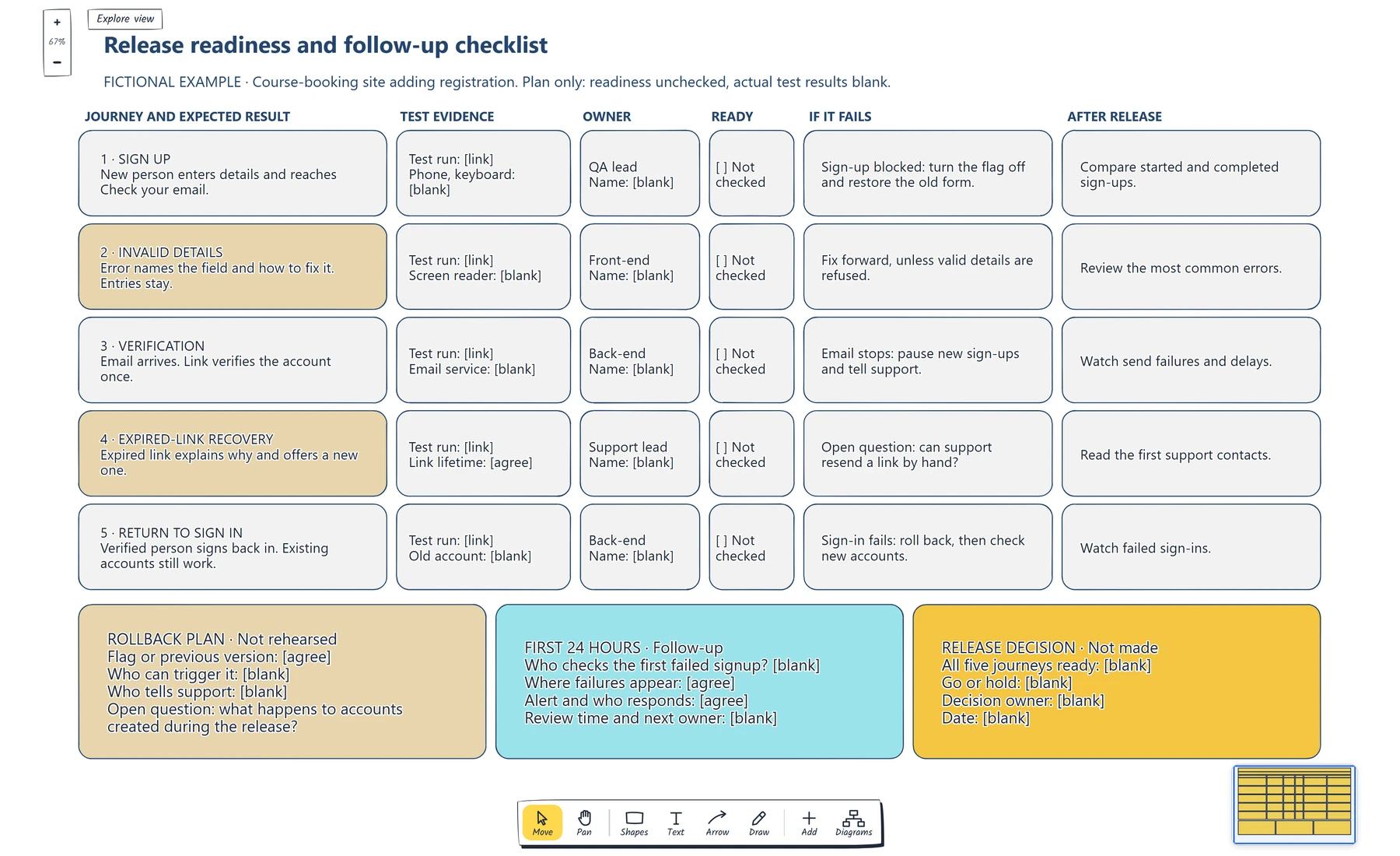
List each journey the release could break, including recovery routes. · Attach evidence someone can open, covering essential dependencies. · Give each journey one owner and a response if it fails.
Preview and use template →