Kids and family
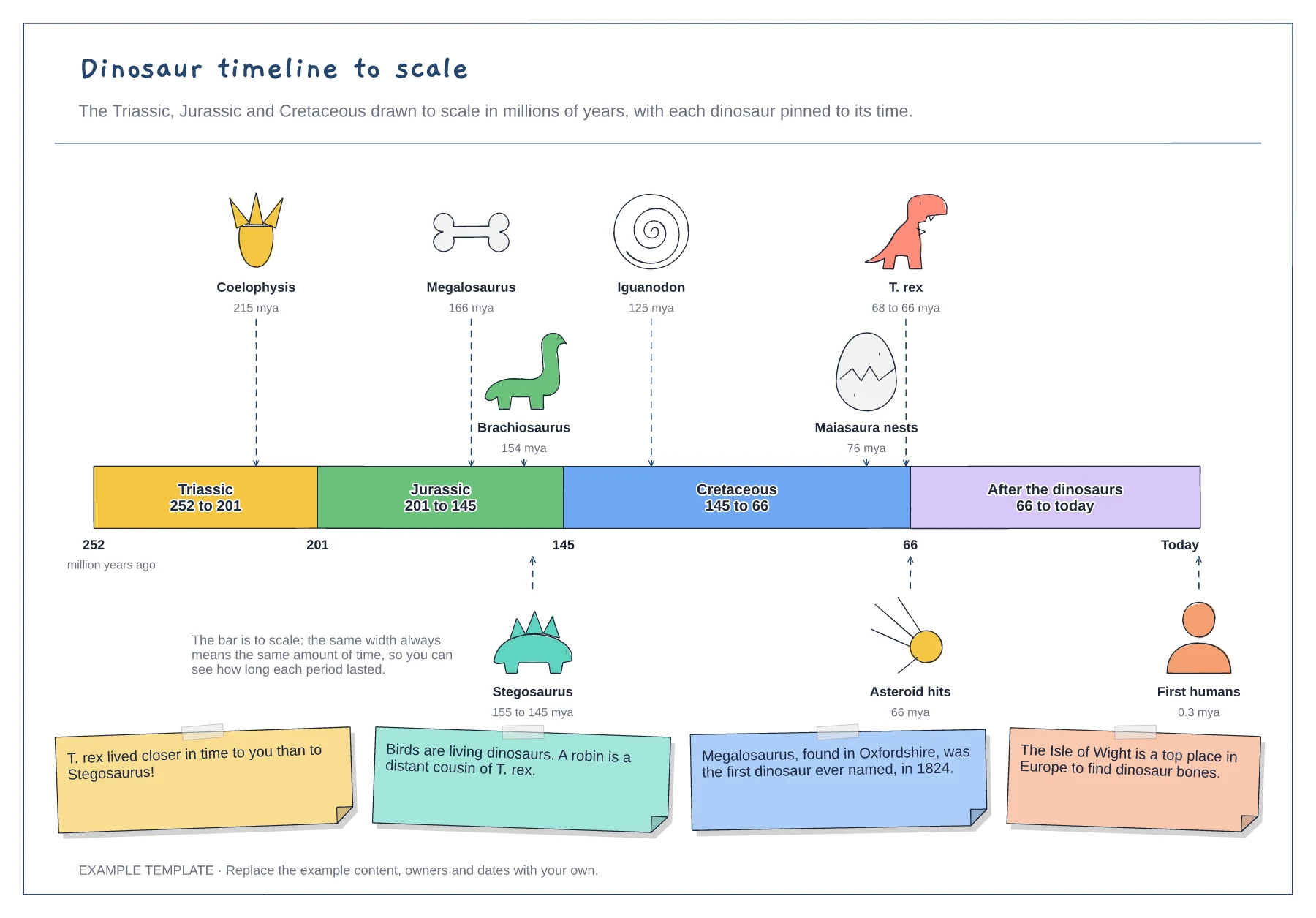
Dinosaur timeline template
Three periods drawn to scale in millions of years · Dinosaurs pinned to the time they lived · Asteroid, first humans and fun facts
Preview and use template →A solar system diagram helps children learn the order of the planets and one thing to remember about each. This example draws the Sun on the left with curved orbits stepping out to Neptune, marks the asteroid belt between Mars and Jupiter, gives a mnemonic for the order, and has a card for every planet with a fun fact and whether it is rocky, a gas giant or an ice giant.
No account needed · Opens as your own editable page
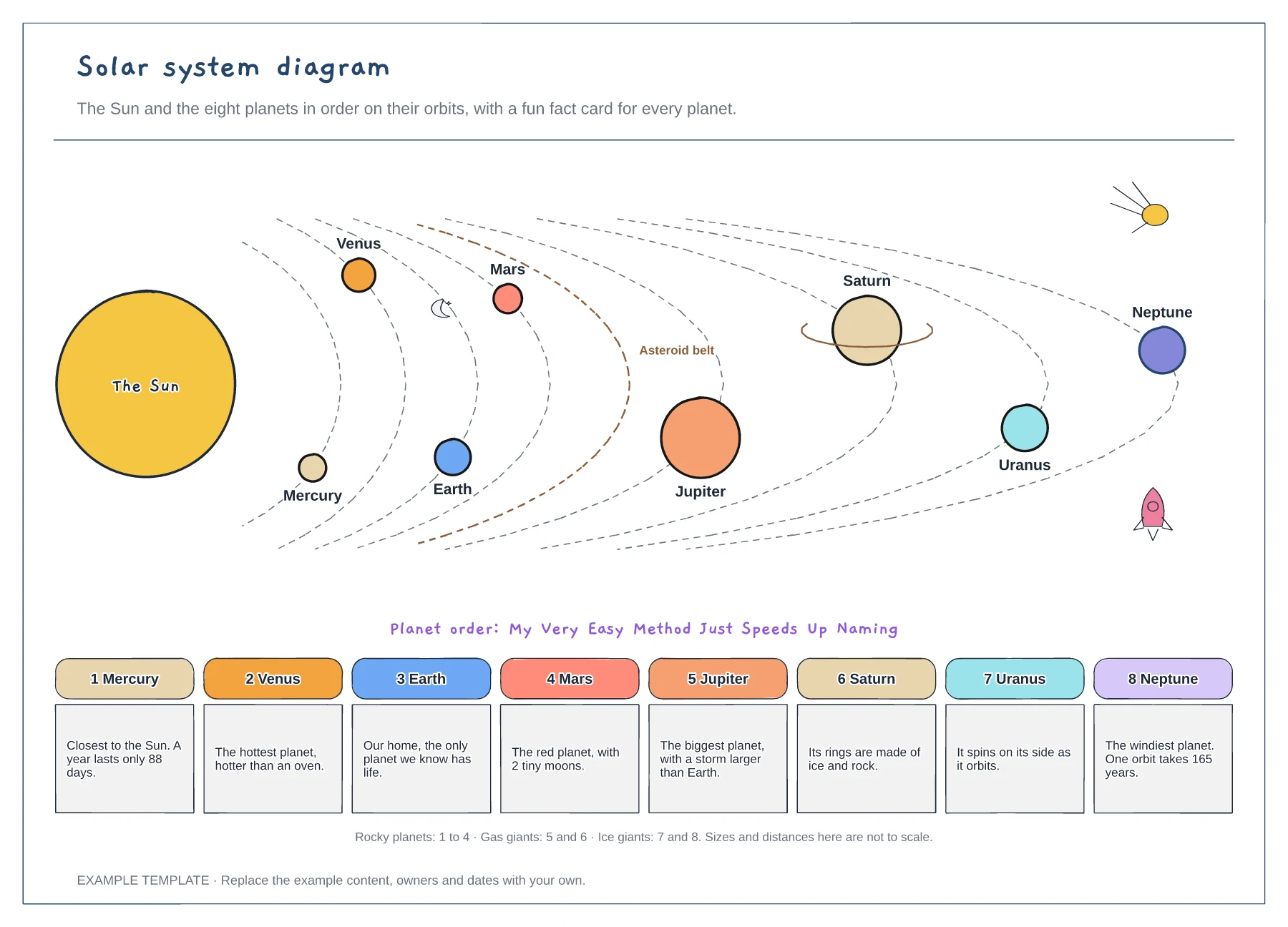
Draw the Sun on one side, then the orbits stepping outwards so the order is easy to read.
Add the planets in order, using the mnemonic My Very Easy Method Just Speeds Up Naming to check.
Write one fun fact per planet. Let your child pick their favourite fact to share at school.
No. Sizes and distances are not to scale so all eight planets fit on one board, and the fact cards give the real details.
No. Open the template and edit it in your browser. Your work saves on this device. An account is optional if you want to sync your workspace.
Yes. Use Export in the editor to save a PNG, SVG or PDF, or download an editable .epicdraw backup.
Three periods drawn to scale in millions of years · Dinosaurs pinned to the time they lived · Asteroid, first humans and fun facts
Preview and use template →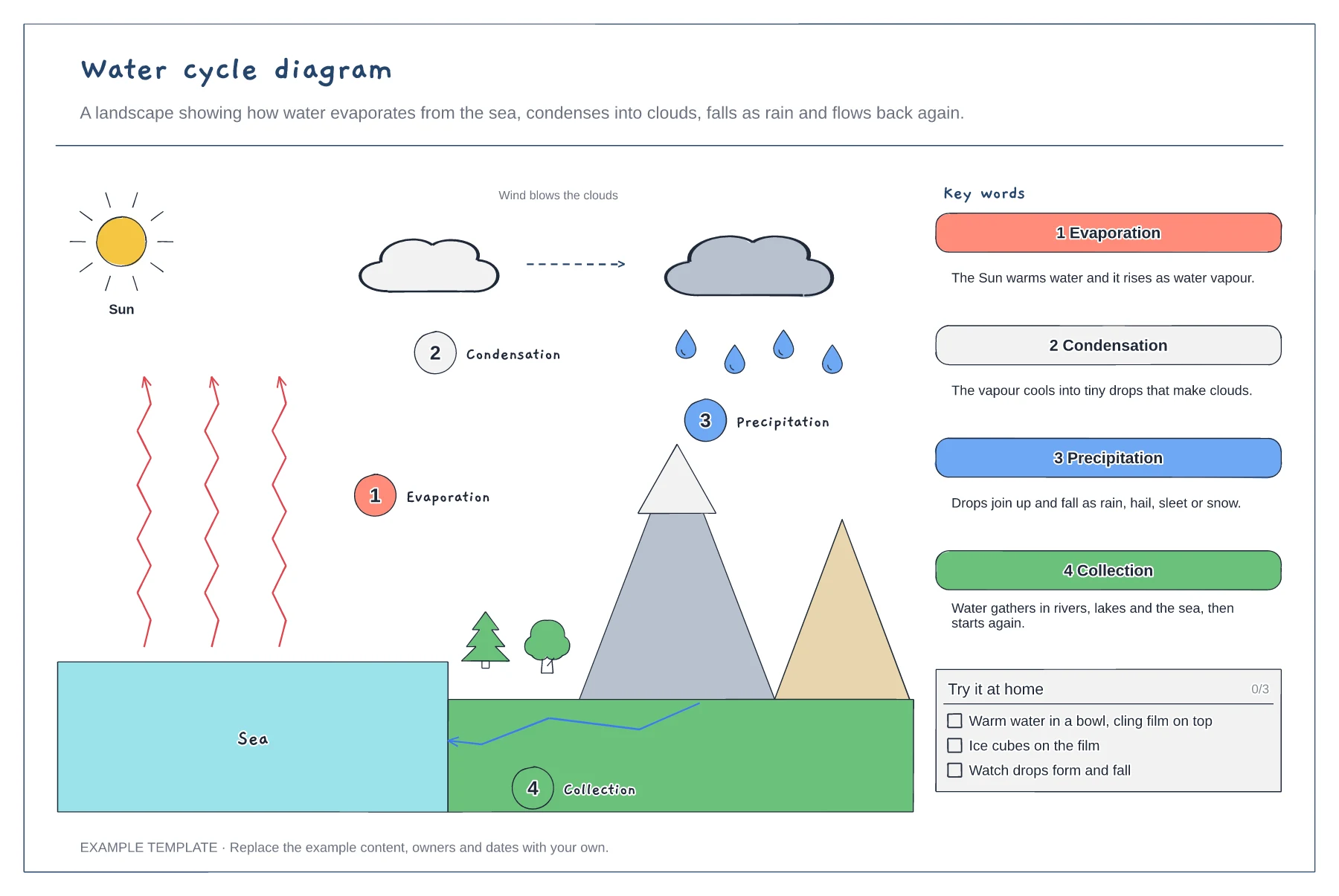
A landscape with the four stages numbered · Key word cards in child-friendly language · A simple bowl experiment to try at home
Preview and use template →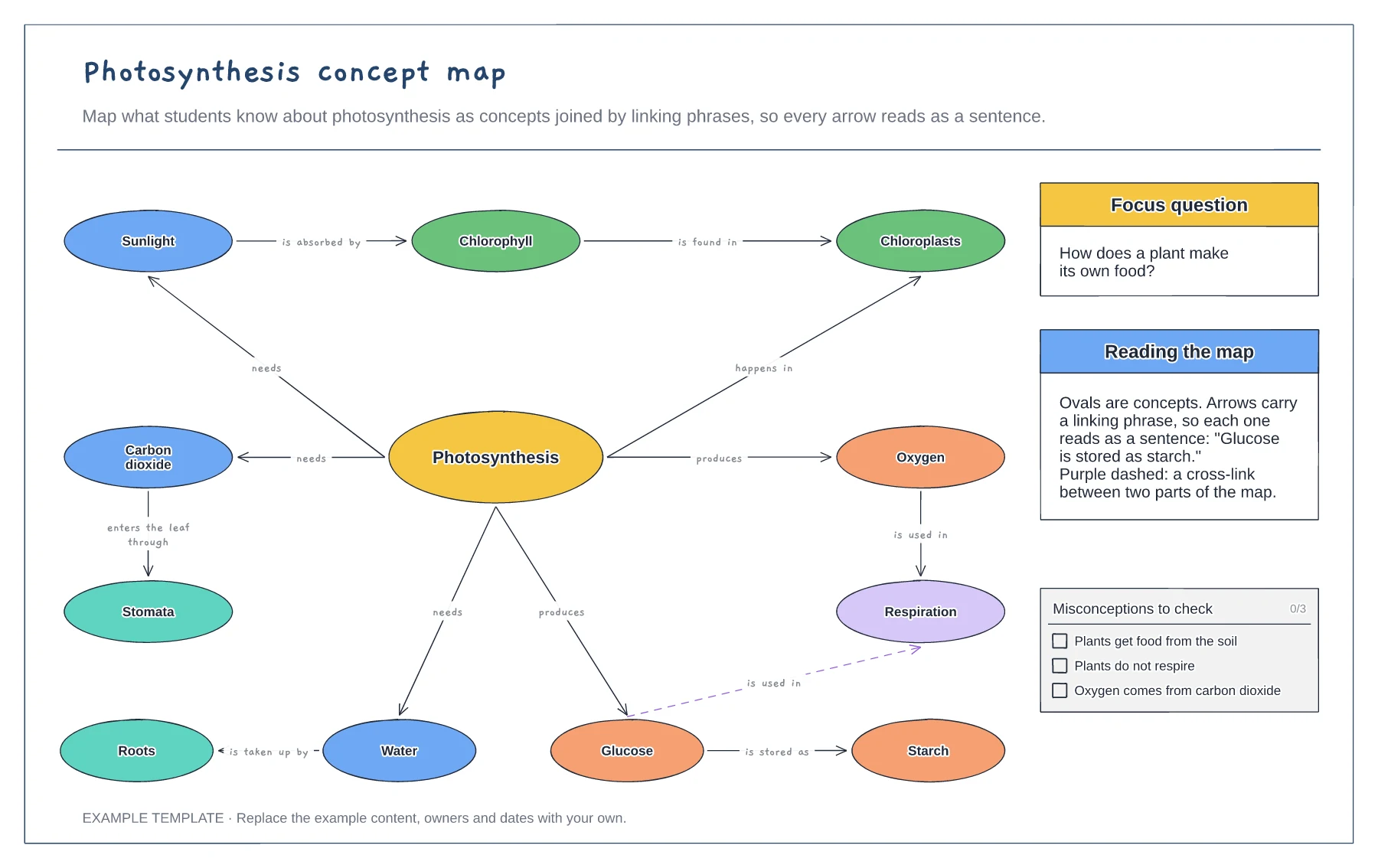
Concepts joined by linking phrases · A focus question and a cross-link · Common misconceptions to check
Preview and use template →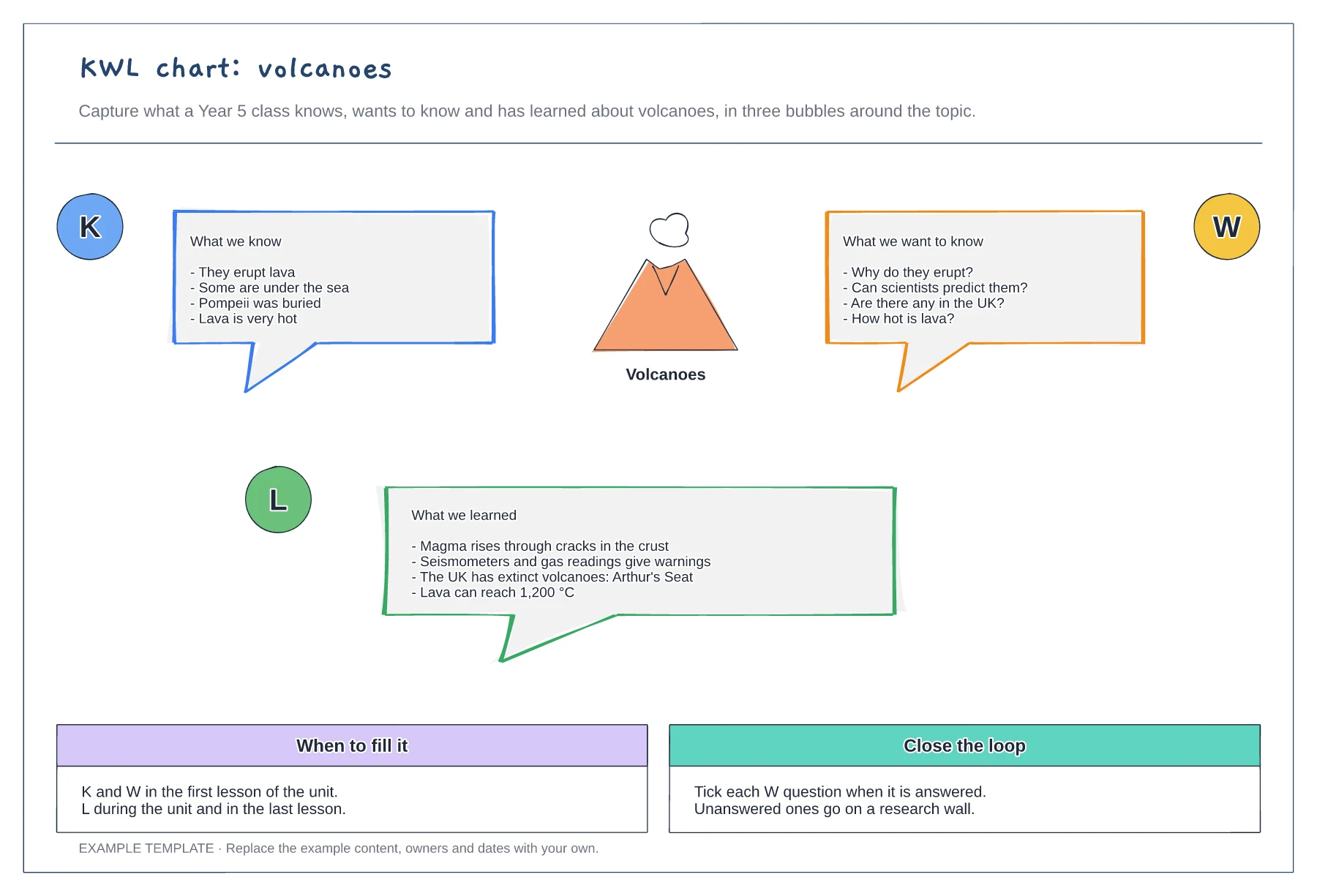
Know, want to know and learned bubbles · A worked example on volcanoes · When to fill it and how to close the loop
Preview and use template →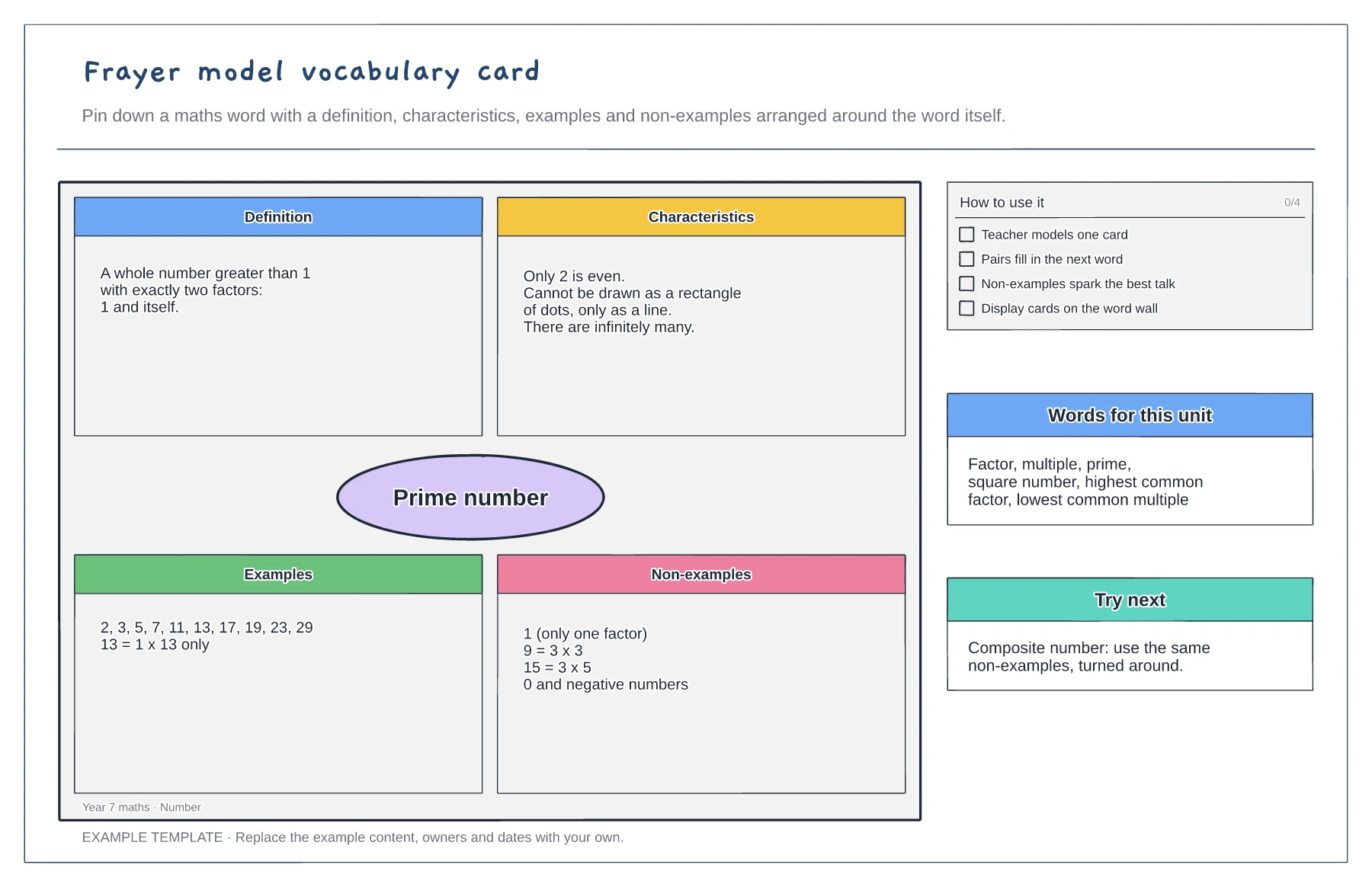
Definition, characteristics, examples and non-examples · A worked maths example · Tips and a word list for the unit
Preview and use template →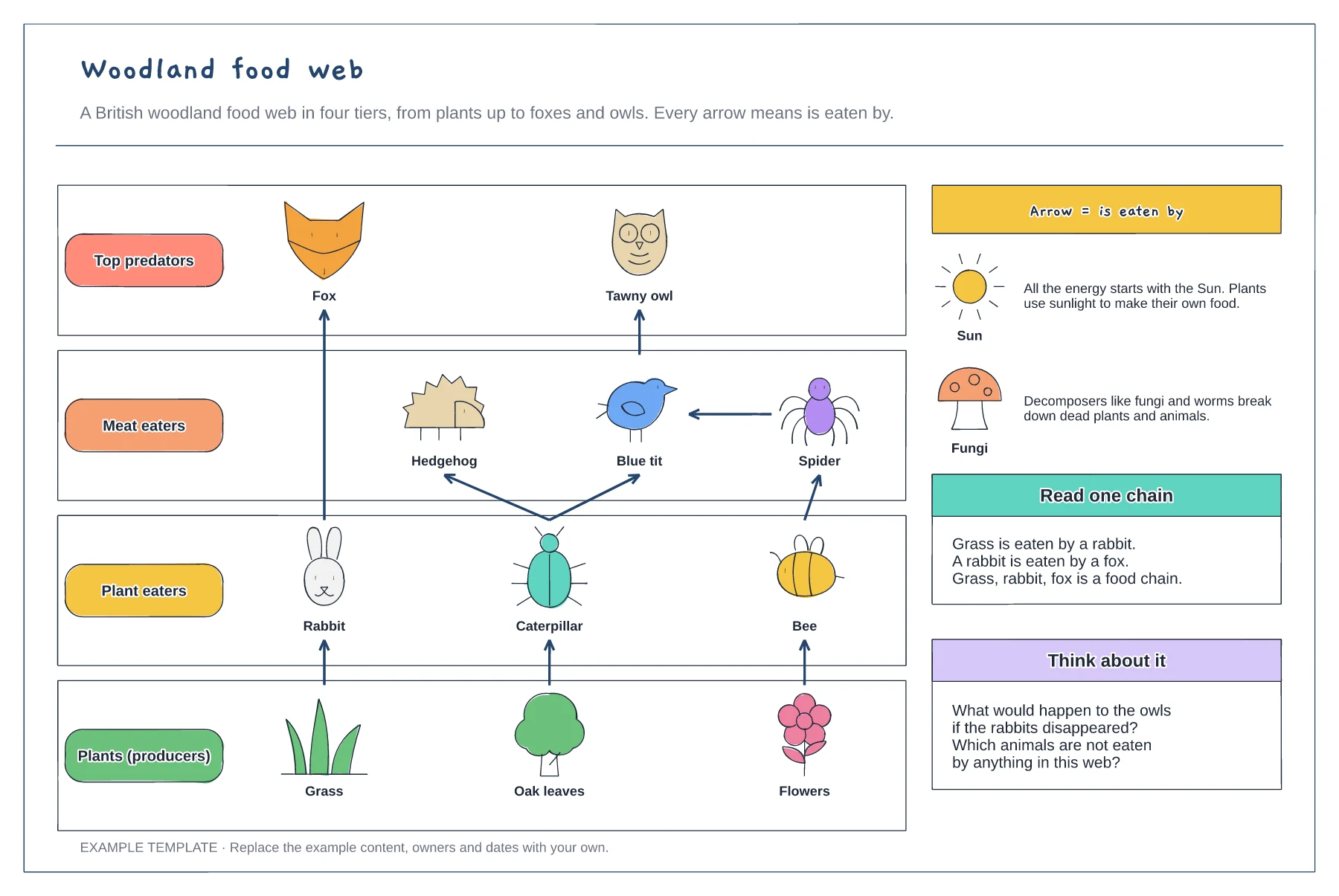
Four tiers from producers to top predators · Arrows that always mean is eaten by · Sun, decomposers and questions to discuss
Preview and use template →