Design
Task map and evidence worksheet template
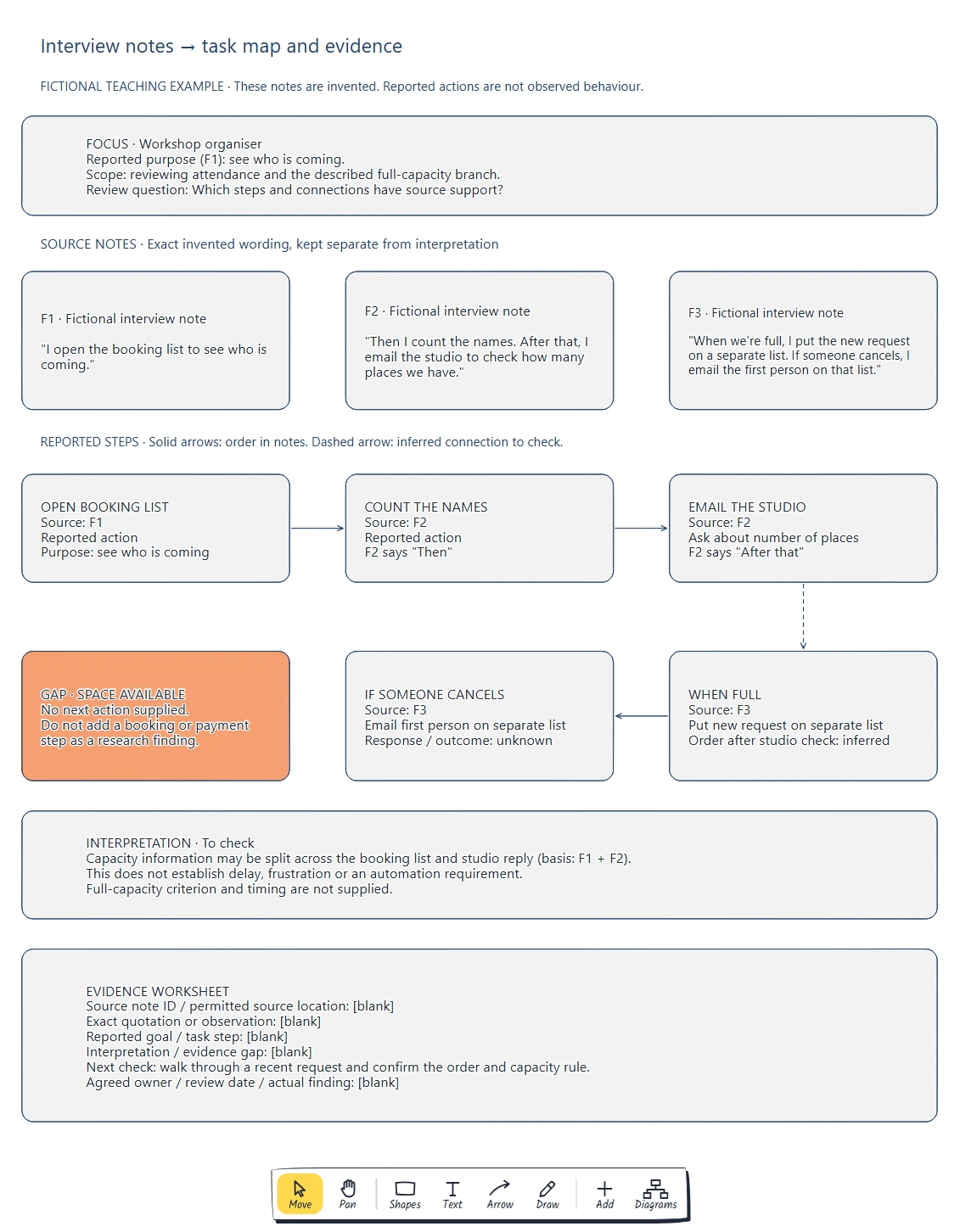
Set a goal and task boundary. · Reference every described step. · Separate quotation, paraphrase and interpretation.
Preview and use template →Map the work into states, agree entry and exit conditions, and keep an accepted owner and next action on each card. Count blocked and waiting work within your started-work limit.
No account needed · Opens as your own editable page
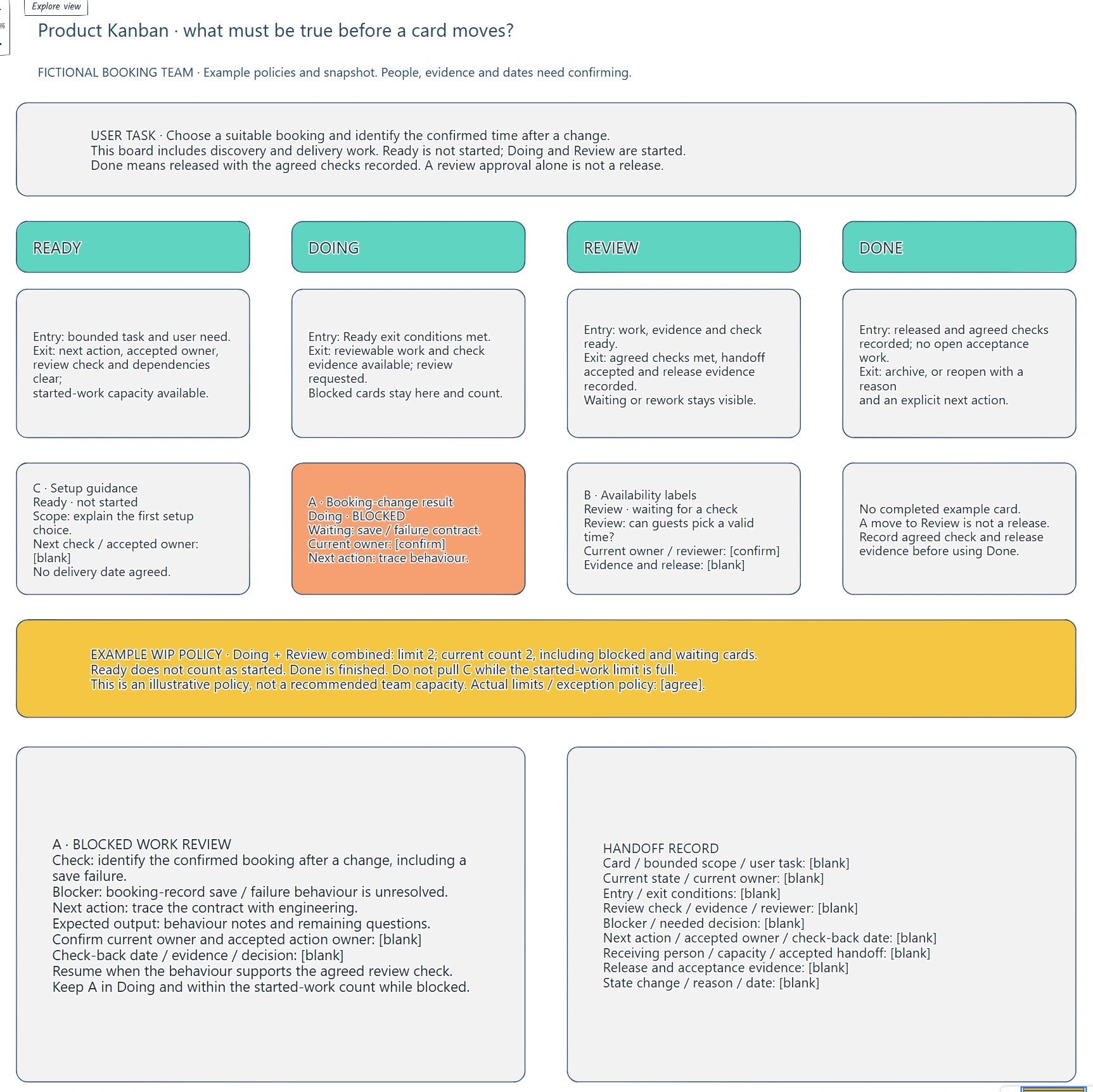
Cards move between columns without a clear completion rule.
Make ownership and the next handoff clear on your product board.
Agree the conditions and evidence for a card to move. Keep blocked and waiting work visible with an accepted next action.
Yes. Every label, box and line is editable, so replace the fictional example with your own screens and notes.
No. Open the template and edit it in your browser. Your work saves on this device. An account is optional if you want to sync your workspace.
Yes. Use Export in the editor to save a PNG, SVG or PDF, or download an editable .epicdraw backup.
Set a goal and task boundary. · Reference every described step. · Separate quotation, paraphrase and interpretation.
Preview and use template →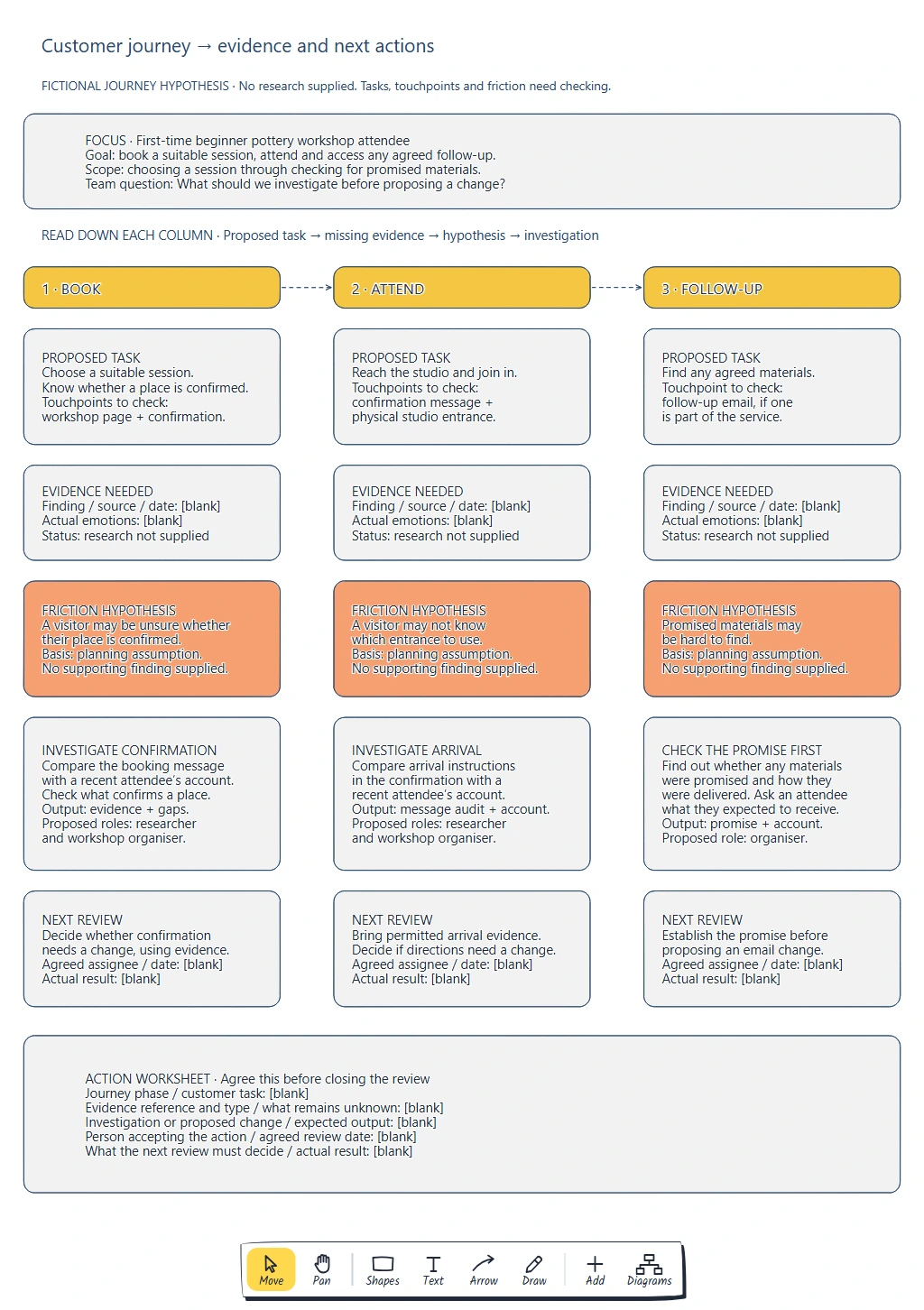
Name one customer, goal and journey boundary. · Record tasks and touchpoints, with evidence references and types. · Mark assumptions and missing evidence, including emotions.
Preview and use template →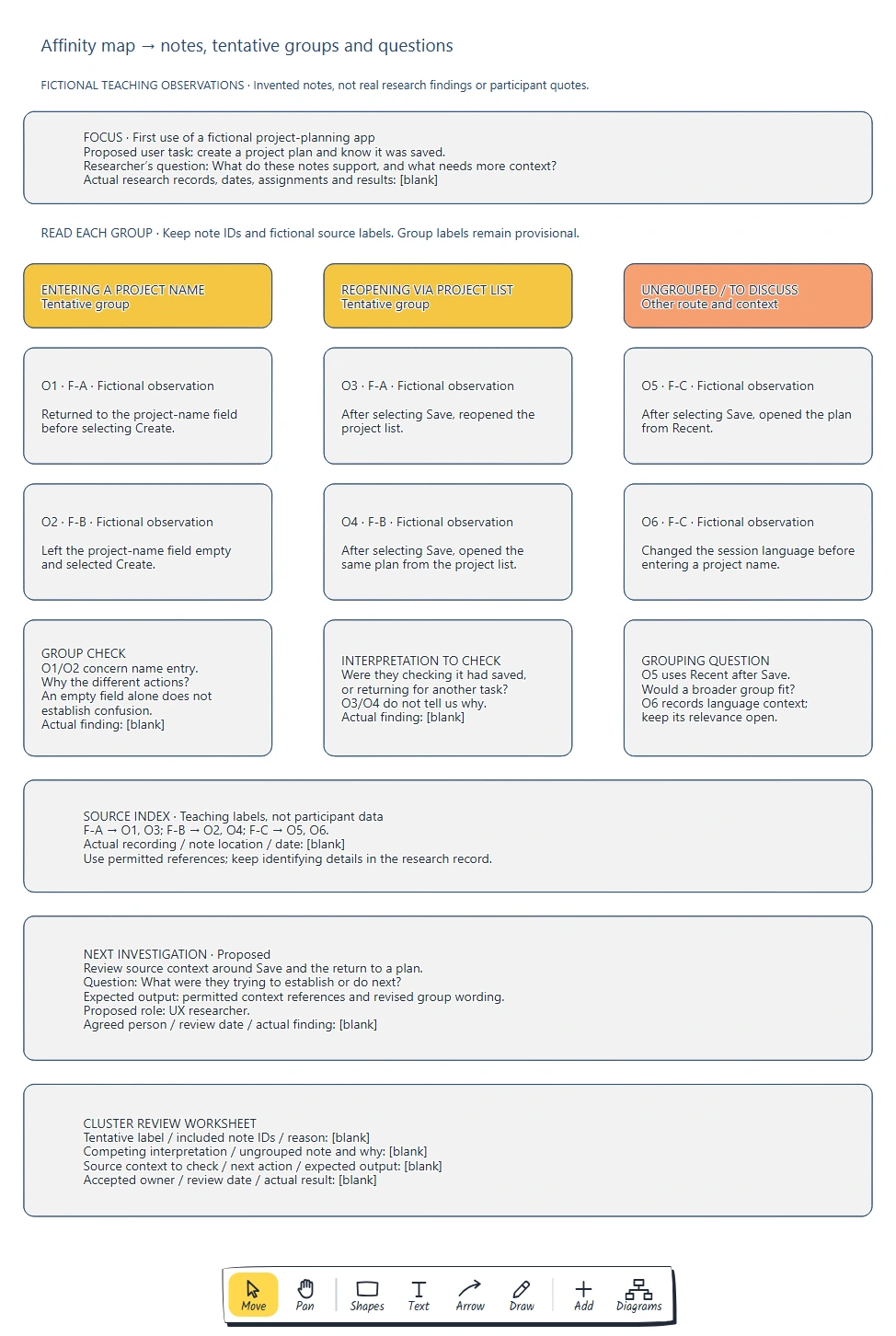
Keep one observation per card with a stable source ID. · Distinguish observations, quotations and interpretations. · Check each label against all its included notes.
Preview and use template →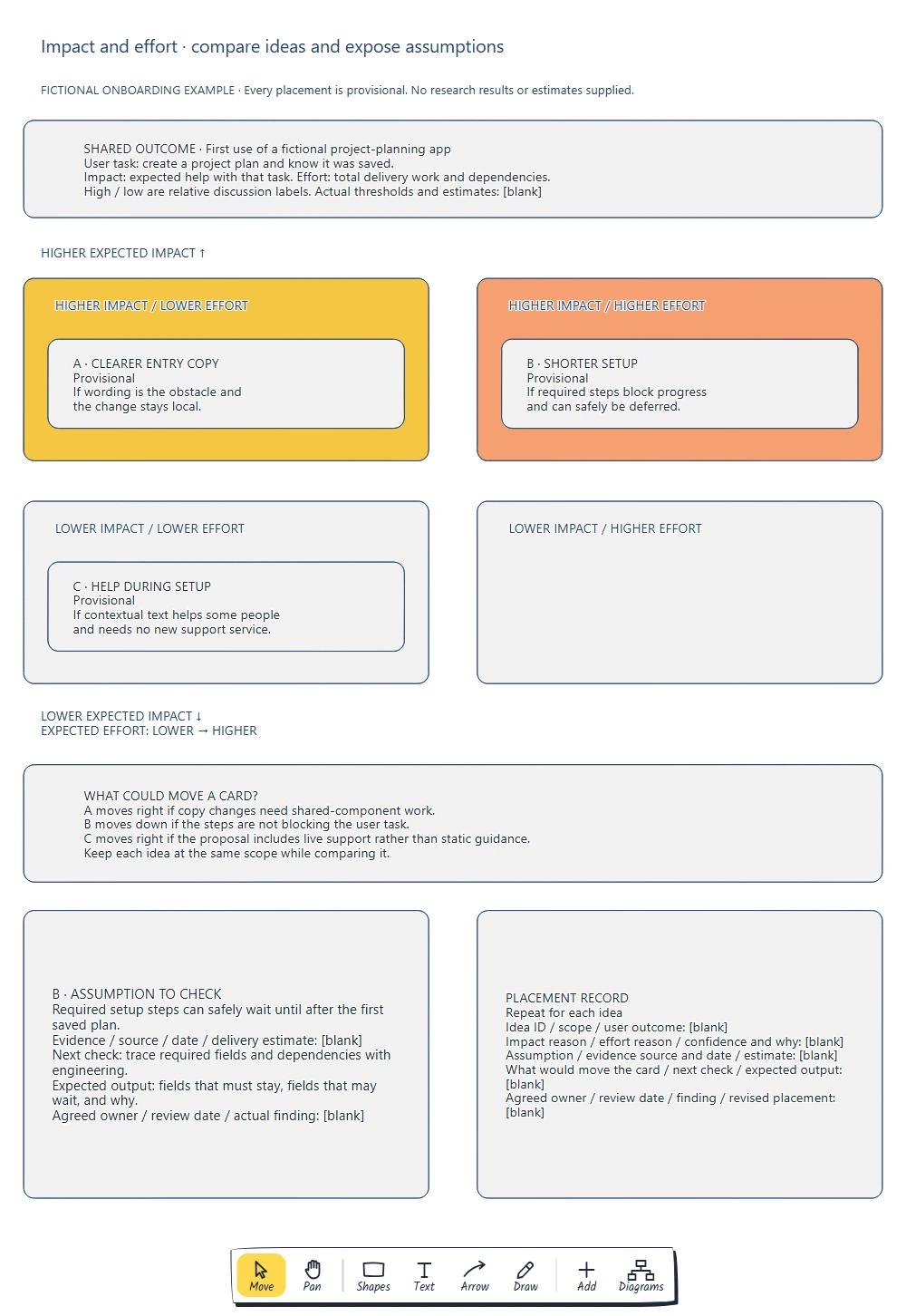
Use one user outcome and consistent idea scope. · Define impact and total delivery effort. · Attach reasons, assumptions and evidence gaps.
Preview and use template →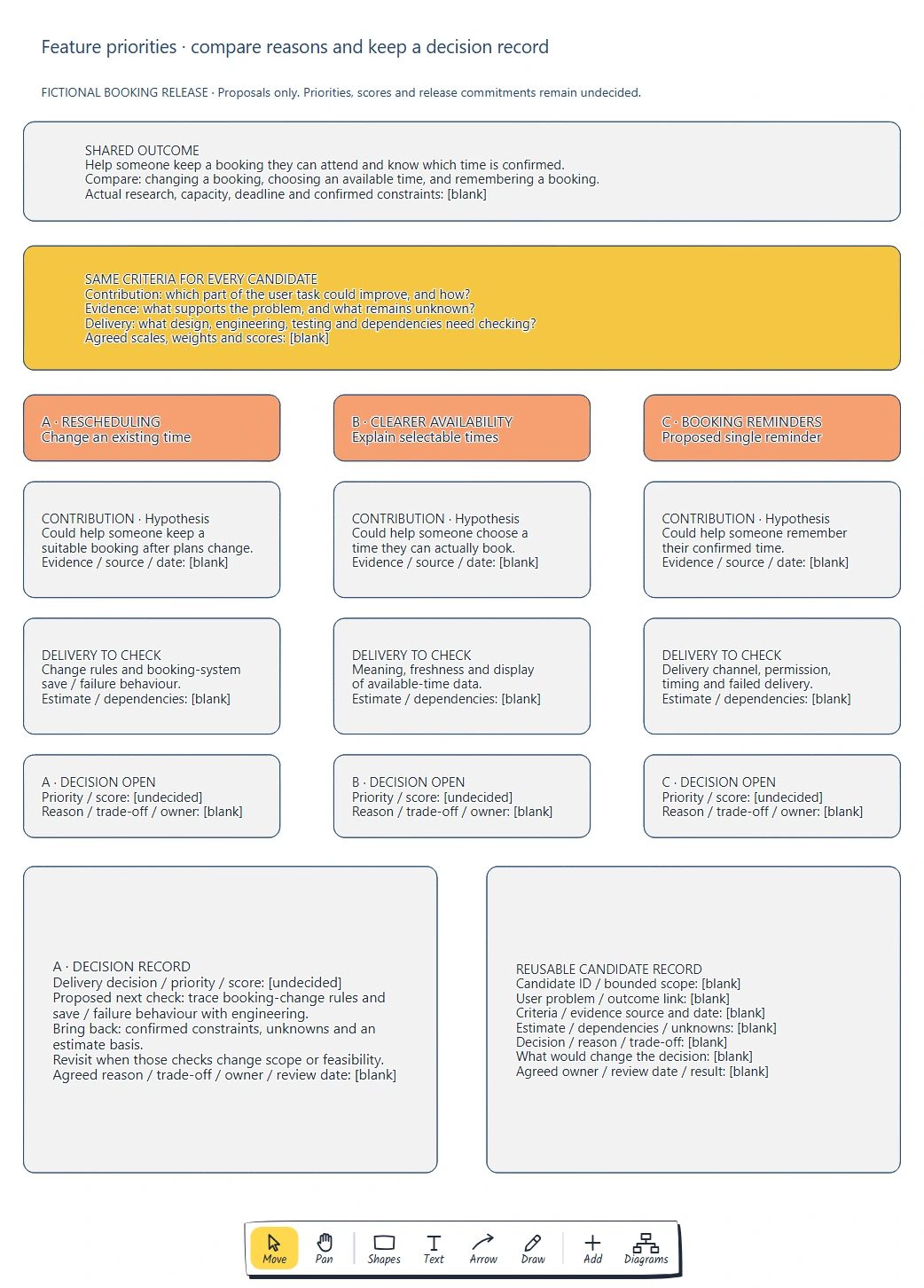
Agree a shared outcome and comparable scope. · Apply the same criteria and explain any scores. · Keep evidence, delivery work and dependencies visible.
Preview and use template →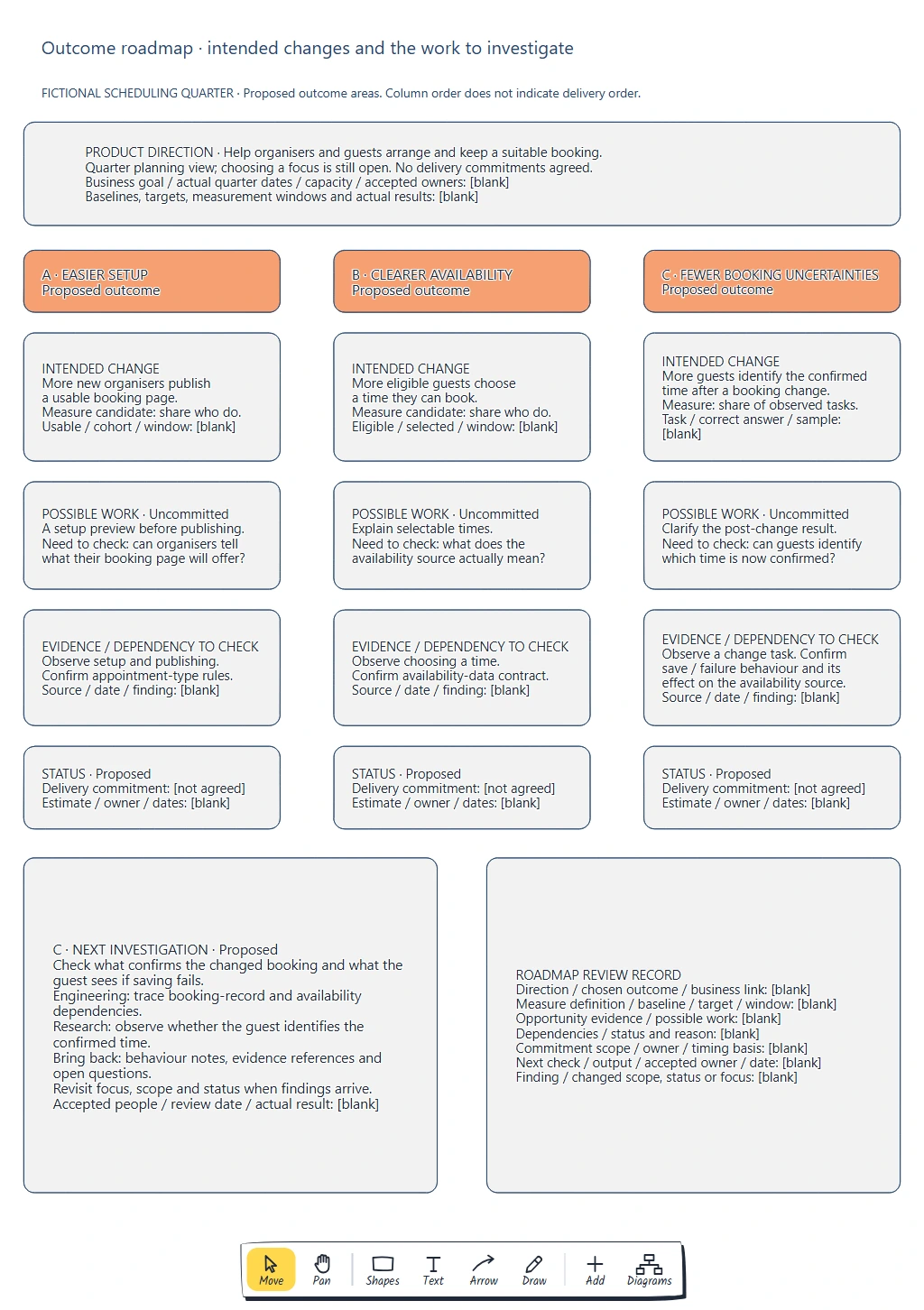
Describe an observable change for a defined group. · Define candidate measures and leave unsupported baselines and targets blank. · Connect possible work to evidence and dependencies.
Preview and use template →