Customer support
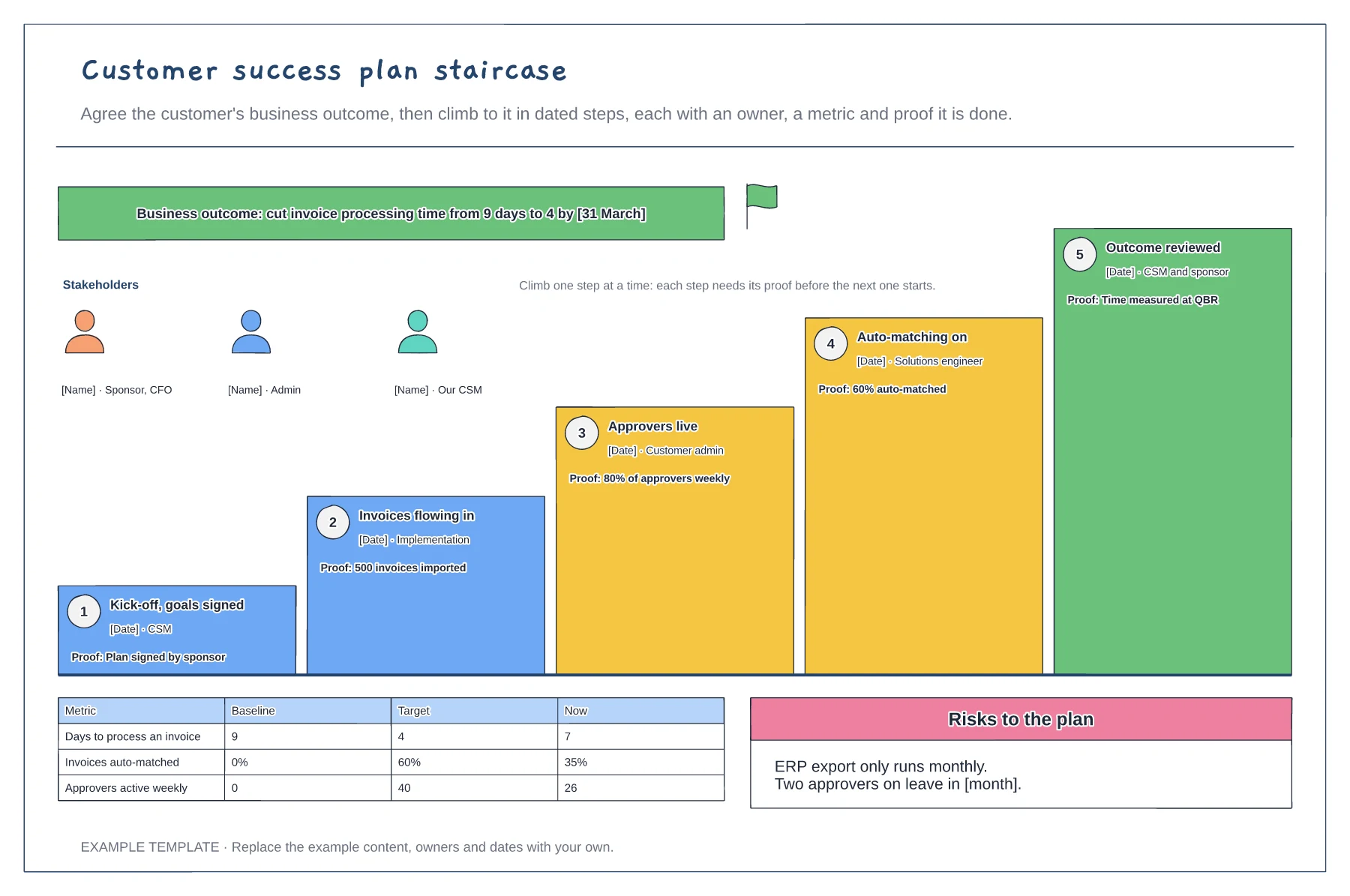
Customer success plan staircase template
One measurable business outcome · Five dated steps with owners and proof · Stakeholders, a metric table and risks
Preview and use template →A quarterly business review should fit on one board. This example opens with four headline counters, shows the usage trend by month, lists wins and open issues as sticky notes, sets out what each side is asking of the other and tracks next quarter's goals as progress bars. A one-line agenda keeps the meeting on the customer's goals first.
No account needed · Opens as your own editable page
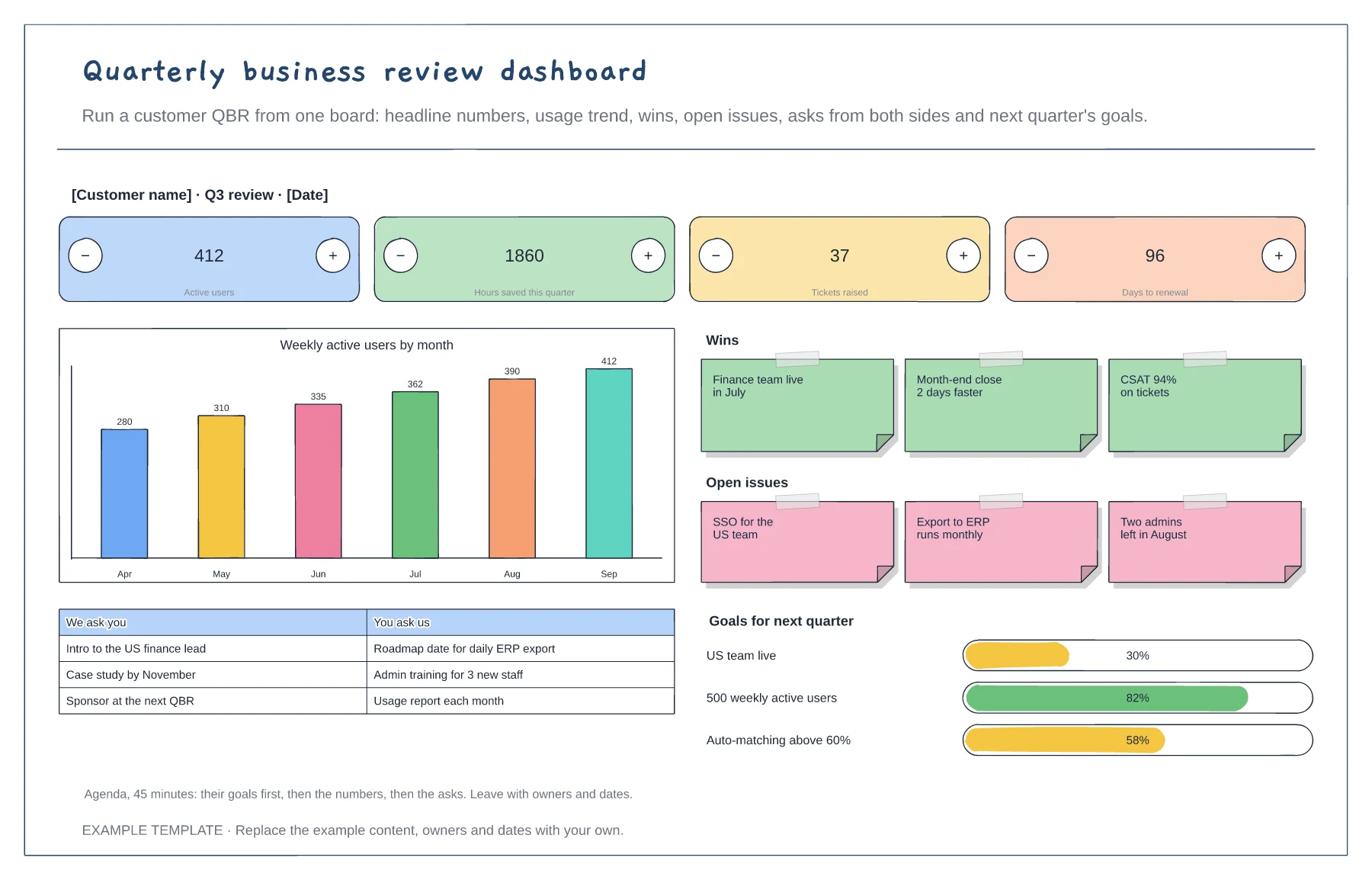
Choose four numbers the sponsor cares about, such as active users or hours saved, and the trend that explains them.
List open issues next to the wins, with a date or owner for each, so the customer hears it from you first.
Swap asks, set two or three goals for next quarter and leave the meeting with owners and dates.
Yes. Duplicate it for each review and update the headline numbers, usage chart, wins, issues and goals, so you keep a record of every QBR.
No. Open the template and edit it in your browser. Your work saves on this device. An account is optional if you want to sync your workspace.
Yes. Use Export in the editor to save a PNG, SVG or PDF, or download an editable .epicdraw backup.
One measurable business outcome · Five dated steps with owners and proof · Stakeholders, a metric table and risks
Preview and use template →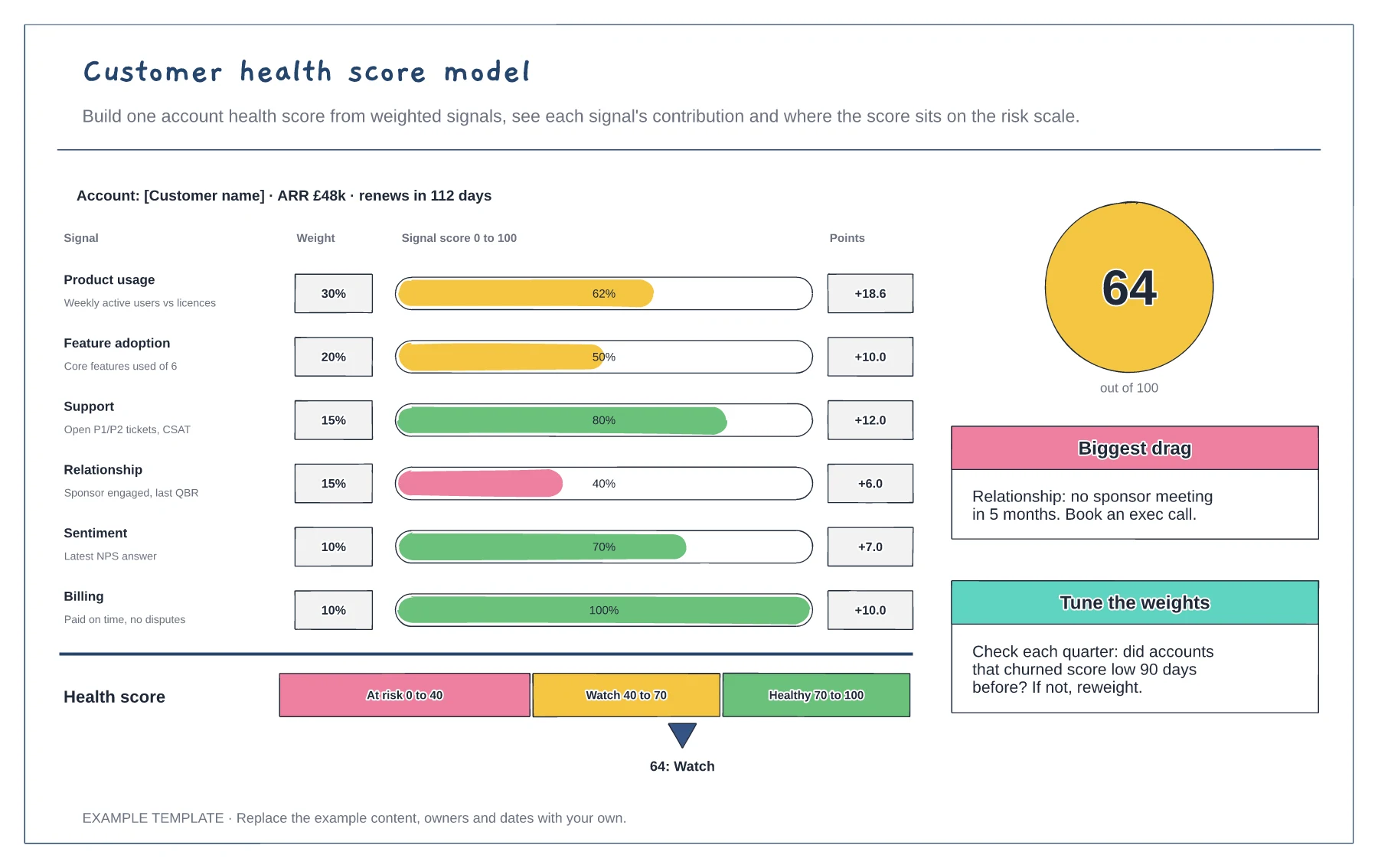
Six weighted signals with progress bars · Points per signal and a total score · A risk scale with thresholds
Preview and use template →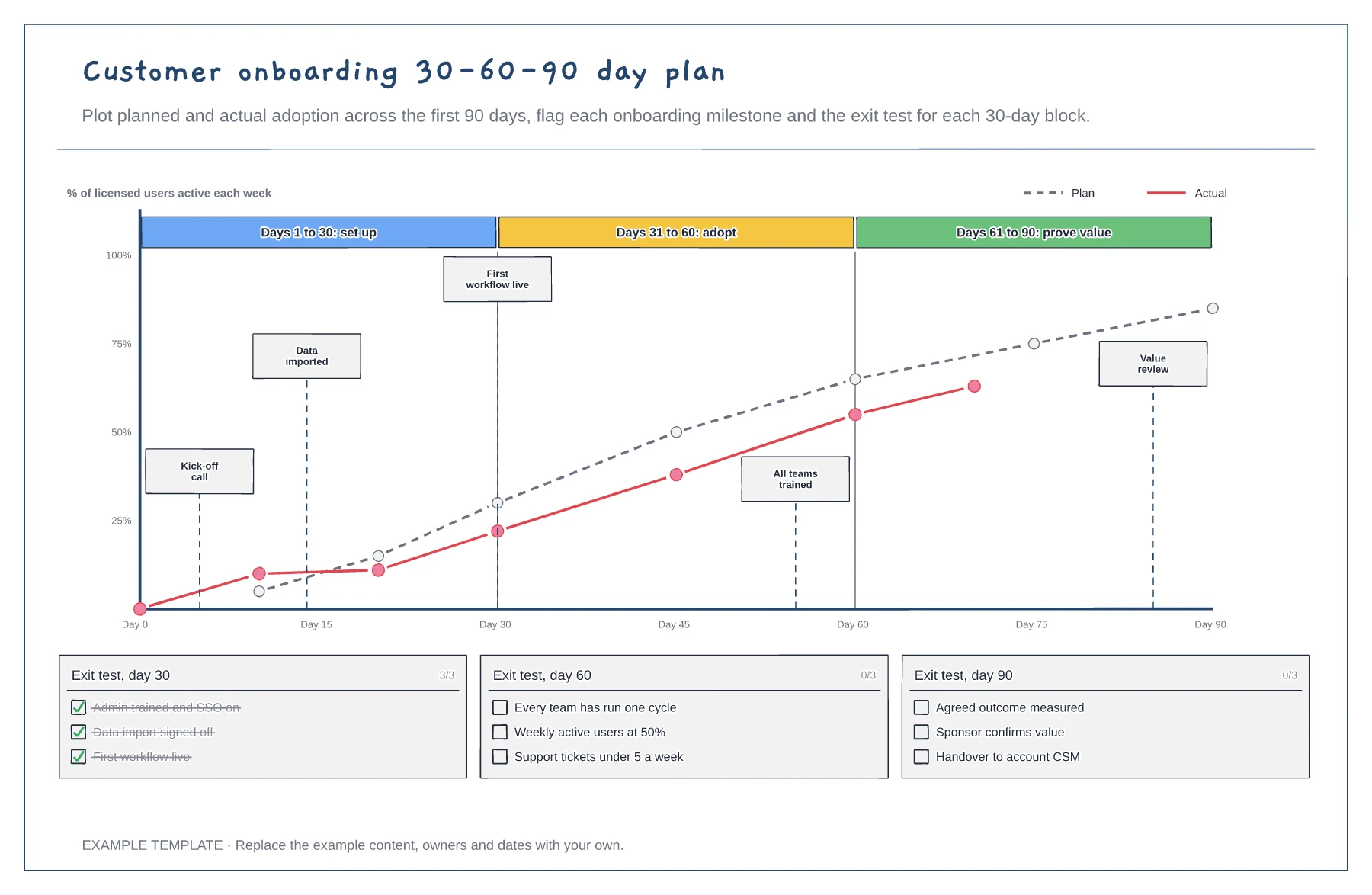
Planned versus actual adoption over 90 days · Milestone flags on the chart · Exit test checklists for days 30, 60 and 90
Preview and use template →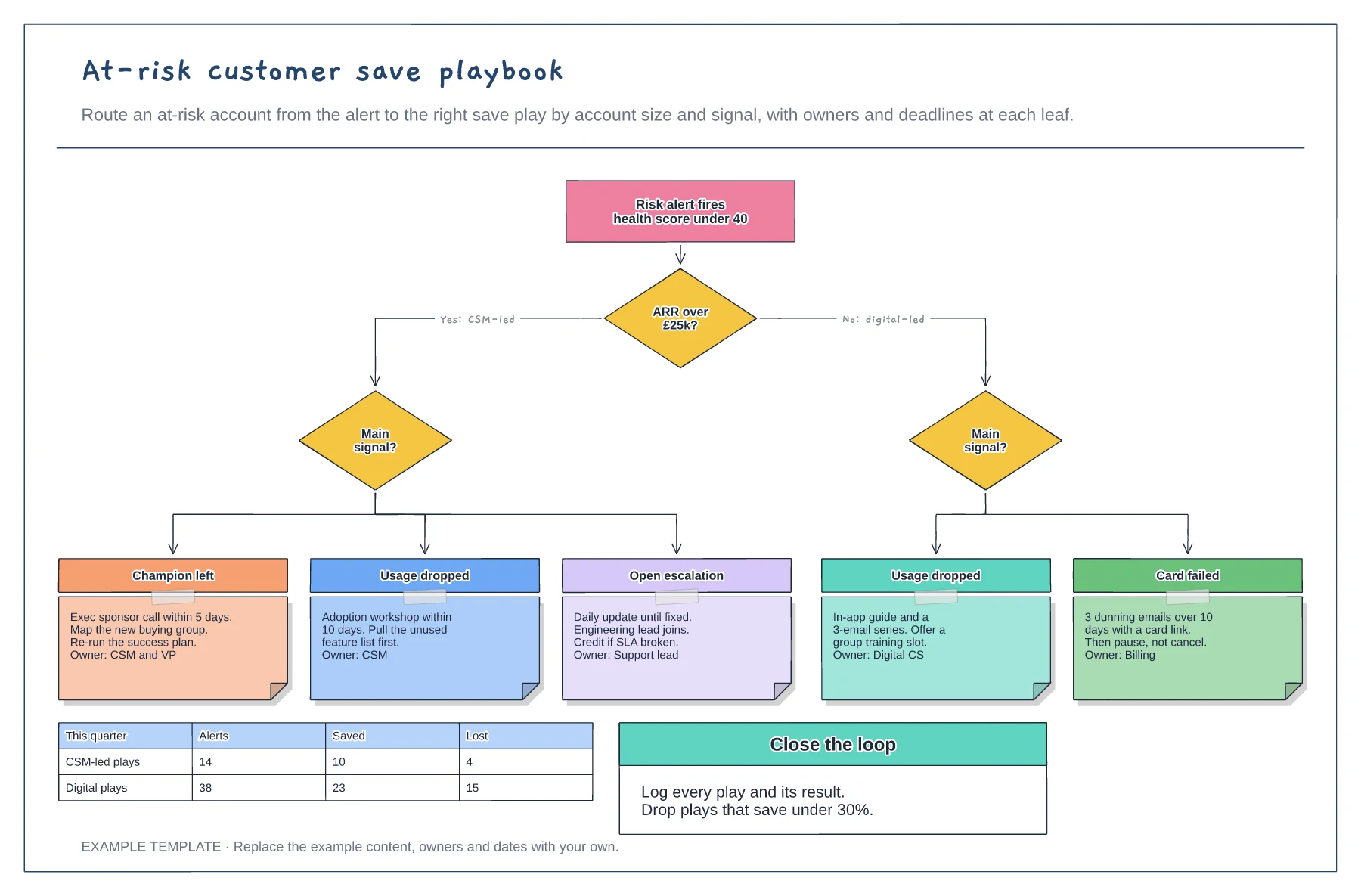
A decision tree from alert to save play · Five plays with actions, deadlines and owners · A saved and lost tracker by route
Preview and use template →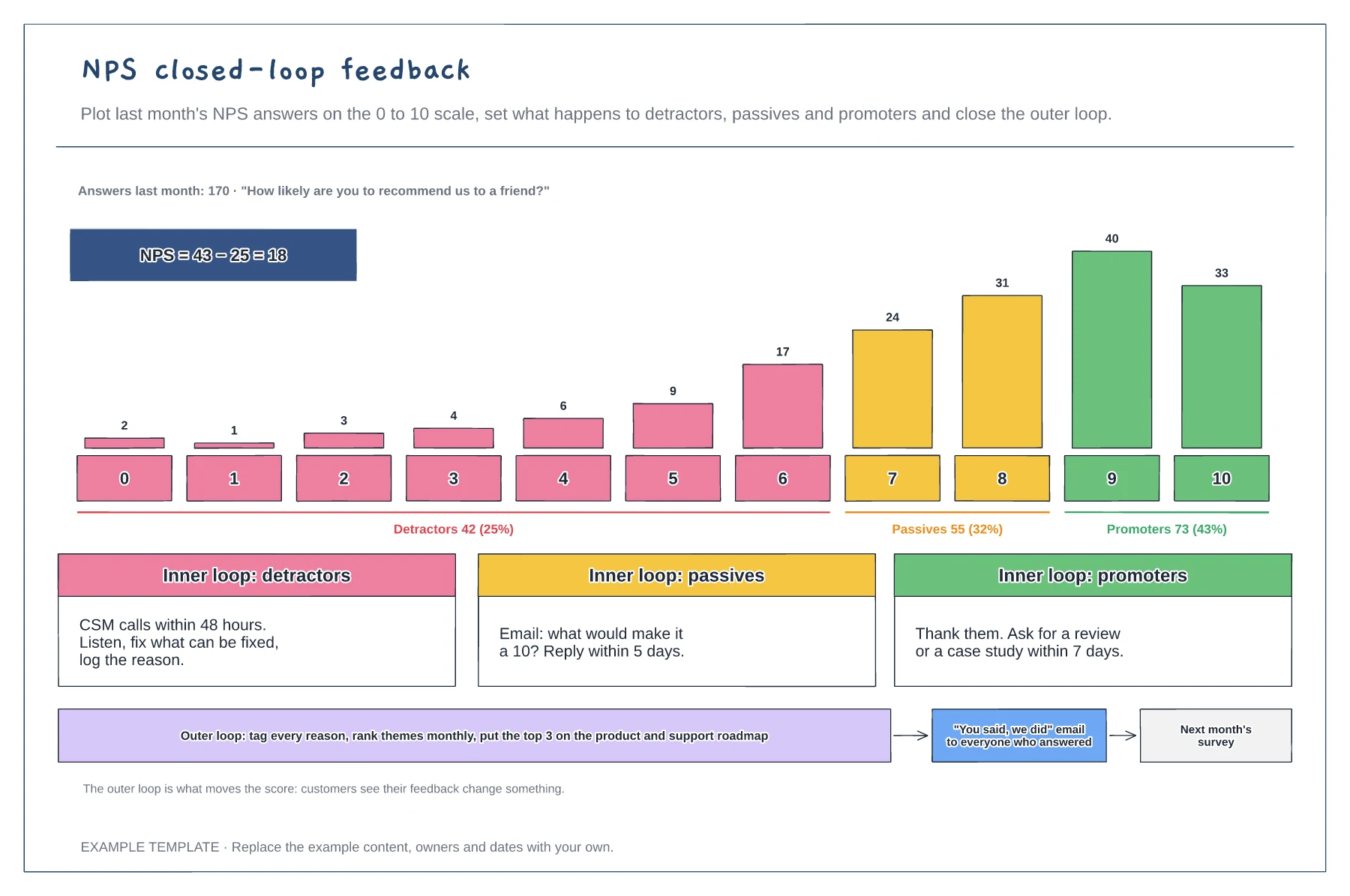
Answers per score on the 0 to 10 scale · Inner-loop actions for each group · The outer loop from themes to customer update
Preview and use template →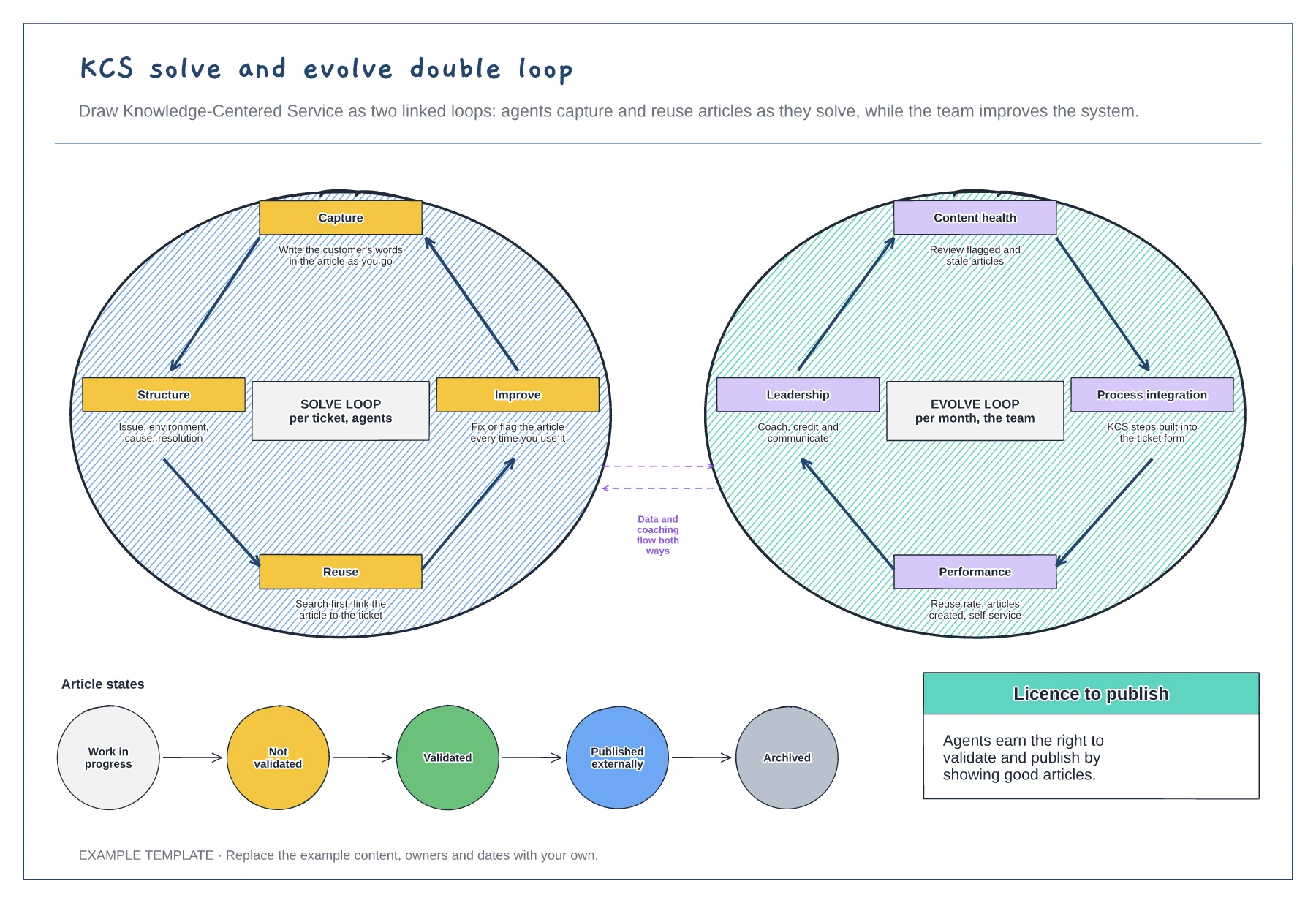
The solve loop for agents · The evolve loop for the team · Article states from draft to archived
Preview and use template →